Why Families Are Choosing Chore Apps for Kids: What Parents Actually Say
- Jacob Volk
- Chore Apps
- 15 Sep, 2025
- Updated 07 Sep, 2026
When I first wrote this article in 2025, MyChoreBoard was still young. I had a pretty clear idea of why a digital chore chart should help a family, but there is a difference between an idea and watching real families use it every day.
Since then, parents have left App Store and Google Play reviews, sent us feedback, and shared how they actually use MyChoreBoard at home. Some use a tablet in the kitchen. Some put the app on each child’s phone. Some use points as allowance. Others use rewards, Bonus Tasks, or a shared pool of chores that kids can grab first.
The details are different, but the same themes keep coming up: parents want to repeat themselves less, kids do better when expectations are visible, and a chore system only works if it is simple enough for the family to keep using.
We built MyChoreBoard, so this article is obviously informed by our own product and our own users. It is not a scientific survey of every family using a chore app. But the feedback gives us a useful look at why some families move away from paper charts, whiteboards, and parent-managed reminders toward a kid-facing digital system.
What Parents Are Actually Telling Us
A few short comments say a lot:
“Now they KNOW what I expect.”
Melissa S., Google Play
“I have to do way less nagging!”
HotMessToo…, App Store
“They have been tracking things themselves.”
James S., Google Play
Those are three different parents describing three parts of the same change: clear expectations, less reminding, and more independence.
You can read current feedback directly on the App Store and Google Play pages.
1. Parents Want the Chore System to Remember So They Don’t Have To
One of the most relatable reviews we have received came from a parent who said he had been trying to keep everything in his head: what needed to get done, which habits he wanted to encourage, and how to reward the kids for following through.
That is a lot of invisible work for something as ordinary as chores.
A paper chore chart can help, but it still depends on somebody remembering to update it, erase it, move things around, and point everyone back to it. A whiteboard does not tell you that a task happens only on Tuesdays. It does not automatically bring a weekly chore back next week. It does not let a parent make a change from work and have that change appear on the kitchen tablet.
A good chore app takes some of that memory work out of the loop.
That does not mean the app parents the child for you. It means the system can hold the routine so the parent does not have to keep reciting it.
This may be the biggest difference between a digital chore chart that helps and one that simply turns a paper checklist into another screen.
2. Kids Can Act More Independently When Expectations Are Visible
Parents often talk about “nagging,” but there is another side to it. A child may genuinely not know what the parent expects next.
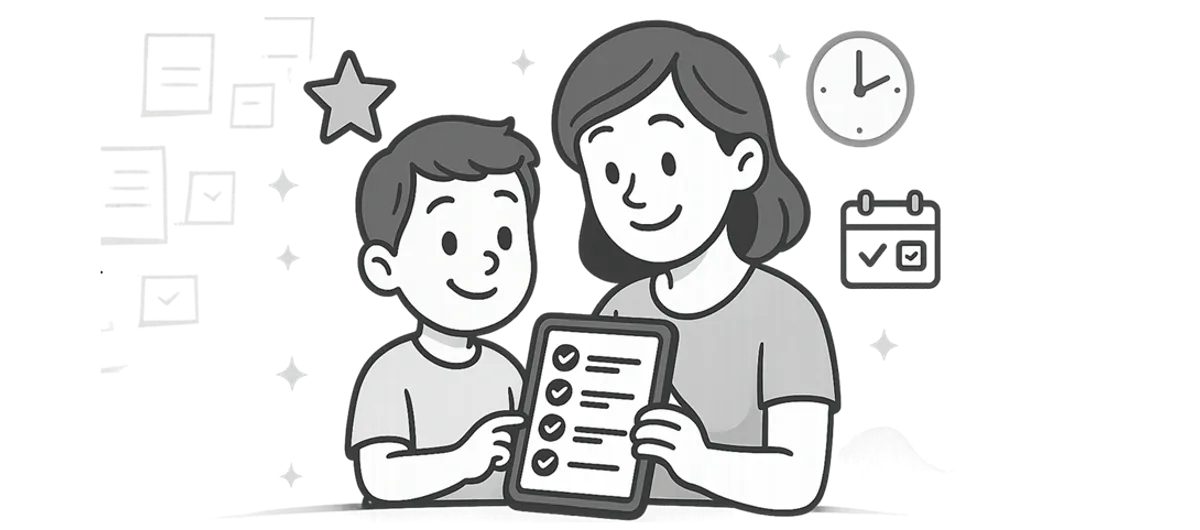
One Google Play reviewer told us she had spent months looking for an app. After setting up chores, hygiene tasks, and other responsibilities, her takeaway was simple: her kids now know what she expects. Another parent installed MyChoreBoard on both children’s phones and said they started tracking their chores themselves.
That is the behavior we hoped for when we designed the child side of MyChoreBoard.
Instead of a parent saying:
- Did you brush your teeth?
- Did you put your clothes away?
- Did you feed the dog?
- Did you finish your afternoon chores?
…the child can look at one place and see what is left.
The parent is still setting the expectations. The difference is that the parent does not have to be the human notification system all day.
For younger kids, visual design matters here. One App Store reviewer specifically mentioned that her 4- and 6-year-old boys could use the app easily. Another parent said her 7-year-old loved watching her points grow and saving toward rewards.
That is why we think there is an important distinction between a family task manager and a chore app designed for kids. Plenty of apps can assign a task to a family member. A kid-facing system also has to make the next step obvious to the child.
3. The Chore Chart Can Live Where the Family Lives
A paper chart has one unavoidable limitation: it stays where you taped it.
Digital chore apps can be much more flexible, especially when they sync across devices.
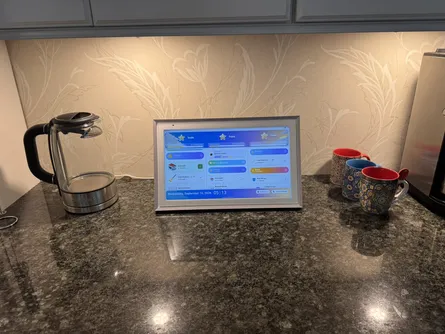
One App Store reviewer described using MyChoreBoard on the parents’ devices, the kids’ devices, and an Echo Show in the kitchen. That is a great example of how families actually use a digital system. The chore chart is no longer a single object hanging on the refrigerator.
Depending on the app, a family might use:
- a shared tablet in the kitchen,
- an old iPad mounted in a common area,
- a child’s phone or tablet,
- a parent’s phone while away from home,
- a browser on a computer or compatible smart display, or
- a larger central display that shows multiple kids at once.
MyChoreBoard’s WallBoard Mode was built specifically for that last use case. It puts multiple children’s chore boards side by side on a shared screen while still allowing each child to use a personal device elsewhere.
This flexibility can also help families whose routines happen in more than one place. A paper chart on one refrigerator cannot travel between homes. A synced digital list can.
Not every chore app supports every platform or shared-screen setup, so this is something worth checking before you spend an hour building your family’s system. We compare device support, web access, shared displays, and other differences in our Best Free Chore Apps for Kids guide.
4. Motivation Works Better When Kids Can See Progress
The reviews also make it clear that many children care about the feedback loop.
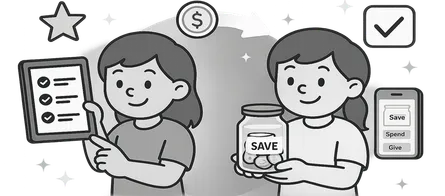
Some parents use points as a simple allowance system. Some create small, medium, and large rewards. Some let kids save toward one bigger reward. Others use optional chores so kids can decide to do a little more when they want to earn extra points.
One recent App Store reviewer told us that the Shared Task Pool made her kids more motivated because they wanted to beat each other to the available tasks. She also said it resulted in much less nagging.
That does not mean every chore needs a prize. Families use rewards very differently, and some eventually move away from them altogether. The useful part of a digital system is that progress becomes visible. A child can see that something is finished, see what remains, and understand how today’s work connects to a goal.
For many kids, that is more concrete than hearing “you need to be more responsible.”
5. Simple and Customizable Usually Beats “More Features”
A pattern I did not expect to hear quite so often is how many parents tried other chore apps first.
One App Store parent said she downloaded several free chore apps to test before settling on MyChoreBoard. Another wrote that she had searched and tried many of them. A homepage testimonial from a parent of three says she had tried many free and paid apps before finding one that stuck with her neurodivergent family. You can read that and other parent feedback on the MyChoreBoard homepage.
That feedback matters because there are a lot of capable family apps. The problem is not always a lack of features.
Sometimes the problem is that the system becomes another thing the parent has to manage.
A chore app can have calendars, chat, meal planning, banking, family scheduling, cleaning scores, photo verification, and twenty other tools. Those features can be exactly right for some families. But if the goal is simply to help a child see what needs to be done and take more ownership of it, complexity can work against you.
This is one reason we have tried to keep MyChoreBoard centered on the child’s daily chore and routine experience, rather than turning it into a general family operating system.
6. “Free” Matters More After You’ve Already Set Everything Up
This is personal for me.
Before building MyChoreBoard, I tried different ways to solve the chore problem for my own family. What frustrated me about some apps was not simply that they charged money. Developers have every right to charge for useful software.
The frustrating part was spending time evaluating a system, creating children, entering chores, building rewards, and getting everyone used to it, only to discover that an important feature was part of a trial or locked behind a subscription.
Parents have told us the same thing.
One Google Play reviewer said she had looked for an app for months but kept avoiding downloads because she did not want to do all the setup for a free trial she might not keep. Another App Store reviewer said simply that they chose MyChoreBoard because it was free and did what their family needed. A Google Play parent specifically called out that there were no annoying ads.
That experience helped shape one of the basic decisions behind MyChoreBoard: all of the functionality is available to every family. There is no premium feature tier.
We do not think access to tools that can help a household run more smoothly should depend on whether a parent wants to add another subscription.
That does not make MyChoreBoard the only free chore app, and we do not claim that it is. There are other apps with useful free tiers, and there are paid apps that may be a better fit if you need things like photo proof or real bank transfers. The important question is what “free” actually includes before you commit to a system.
Our 2026 comparison of free chore apps breaks down which features are free, limited, or paid across the major kid-focused options we researched.
7. Some Families Benefit More From Visible Structure
We used to make broader statements in this article about ADHD and executive function. I think it is better to be more precise.
A chore app is not an ADHD treatment, and no app works the same way for every child.
What we can say is that some parents tell us visible structure is especially useful in their homes. One parent described MyChoreBoard as a “game changer” for her neurodivergent family after trying a number of free and paid apps. Her experience is one family’s experience, but it is a good reminder that making tasks visible and predictable can matter differently from family to family.
If this is something you are specifically trying to solve, we have a separate guide on using a digital chore chart with kids who have ADHD that treats the topic more carefully.
What a Chore App Cannot Do for You
There is also a limit to what software can fix.
An app cannot decide what your family’s expectations should be. It cannot make an unrealistic routine realistic. It cannot turn a reward your child does not care about into motivation. It cannot replace encouragement, consequences, or conversations.
And simply downloading an app does not make kids independent.
The families who seem to get the most value from a digital chore system usually do a few simple things well:
- Start with a manageable number of responsibilities. A giant list is still a giant list, even on a screen.
- Make the child interface easy to understand. Kids should not need a parent standing beside them to interpret it.
- Put the system somewhere the child will actually see it. That might be their phone, a tablet, or a shared household screen.
- Use rewards in a way that fits your family. Points can represent money, privileges, treats, larger goals, or nothing at all.
- Adjust the system when it creates friction. The chore chart should reduce management work, not create more of it.
If you are moving from paper or a whiteboard, you also do not need to rebuild your entire household routine on day one. Our one-weekend guide to switching to a chore app walks through a much simpler transition.
So Why Are Families Choosing Chore Apps?
After reading the reviews and talking with families, I would answer this differently than I did when I first published this article.
It is not really because digital is newer than paper.
Families are looking for a chore system that does more of the remembering, gives kids a clearer view of what is expected, works on the devices and screens they already use, and requires less day-to-day intervention from the parent.
When it works, the goal is not more screen time or a more elaborate household management system.
The goal is much simpler: the child knows what to do, the parent does not have to keep saying it, and the family has one less thing to manage.
That is still the message I wanted this article to carry when I wrote the first version. The difference now is that real parents are telling us the same thing.
Not sure which app fits your family? Start with our Best Free Chore Apps for Kids comparison. If you already know you want to try a digital system, use our family rollout plan to introduce it without making chores feel like a new project.

Ready to try MyChoreBoard with your kids?
Install on any phone, tablet or computer. Free with no sign-in hoops.