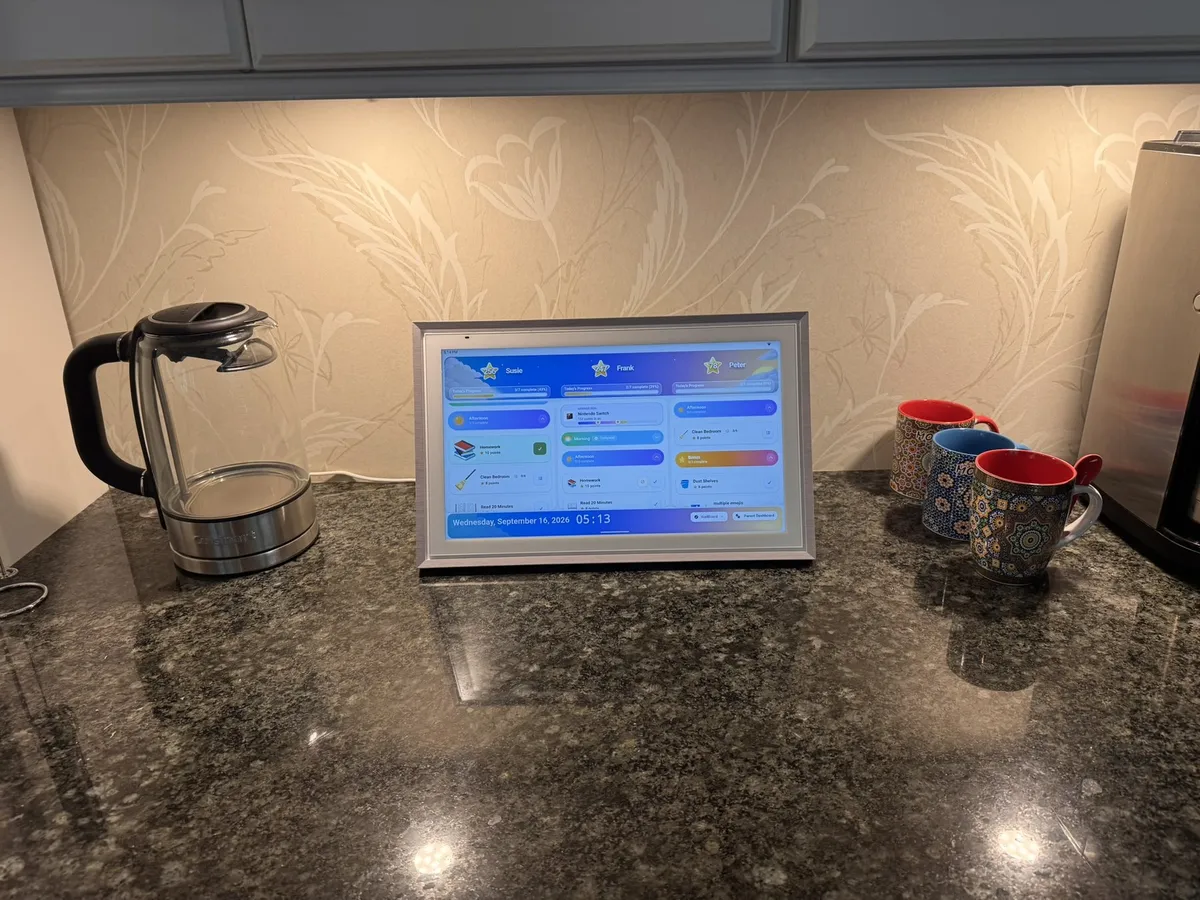
ApoloSign Review: Building a Family Command Center With No Monthly Subscription
- Jacob Volk
- Chore Apps , MyChoreBoard Guides , Family Command Center
- 01 Oct, 2026
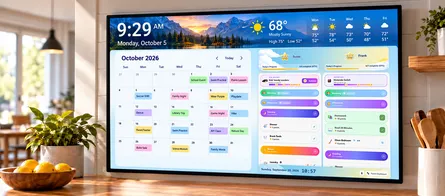
I wanted a shared family calendar and a larger MyChoreBoard WallBoard, but I did not want another monthly subscription. After testing a 15.6-inch ApoloSign in my own kitchen, I think it can be a very good way to build that kind of family command center. The cost model is simple: buy the display once, then use the family-management setup I tested without a required monthly software fee.
Disclosure: This is not a sponsored ApoloSign review. I am the creator of MyChoreBoard, and I purchased and tested the ApoloSign used for this article before joining ApoloSign’s affiliate program. ApoloSign did not provide the device, pay for this review, or review this article before publication. Some links on this page are affiliate links, which means MyChoreBoard may earn a commission if you make a purchase, at no additional cost to you. ApoloSign may also show a special offer after you click through one of our links.
How I tested the ApoloSign
- I bought the 15.6-inch certified-refurbished model myself from ApoloSign’s official eBay store.
- I used it as a countertop family calendar, MyChoreBoard WallBoard, Android display, split-screen command center, and Google Photos frame.
- I connected about four family calendars and intentionally used one-way sync so the shared display could not modify my source calendars.
- I tested ApoloSign’s own Routines, points, rewards, mobile app, portrait/landscape rotation, and Android Mode.
- I installed MyChoreBoard from Google Play and tested it full-screen, portrait, landscape, and side by side with the ApoloSign calendar.
Quick verdict
| Question | My experience |
|---|---|
| Does the hardware look good in a kitchen? | Yes. The frame, screen, cable, and kickstand feel like a finished home product rather than a generic tablet. |
| Is the 15.6-inch size useful? | Yes for a countertop calendar, MyChoreBoard WallBoard, or photo frame. It is too small for my taste if you want calendar + MyChoreBoard visible side by side all day. |
| Does MyChoreBoard run normally? | Yes. I installed it from Google Play like any other Android app. |
| Is ApoloSign fast? | Fast enough, but not as snappy as a current iPad or iPhone. |
| Is the built-in calendar customizable? | Not much. Day, week, and month views work well, but others offer far more layout customization. |
| Are ApoloSign’s built-in chores enough? | Fine for a simple routine/checklist. I did not find enough options for the more complex household chore management I use MyChoreBoard for. |
| Cost model | Buy the ApoloSign hardware once. The family-management features I tested require $0/month, and MyChoreBoard is free. |
See how an ApoloSign can turn MyChoreBoard into a larger shared family command center.
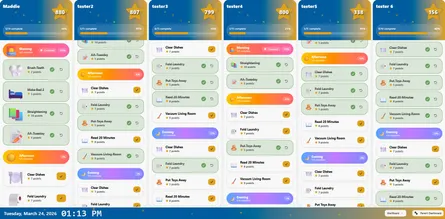
See how MyChoreBoard looks and works on the 15.6-inch ApoloSign in portrait and landscape.
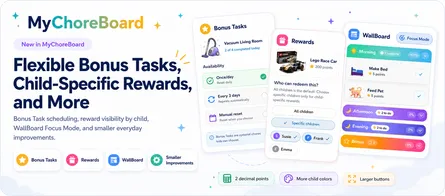
See what MyChoreBoard adds if you want more control over chores, rewards, and child-facing routines.
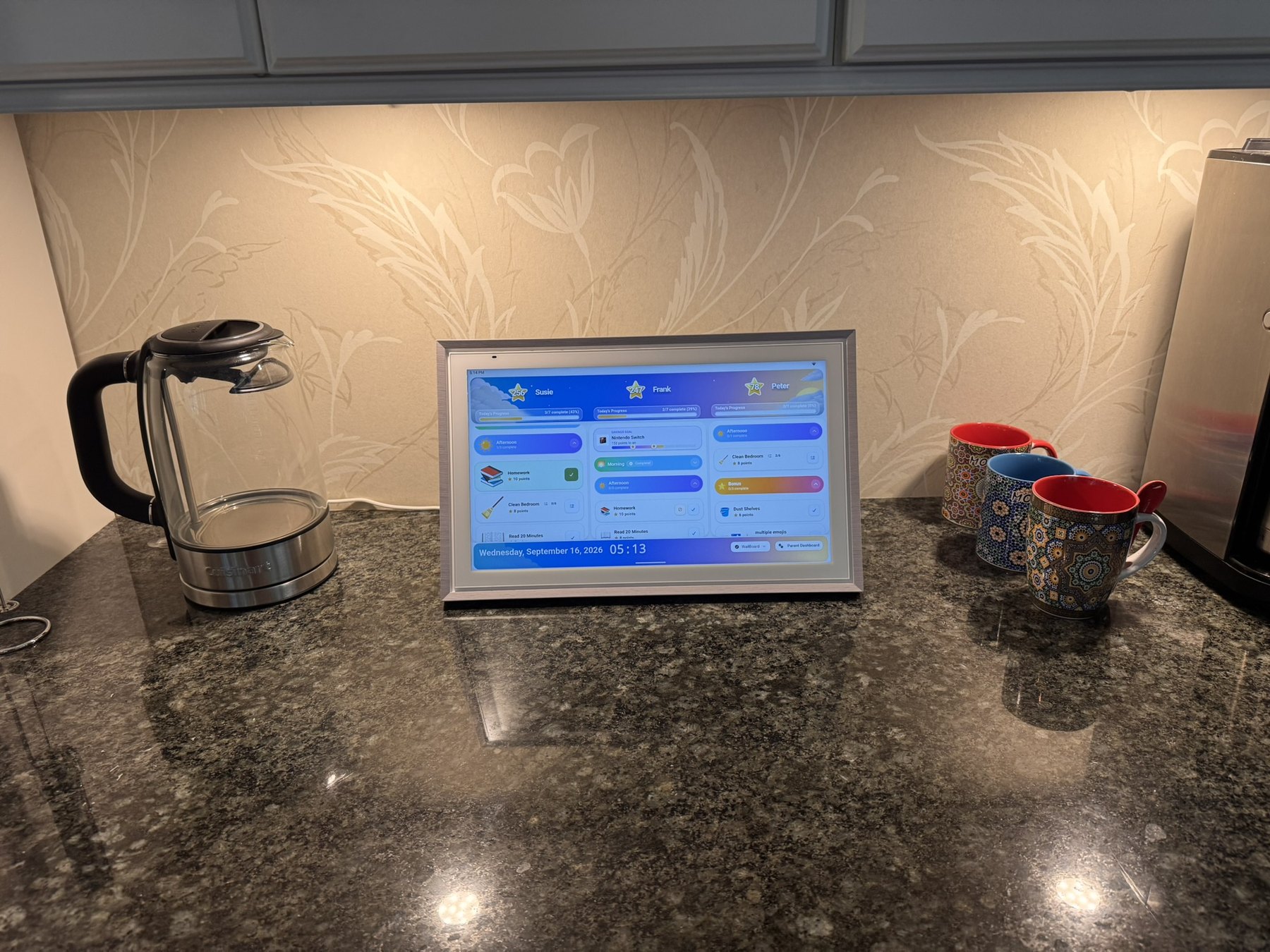
The 15.6-inch ApoloSign is small enough for a kitchen counter but large enough to make MyChoreBoard WallBoard feel like a real shared family display.
Why I wanted a family command center in the first place
I was not shopping for another tablet. I already have phones and tablets.
What I wanted was a shared family device that was noticeably larger than a traditional tablet, looked good enough to stay visible in the kitchen, and could handle two main jobs:
-
Show a shared family calendar.
-
Run MyChoreBoard WallBoard Mode on a larger touchscreen.
I may eventually use the display for more home-automation or smart-home functions, but those were not requirements for this test.
The hardware problem turned out to be harder than I expected. Large touchscreens often look commercial, while many purpose-built family calendars are closed platforms. ApoloSign stood out because the hardware looks like it belongs in a home while still providing a normal Android environment through Google Play.
That combination is the reason I bought one.
Why ApoloSign is more interesting than just “a calendar”
One of the reasons this product caught my attention is that ApoloSign is trying to do more than be a simple wall calendar.
ApoloSign positions the device as a dual-mode system. In Calendar Mode, it behaves like a focused family organizer. In Android Mode, it becomes a more open display where you can install apps from Google Play, use widgets, and potentially build out a broader household dashboard.
That matters because many family command-center products are much more locked down. I wanted something that could show a family calendar, but I also wanted the freedom to install MyChoreBoard and potentially use other apps over time.
According to ApoloSign’s current product materials, the broader feature set also includes:
-
a shared family calendar;
-
built-in routines and rewards;
-
to-do lists;
-
meal-planning style organization;
-
a message board;
-
Google Photos / wallpaper / photo-frame use;
-
custom widgets and other Android-style dashboard features.
I did not deeply test every one of those features. My hands-on use centered mainly on the calendar, Android Mode, Google Photos, Routines/Rewards, and MyChoreBoard. But I do think it is worth saying clearly that ApoloSign is designed to be a broader family command-center platform, not just a single-purpose photo frame or chore app.
It is also a general-purpose Android display
One advantage I did not fully appreciate until using it is that the ApoloSign is not limited to family-calendar functions. Because it runs Android and has access to Google Play, I can use it for other apps when the family is not using the calendar or MyChoreBoard.
For example, I have used the 15.6-inch model as a small countertop screen for streaming sports while I am in the kitchen. That is not why I bought it, but it makes the hardware feel much more useful than a single-purpose family calendar.
The 15.6-inch screen works for that kind of occasional use when I am standing nearby, but if I expected to use the ApoloSign regularly as a part-time kitchen TV, I would want a larger model. That gives me another reason to lean toward the 21.5-inch or 27-inch versions for a permanent family command center: the extra screen area would be useful not only for calendars and split screen, but also for media when the display is doing something completely different.
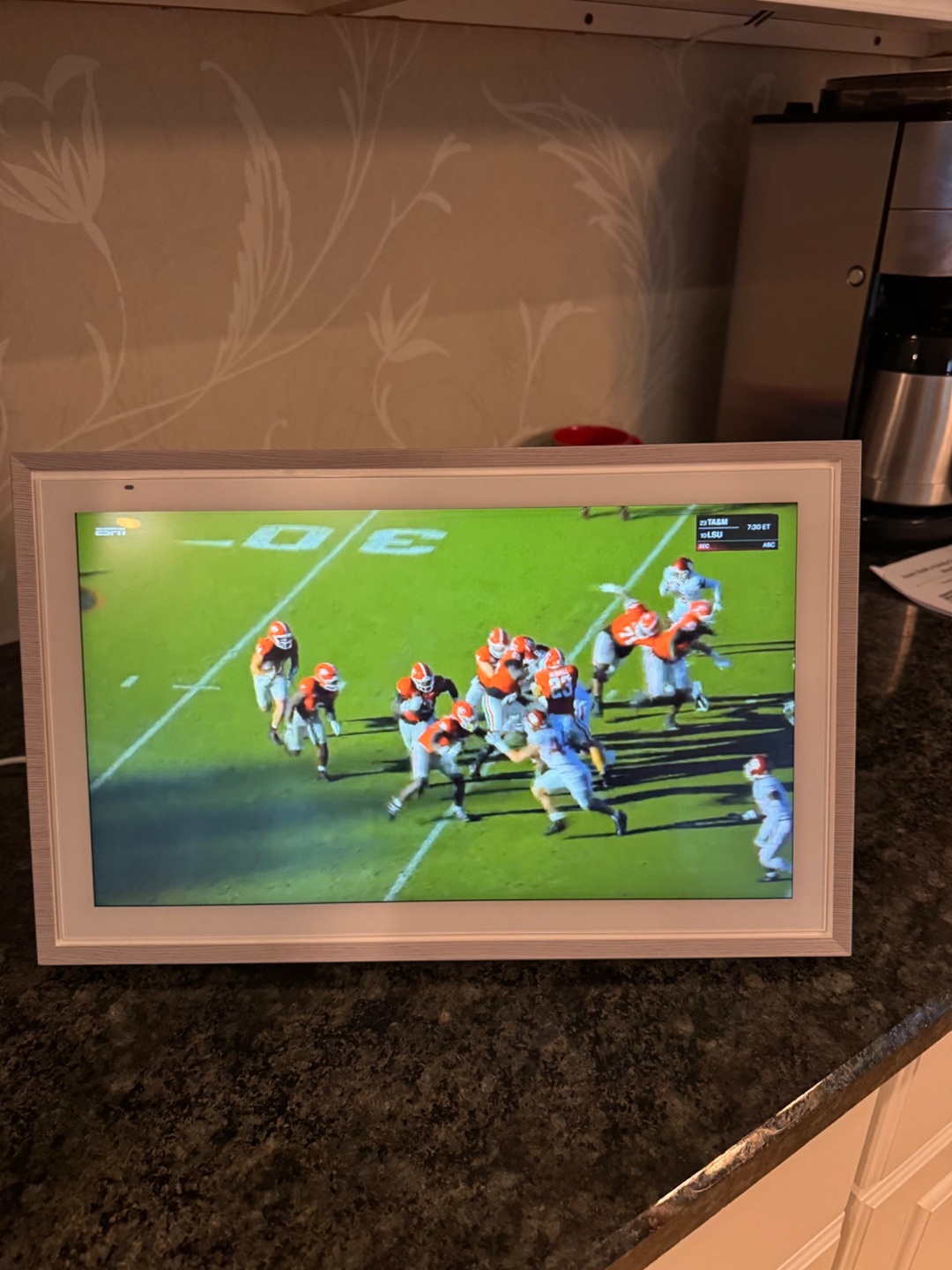
Because ApoloSign runs Android, the display can also be used for other apps and media when it is not serving as the family calendar or MyChoreBoard WallBoard.
Pricing and value
I happened to find a certified-refurbished 15.6-inch ApoloSign from the company’s official eBay store for $179. That was an unusually good promotional price, and I would not use it as the baseline for what most buyers should expect to pay.
Prices change by size, color, and promotion, so I would check current direct pricing rather than anchor on what I happened to pay.
Get $30 off an ApoloSign purchase of $200 or more. We’ll copy the discount code to your clipboard when you click.
Get $30 off $200+ at ApoloSignMy refurbished unit looked new
My biggest concern with the refurbished price was whether the product would actually feel refurbished. Mine did not.
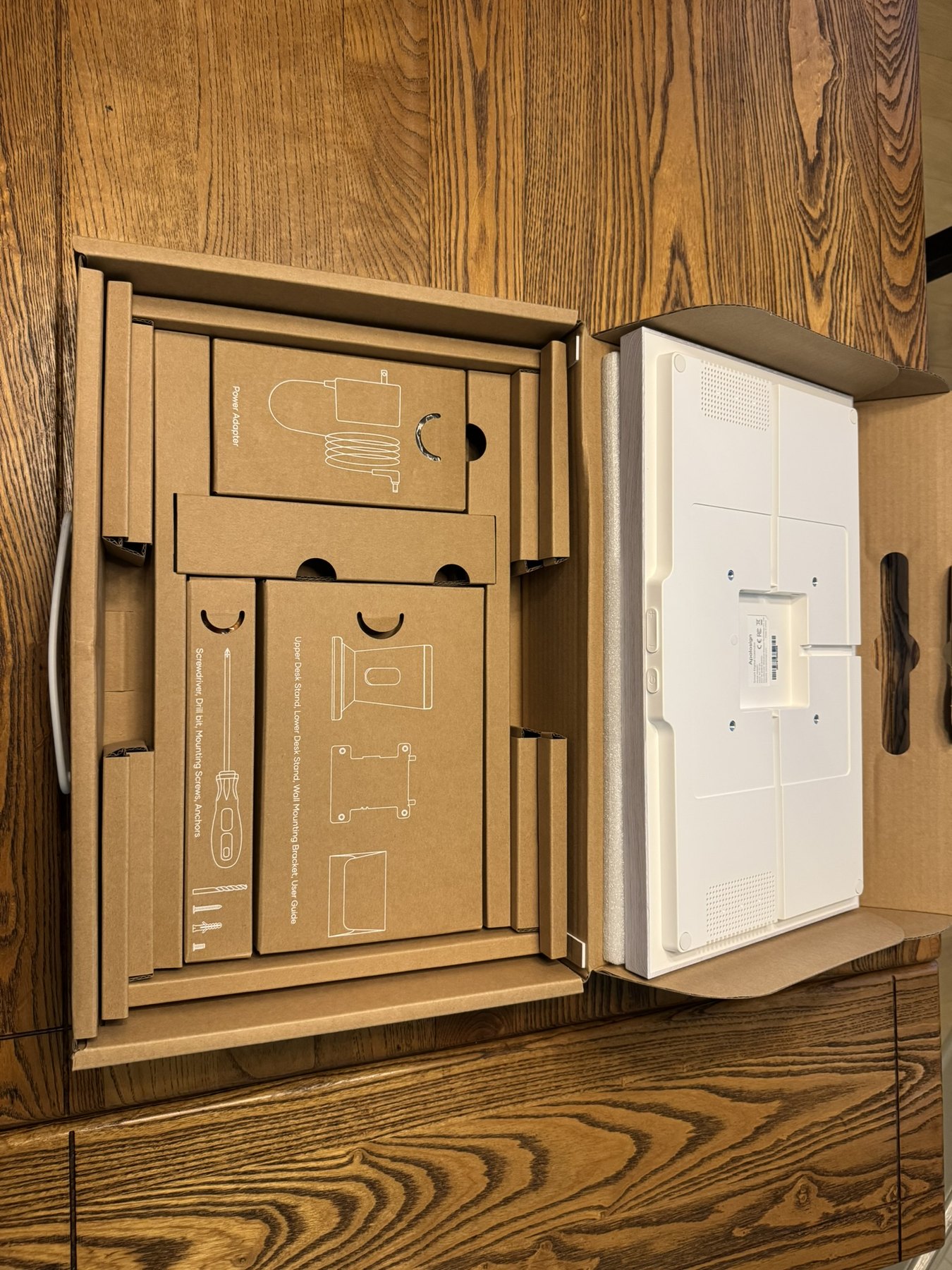
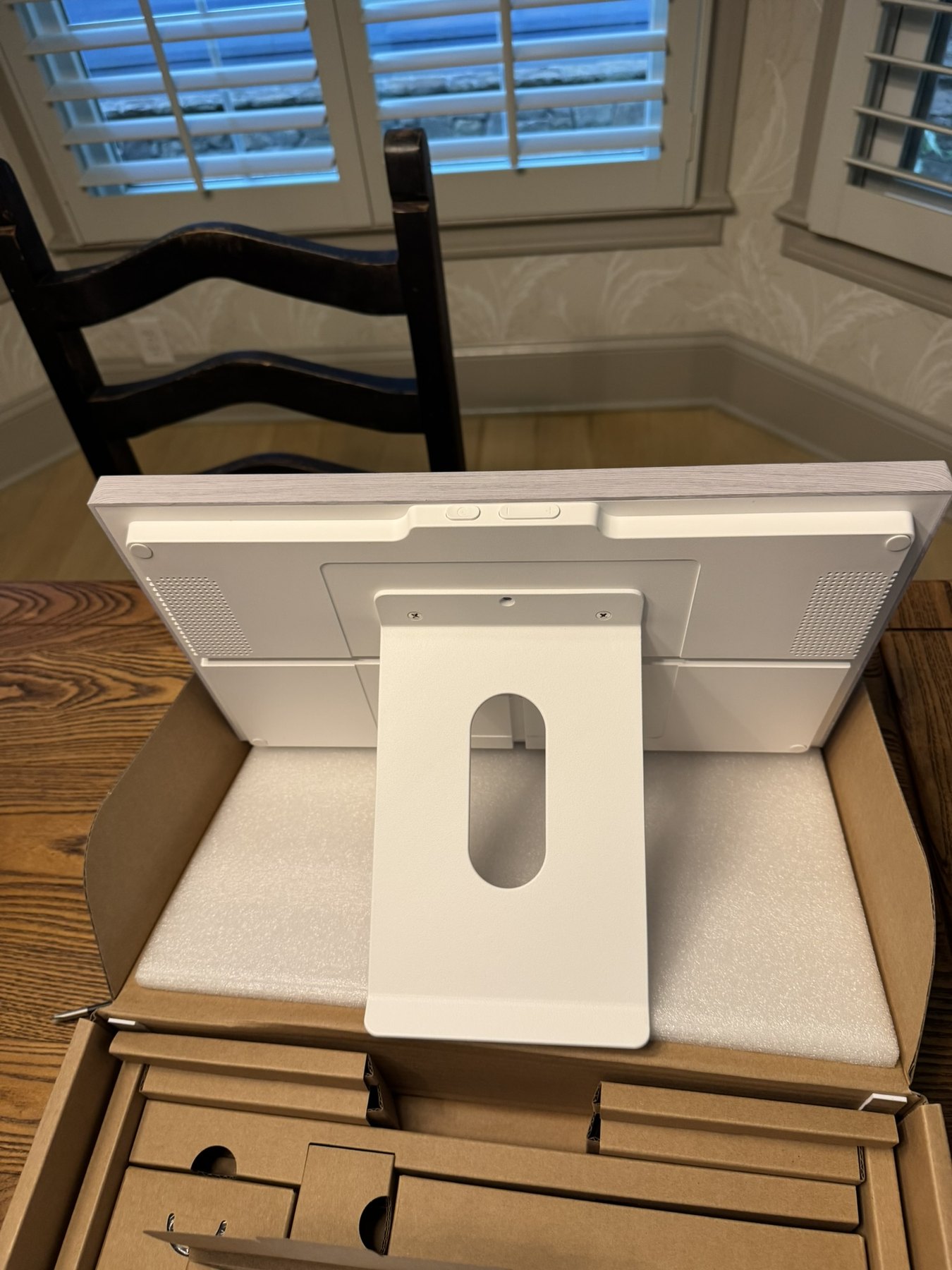
The packaging was excellent, the screen and frame showed no obvious signs of previous use, and the accessories were neatly packed. If I had not known it was certified refurbished, I would have assumed it was new.
The included kickstand is one of my favorite hardware details. It feels substantial, holds the display securely, and works well in both portrait and landscape orientation.
The box also included wall-mounting hardware. I did not mount the 15.6-inch model because I think this size is especially well suited to countertop use. If I were committing to a permanent wall installation, I would personally buy a larger display.
The hardware is the part I like most
The best compliment I can give the ApoloSign is that it does not look like a generic oversized Android tablet sitting in my kitchen.
The frame looks intentional. The screen is nice. The power cord has a woven covering that feels more appropriate for something left visible on a counter. The touchscreen has worked reliably, and automatic rotation between portrait and landscape has been smooth.
The included stand is especially good on the 15.6-inch model.
That may sound superficial, but appearance matters for a device that is going to stay on a kitchen counter or hang on a wall every day. I found it surprisingly difficult to find larger touchscreens that looked this polished without moving into expensive commercial displays or taking a chance on generic hardware.
Setup was easy
Initial setup felt much more like setting up a normal Android device than configuring a specialized appliance.
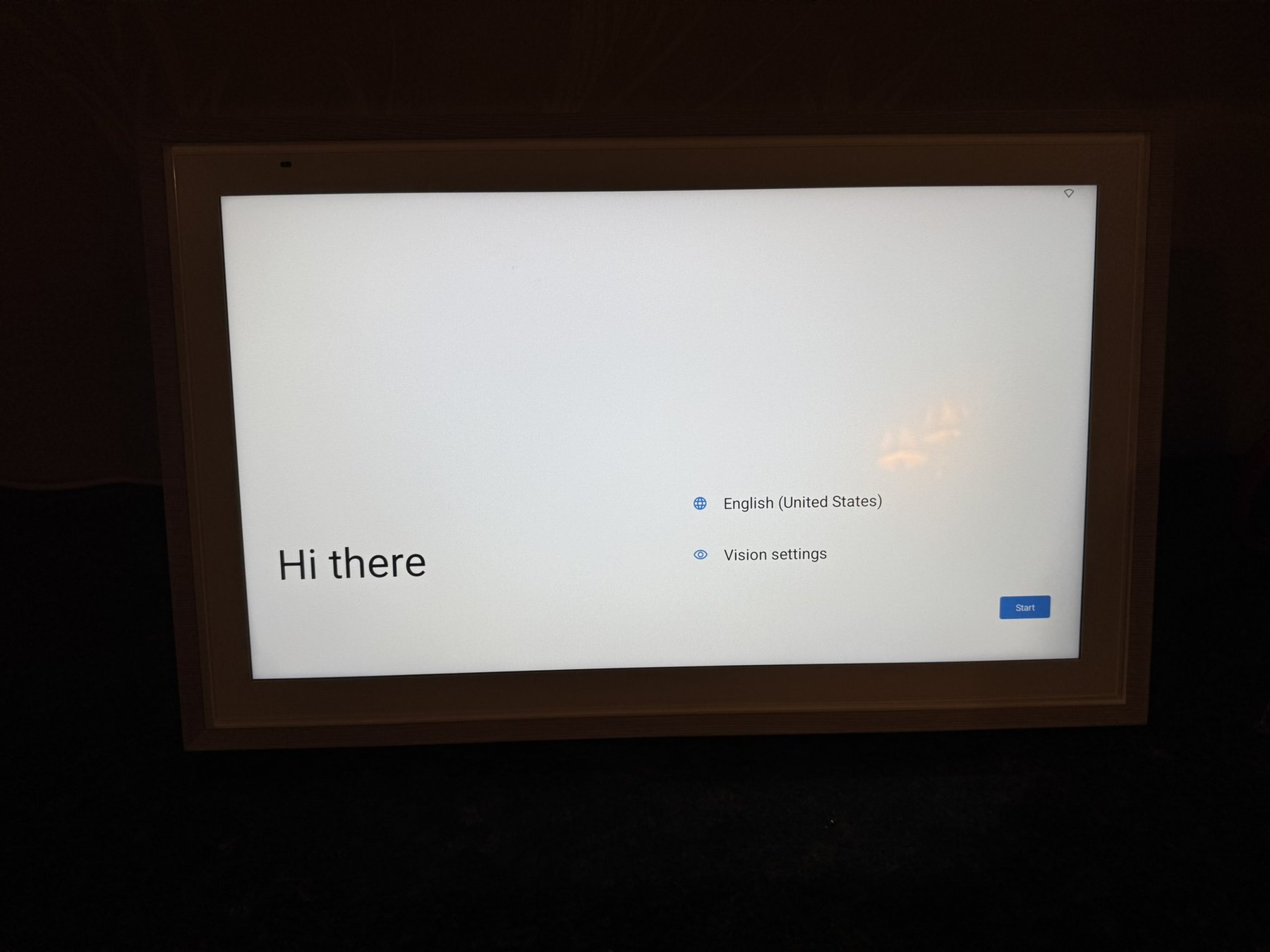
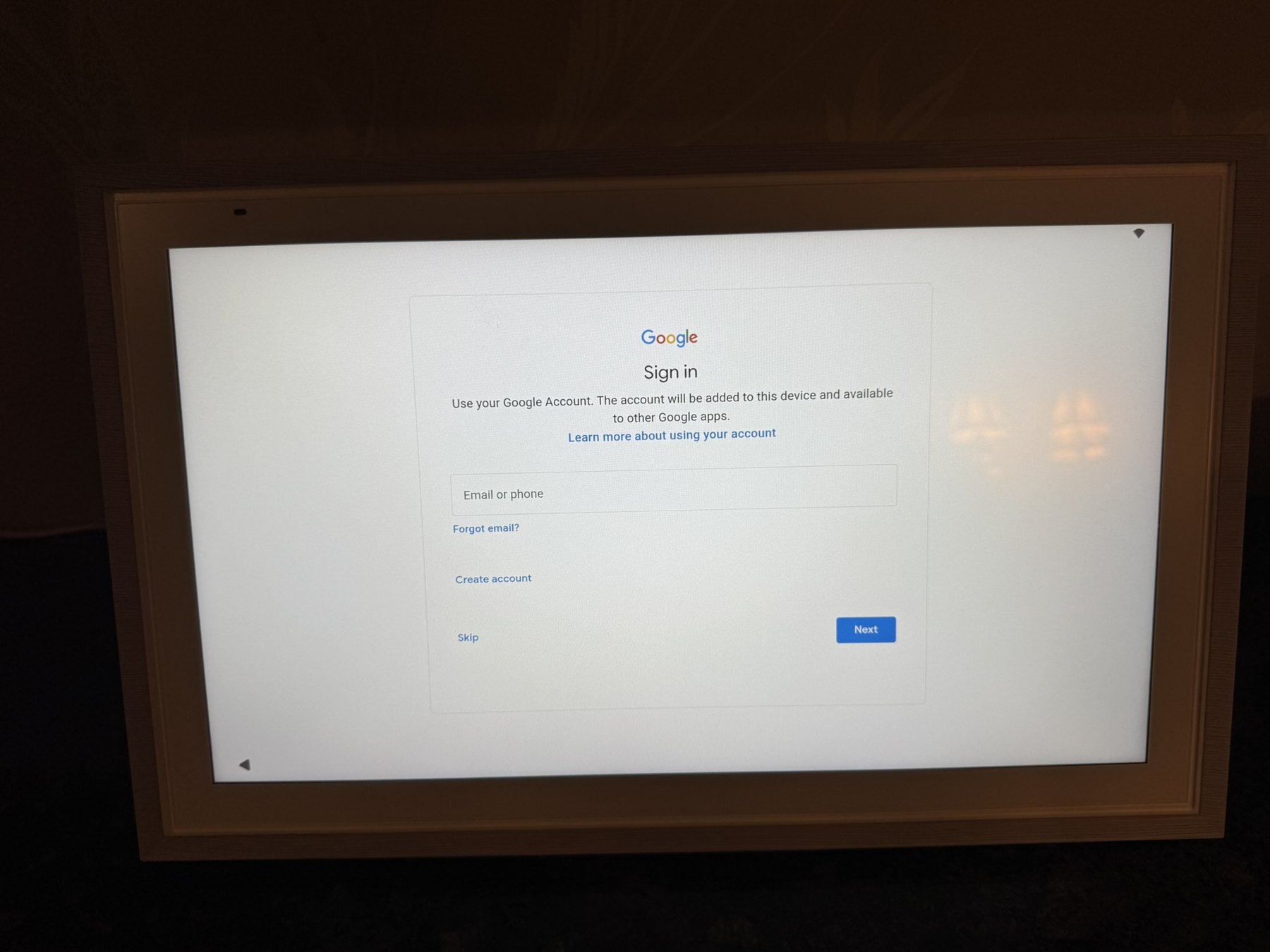
I signed in with Google, connected the ApoloSign mobile app, added my calendars, installed MyChoreBoard, and connected a Google Photos album for the screensaver.
Switching between ApoloSign’s Calendar Mode and Android Mode is also very easy. I do not feel trapped inside a kiosk. If I want the family calendar, I use ApoloSign. If I want another Android app, I switch modes.
ApoloSign describes the device as a dual-mode calendar, and its current product page specifically advertises Google Play, Android widgets, and a customizable Android dashboard. That openness is what makes this setup possible.
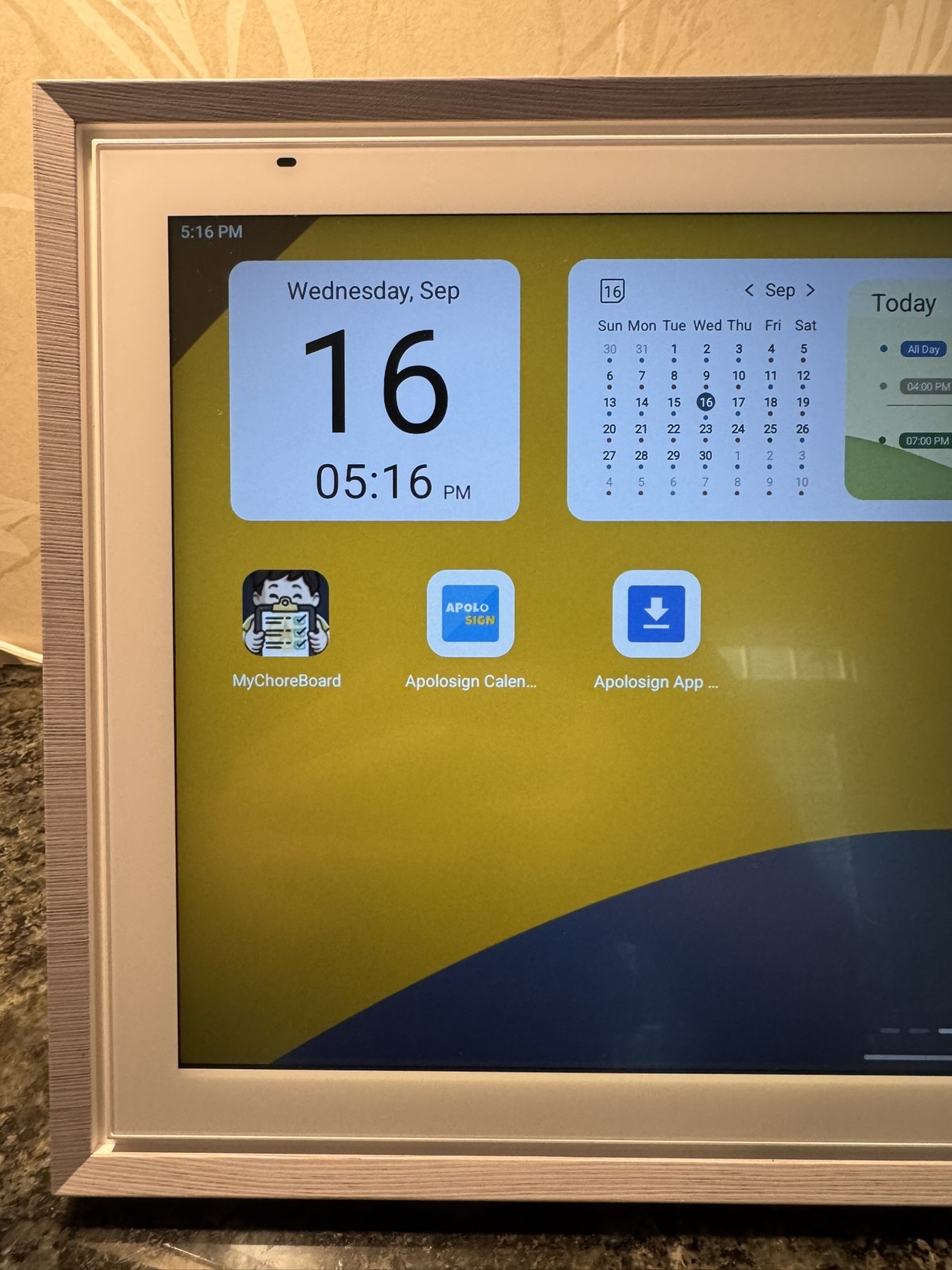
MyChoreBoard installs through the normal Android environment. There was no special workaround or browser trick involved.
Calendar syncing worked well for my setup
I currently have about four separate calendars feeding the display, and they have synced reliably in my testing.
ApoloSign supports both one-way and two-way calendar syncing for supported services. I deliberately chose one-way sync for my shared display. I wanted the kids to be able to see our family schedules without giving them the ability to change the source calendars from the kitchen screen.
That option was easy to choose during setup.
ApoloSign documents two-way synchronization for Google Calendar and iCloud, while URL-imported calendars can have a delay rather than updating in real time. I was comfortable with that tradeoff for a display whose main job is visibility.
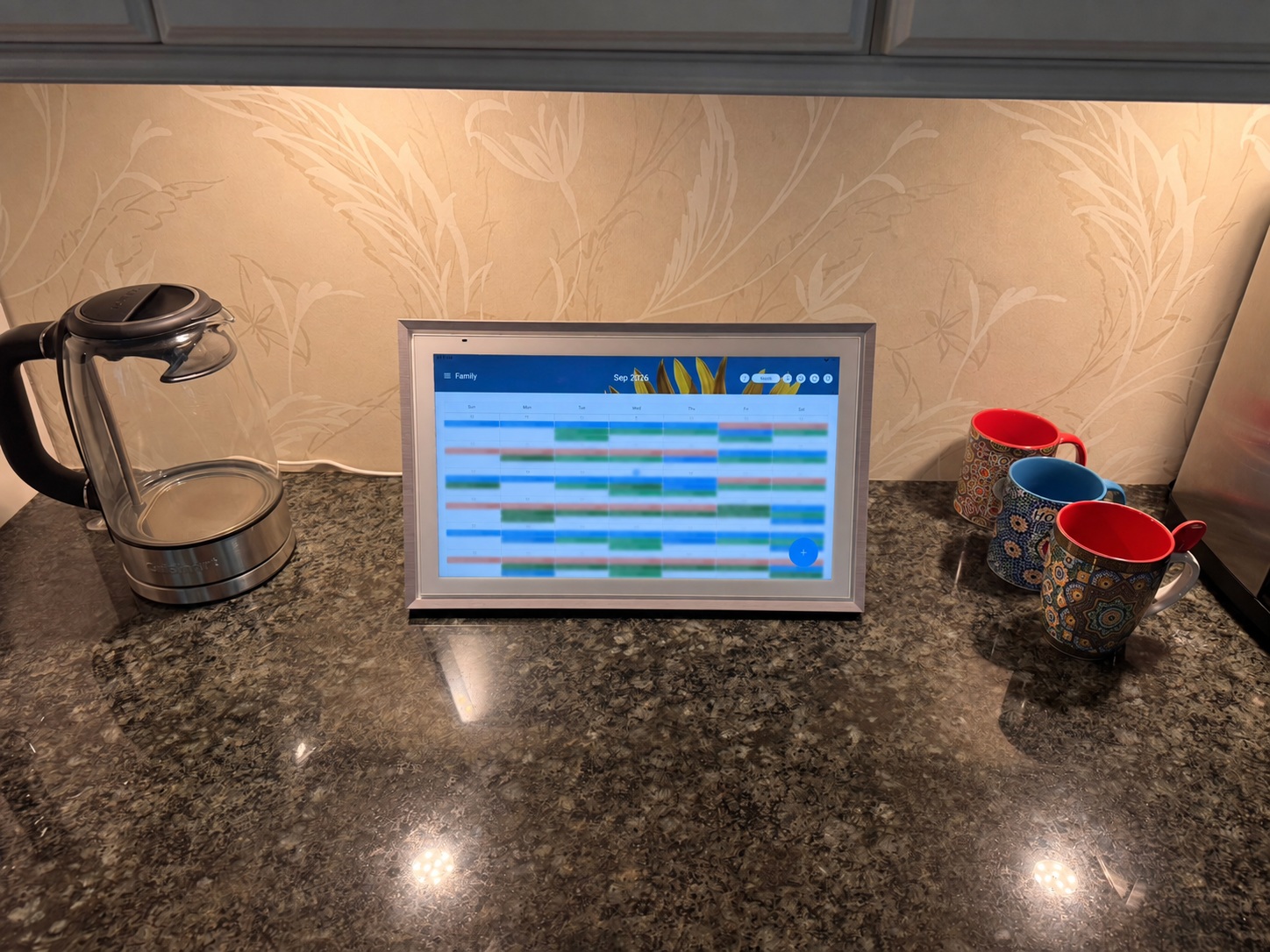
I use the calendar as a shared read-only family view. The month view fits a lot of information on the 15.6-inch screen.
The calendar is functional, not endlessly customizable
This is one area where my experience with other wall calendars sets a different expectation.
DAKboard, as an example, gives you a huge amount of freedom to build and position a dashboard. With ApoloSign, I found the standard day, week, and month views, but I did not find much calendar-layout customization beyond that.
If that level of customization is what you want, I wrote a separate DAKboard + MyChoreBoard family command center guide showing how I embedded MyChoreBoard into a DAKboard Custom Screen.
For some people that will be a limitation. For others it may be a feature.
ApoloSign feels more like a finished appliance. The calendar is largely what it is, and it works without spending time designing the screen.
MyChoreBoard runs very well on the ApoloSign
Installing MyChoreBoard was as easy as installing it on another Android device. I searched Google Play, installed the app, signed in, and used it normally.
For families unfamiliar with it, MyChoreBoard is a digital chore chart focused specifically on chores, routines, points, rewards, and child-facing views. WallBoard Mode is designed for a shared household screen where multiple children’s chores can be visible at once.
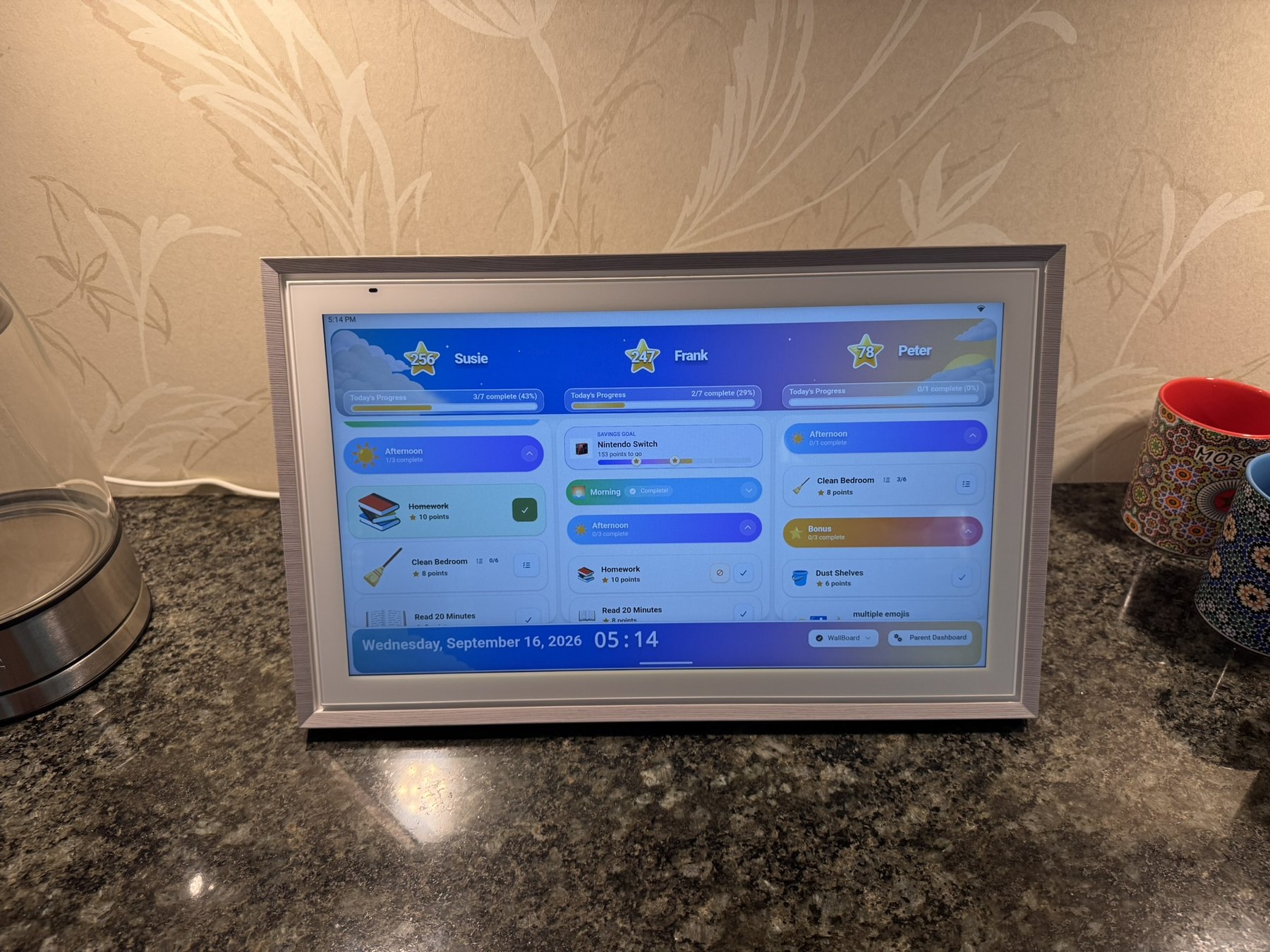
Landscape works well when I want several children visible across the display.
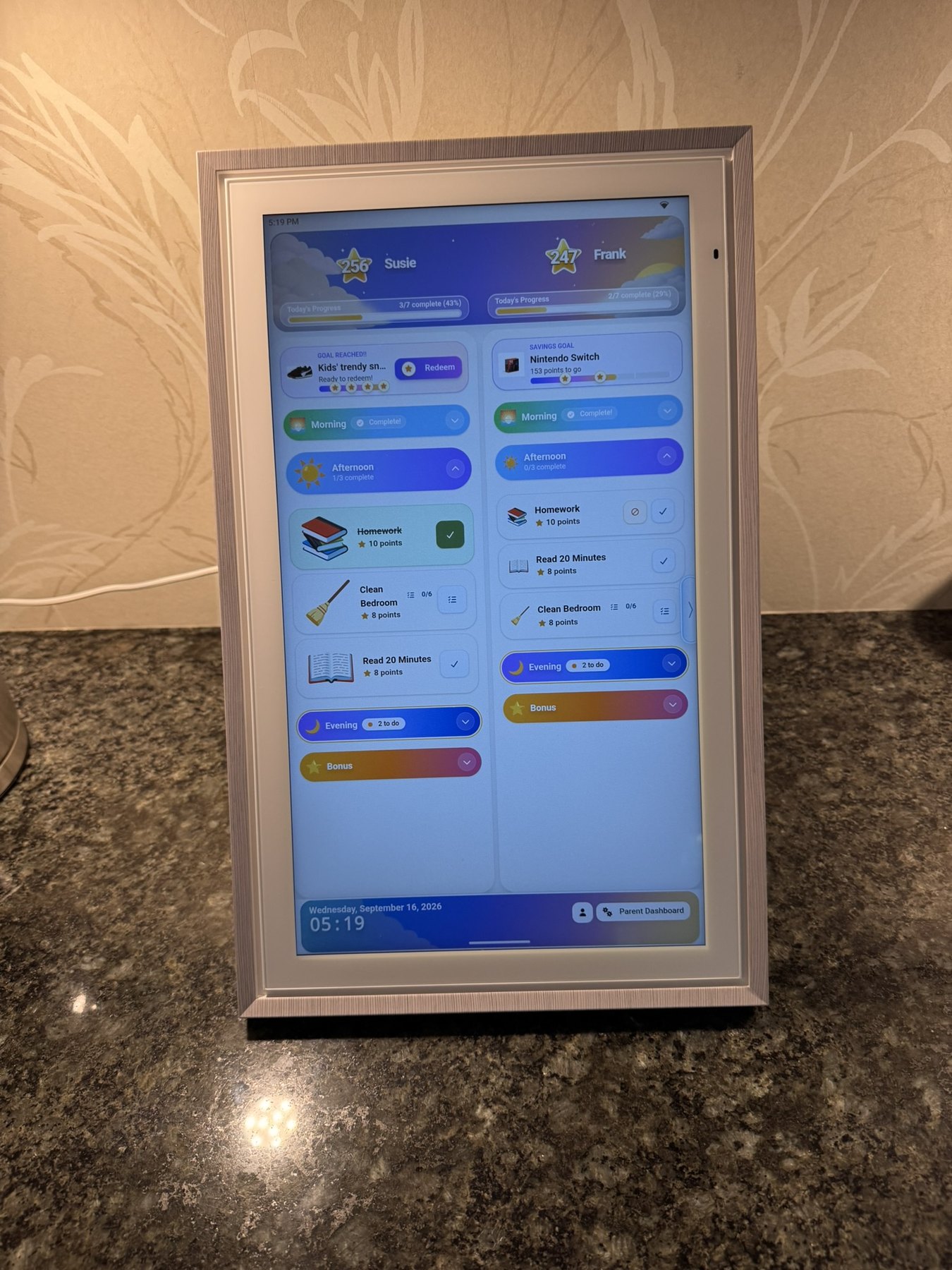
I like portrait even more on the 15.6-inch model. The extra vertical room works nicely with longer chore lists, while the included stand makes rotating the display easy.
The touchscreen itself works very well with MyChoreBoard. The only limitation I noticed is performance. The computer inside the ApoloSign is fine, but it is not as responsive as a current high-end iPad or iPhone. Some of MyChoreBoard’s more advanced animations are not quite as smooth as I would like.
That has not stopped me from using it. It just feels more like a capable family appliance than a flagship tablet.
Split screen works, but I would buy a larger model for side-by-side use
One of the reasons I wanted an open Android display was the possibility of keeping the calendar and MyChoreBoard visible at the same time.
ApoloSign officially supports Android split screen, and technically it worked exactly as I hoped.
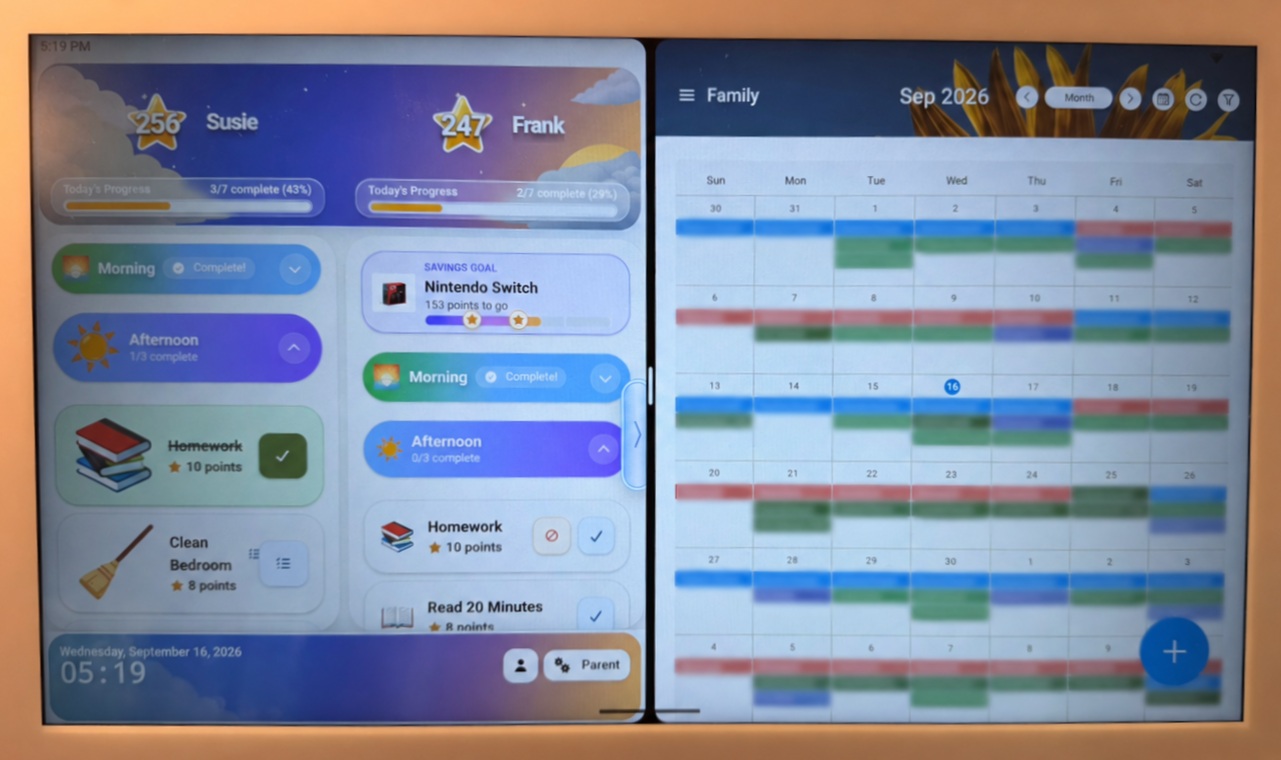
The problem is not the software. The problem is 15.6 inches.
MyChoreBoard still looks good when reduced to half the screen, but the calendar becomes too small for the way I want to use a family command center. I can read it when I am standing nearby, but I would not leave this layout running all day and expect everyone to glance at it from across the kitchen.
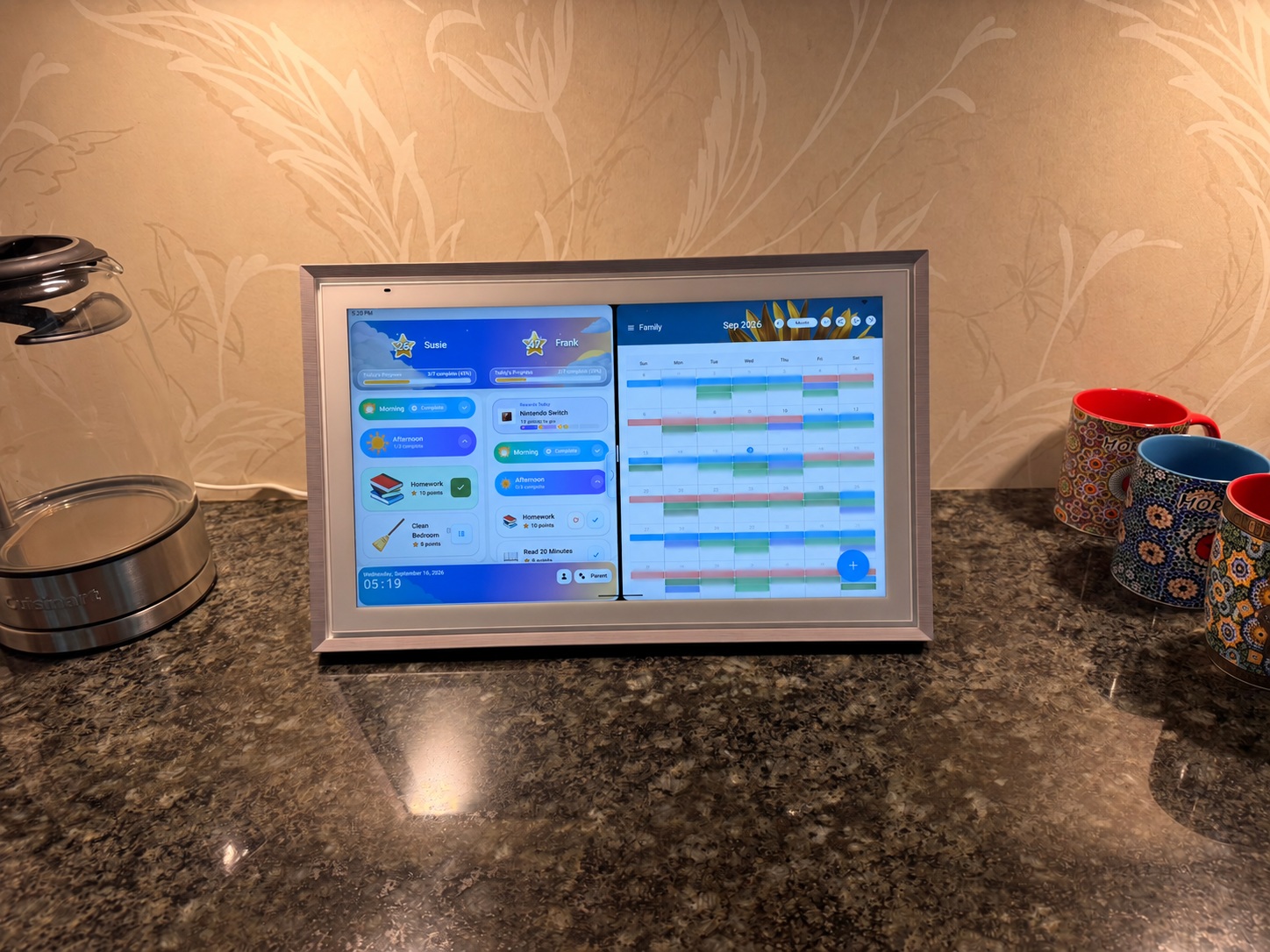
Split screen is fully functional on the 15.6-inch model. I just do not think this screen is large enough for two information-dense apps to work as an at-a-glance dashboard.
For the 15.6-inch model, I prefer switching between the full-screen calendar and full-screen WallBoard.
If side-by-side use is a priority, I would look at the 21.5-inch or 27-inch models. I only physically tested the 15.6-inch version, so that recommendation is based on the extra screen area rather than hands-on testing of the larger models.
Which ApoloSign size should you choose?
ApoloSign offers 15.6-inch, 21.5-inch, and 27-inch models, and the size difference is more significant in person than the numbers suggest.
The 15.6-inch model works very well on a countertop and is a good choice if you primarily want either a family calendar or a MyChoreBoard WallBoard. Based on my testing, it is too small to comfortably use both side by side. The 21.5-inch model should be a better fit for families who want more across-room visibility, while the 27-inch model makes the most sense for a true wall-mounted home command center.
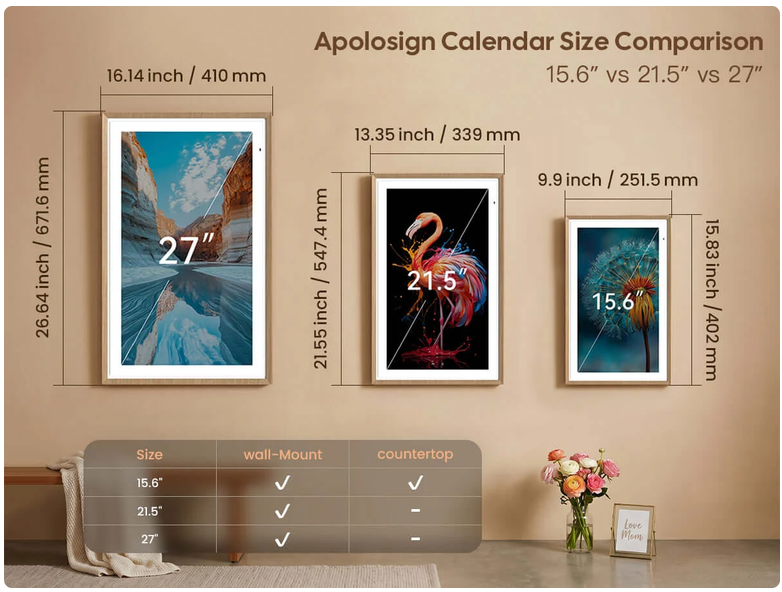
ApoloSign size comparison: 15.6-inch, 21.5-inch, and 27-inch models. The 15.6-inch model includes countertop placement, while the larger models are better suited to wall-mounted command-center use.
My size recommendation after using the 15.6-inch model
- 15.6 inches: Great for countertop use, especially if you mainly want one primary view at a time.
- 21.5 inches: Probably the sweet spot if you want better across-room readability or hope to use split screen more often.
- 27 inches: Best fit for a true wall-mounted family dashboard or a busier household that wants more at-a-glance visibility.
- 27-inch 4K: The premium option if you want the largest format with sharper text, photos, and fine detail.
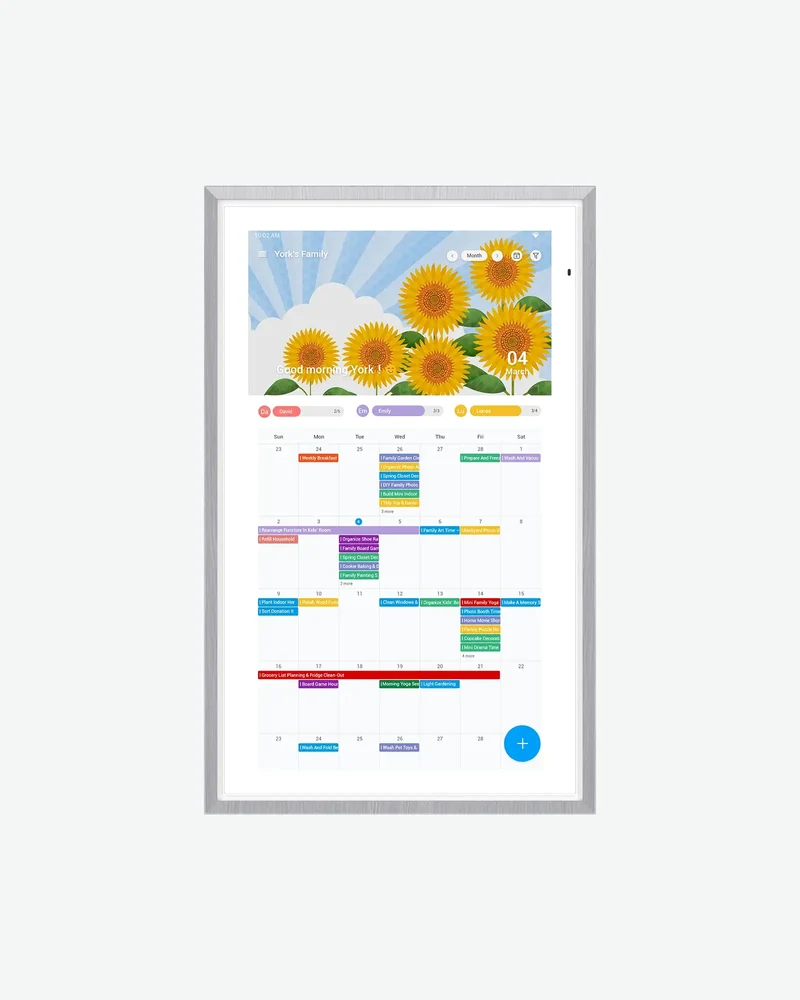
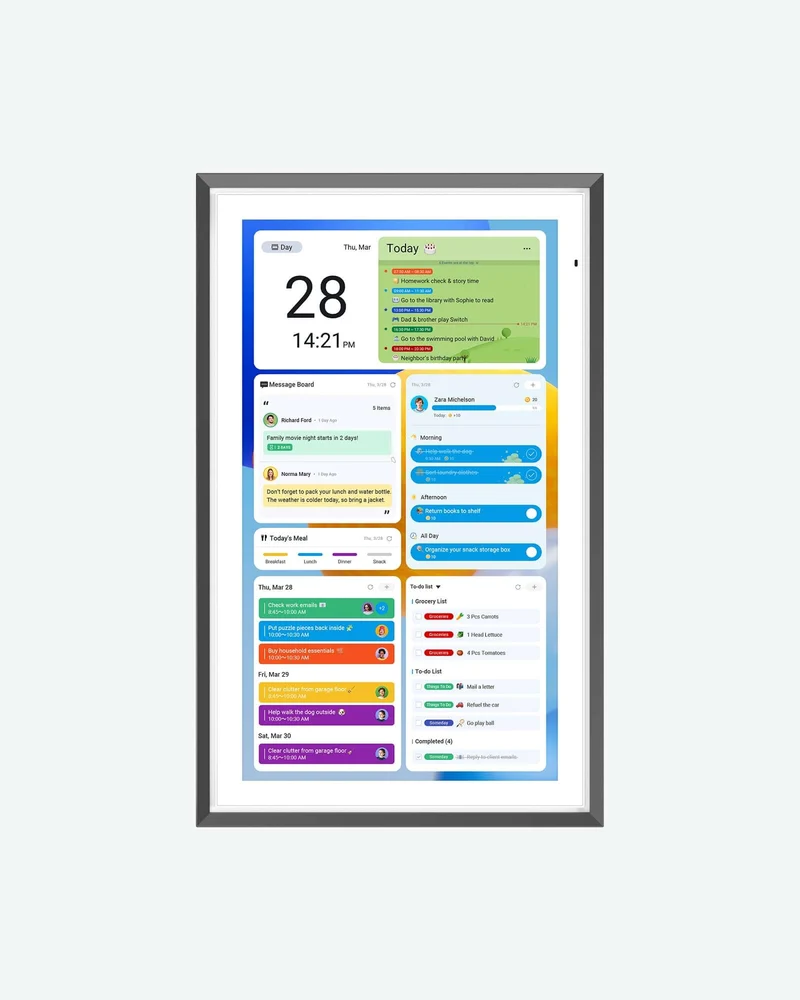
More room for a wall-mounted command center and better across-room visibility.
View 21.5-inch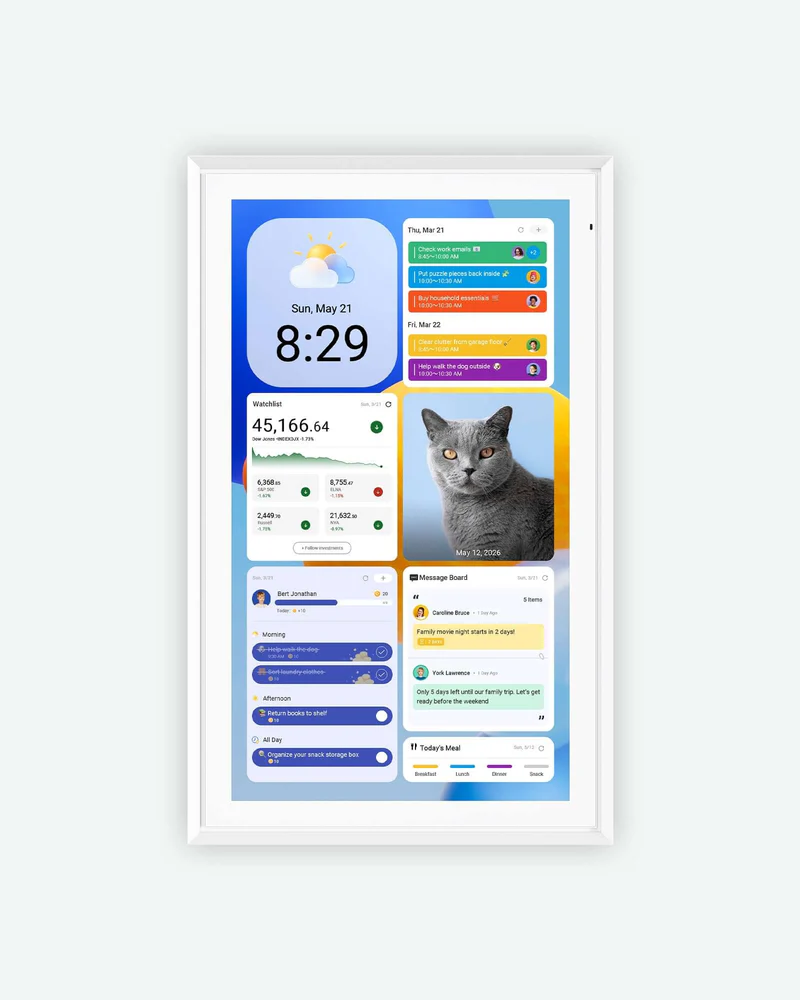
Best for a large, visible family command center that can be read from farther away.
View 27-inch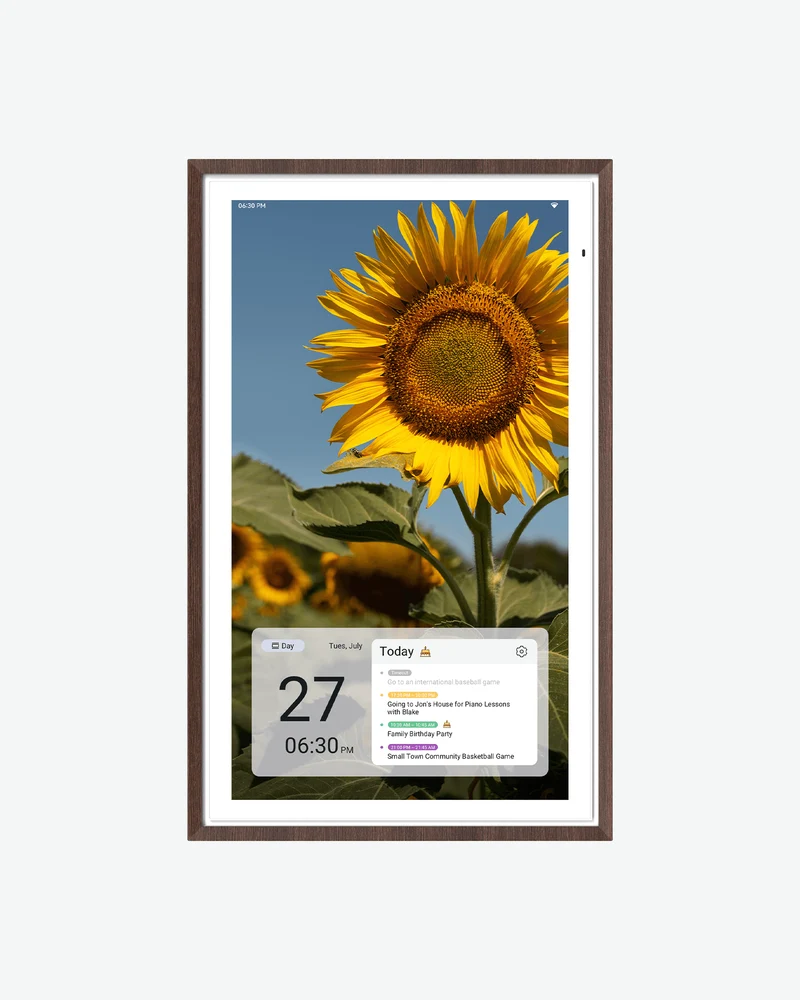
The premium large-screen option when display sharpness matters as much as size.
View 27-inch 4KAn ApoloSign gives MyChoreBoard a larger, always-visible touchscreen while also adding a shared family calendar, photos, widgets, and other household tools.
Build a family command center with ApoloSignApoloSign already has chores and rewards, but the system is much simpler
This is important because I do not want to imply that you need MyChoreBoard just to make chores possible on an ApoloSign.
You do not.
ApoloSign has its own Routines system. Its current Routines documentation shows that a routine can include a title, date, Morning/Afternoon/Evening/custom time, points, participants, and daily/weekly/monthly/yearly/custom recurrence. Completing routines can earn points that feed into ApoloSign’s reward system.
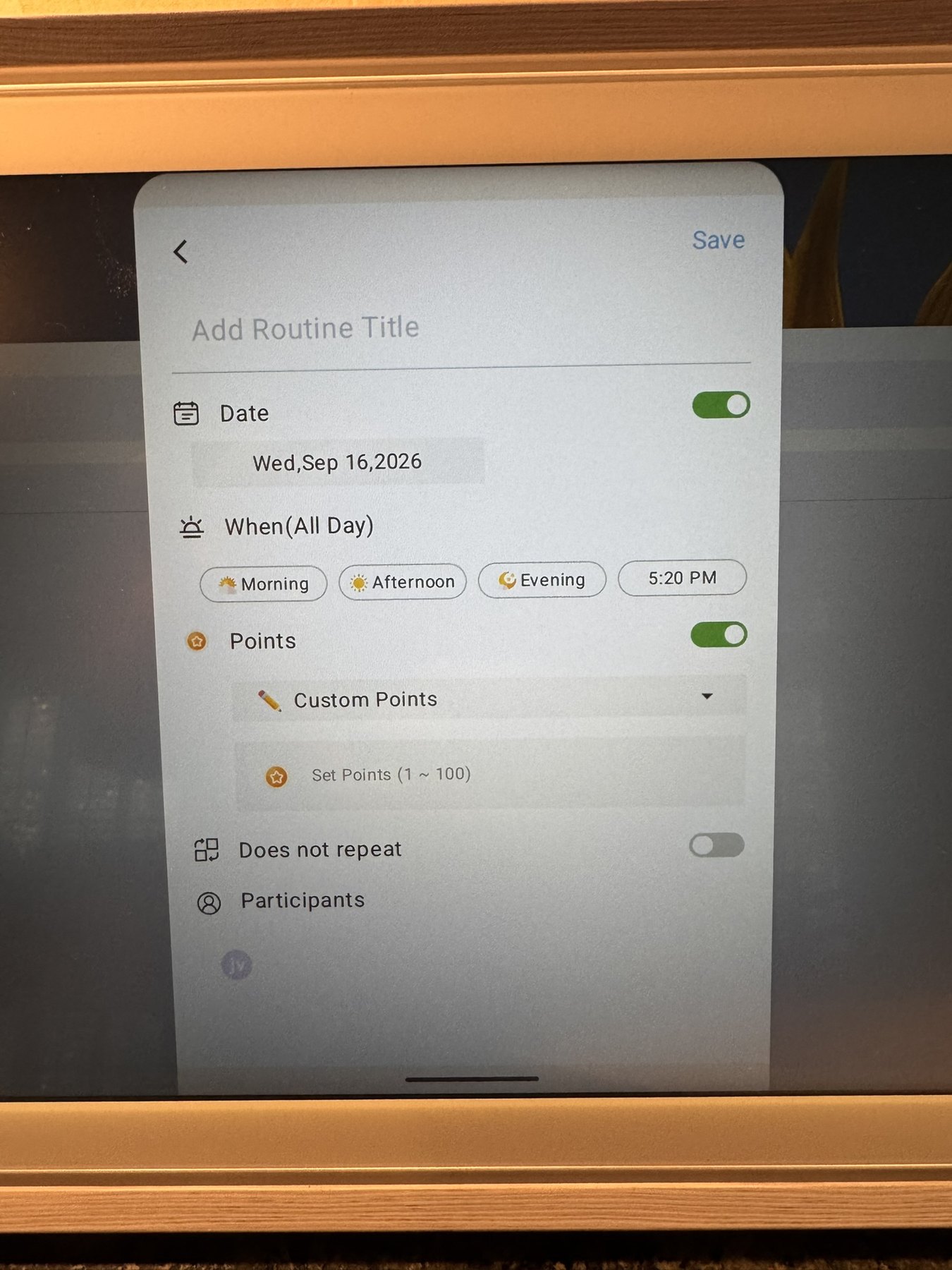
That is a perfectly reasonable system if your household needs are straightforward.
My issue is that I use chores in a much more detailed way. During my testing, I did not find equivalents for several of the chore-management workflows that matter in MyChoreBoard, including:
-
shared claimable Bonus chores that disappear after one child completes them;
-
marking a required chore not applicable for a particular day;
-
task instructions or checklist-style subtasks inside a chore;
-
a clear required-work-first, optional-Bonus-work-second model;
-
Bonus availability rules, cooldowns, daily completion limits, or multiple-per-day controls;
-
a child interface designed specifically around what that child should do next;
-
the same parent-side reward fulfillment workflow I use in MyChoreBoard.
Some of those capabilities are intentionally specialized. For example, MyChoreBoard Bonus Tasks can be used as optional earning opportunities after required chores, while advanced recurring chore scheduling handles household patterns that are awkward to represent as a simple daily routine.
The point is not that ApoloSign’s Routines are bad. They are a family-calendar feature. MyChoreBoard is a chore-management product.
What I found in practice
| Area | ApoloSign in my testing | MyChoreBoard |
|---|---|---|
| Primary focus | Family calendar and home organizer with routines/rewards | Chores, routines, points, rewards, and child independence |
| Routine timing | Morning, afternoon, evening, custom time, all day | Morning, afternoon, evening, plus Bonus workflows |
| Repeat schedules | Daily, weekly, monthly, yearly, custom | Recurring assignments plus chore-specific availability controls |
| Shared claimable chores | I did not find an equivalent | Shared Pool Bonus tasks |
| N/A for one day | I did not find an equivalent in Routines | Supported for required chores |
| Instructions / subtasks | I did not find comparable checklist detail | Instructions or task checklists |
| Optional earning work | I did not find a required-vs-optional model | Required periods plus optional Bonus tasks |
| Advanced Bonus controls | I did not find comparable controls | Cooldowns, availability days, daily limits, multiple completions |
| Child experience | Basic family checklist/task experience | Dedicated Child View and shared WallBoard |
| Rewards | Point-based gifts and redemption | Rewards plus parent fulfillment, child-specific visibility, and Savings Goals |
Keep the hardware you already have. If you want more control over chores, rewards, Bonus Tasks, scheduling, and child-facing views, MyChoreBoard installs directly from Google Play and is free to try.
Try MyChoreBoard free on ApoloSignThe native rewards are fairly basic
ApoloSign does have a genuine points-and-rewards system. Family members can earn points from routines, and rewards can be created with point costs and redeemed.
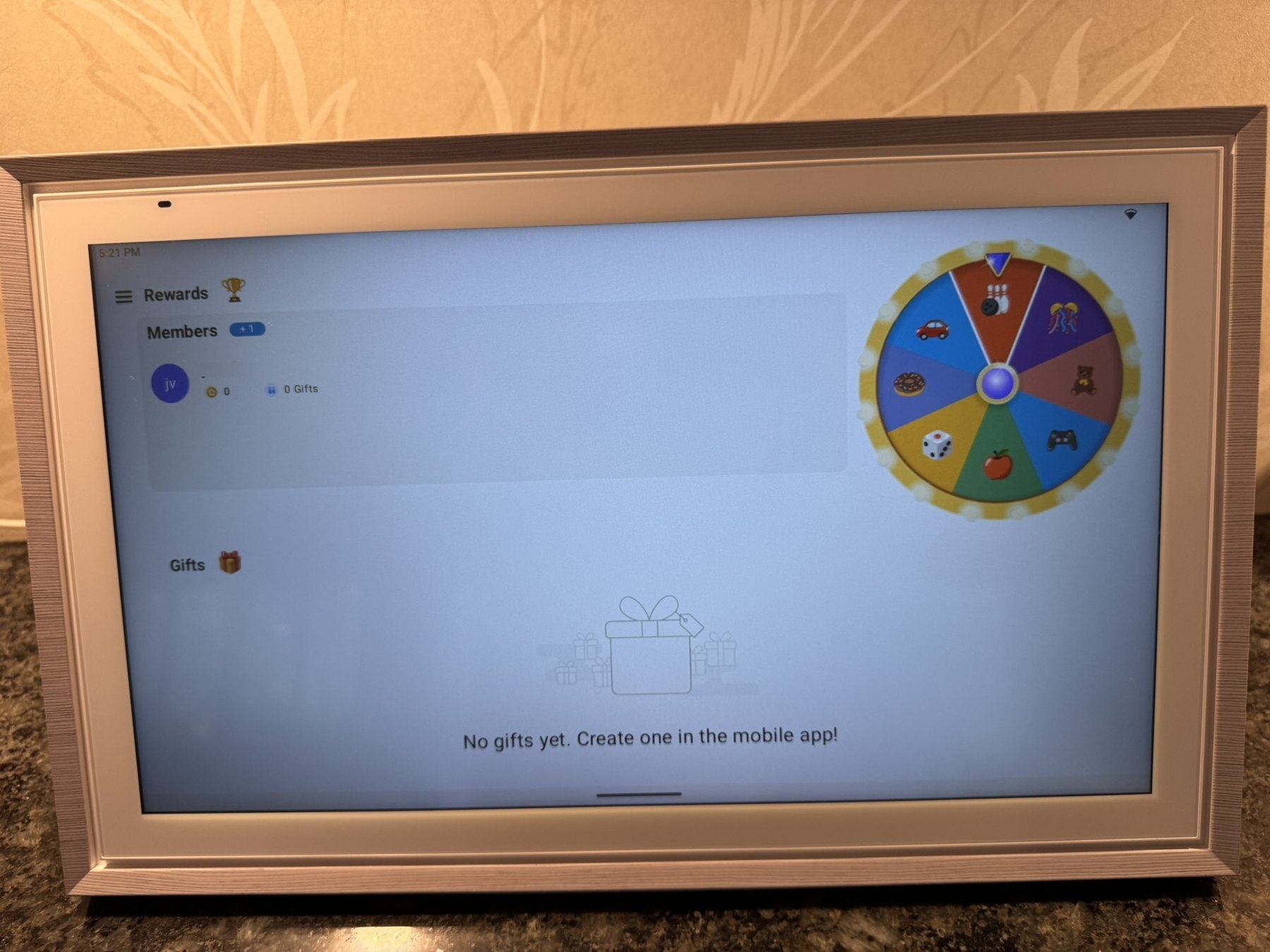
ApoloSign’s rewards are not just decorative. There is a real point balance and gifts system, but the workflow is simpler than the reward management I use in MyChoreBoard.
For a family that wants a simple “complete routine, earn points, redeem gift” loop, this may be enough. I did not find a parent approval/fulfillment flow equivalent to MyChoreBoard’s reward process during my testing.
The mobile app works, but settings are split between app and display
The ApoloSign mobile app is fine once you learn the system. Parents can manage calendars, routines, to-dos, and rewards remotely.
There is a small learning curve because some settings are controlled in the mobile app while others are only available on the display. I found myself occasionally checking both places before remembering where a particular option lived.
I would call that an organizational quirk rather than a serious problem.
The child/mobile experience also felt more like a basic family checklist than a dedicated child interface. That is another area where a focused chore app and a broad family calendar naturally make different design choices.
It also works well as a digital photo frame
I connected a Google Photos album to the screensaver, and I like this feature more than I expected. When nobody is actively using the command center, the display can become something pleasant to look at instead of another black rectangle in the kitchen.
I did have one hiccup where my Google Photos stopped displaying and I had to go through the sync process again. I do not know whether that was an ApoloSign issue, a Google Photos issue, or something I did while configuring the device, so I would not call it a product bug based on one occurrence.
After reconnecting it, the screensaver worked normally again.
One hardware purchase, $0/month in required software fees
The screen is not free. What I like about this setup is that the hardware is the main purchase rather than the start of another required monthly software bill.
For the family-command-center setup I tested, ApoloSign’s calendar sync, routines, rewards, to-dos, meal-planning tools, and photo-frame features do not require a monthly subscription. MyChoreBoard is also free. ApoloSign separately mentions optional paid AI features, so I would describe this as no required subscription for the family-management setup I tested, rather than saying ApoloSign will never offer any paid service.
| Component | Upfront cost | Required monthly software cost |
|---|---|---|
| ApoloSign display | One-time hardware purchase; price varies by model, size, color, and promotion | $0 for the family-management setup I tested |
| MyChoreBoard | $0 | $0 |
| Ongoing required software cost | $0/month |
I personally paid $179 for a certified-refurbished 15.6-inch unit, but current pricing varies. The important part of the cost model is that once you own the display, this setup does not require another monthly family-management subscription.
What I like and what I would keep in mind
What I like
-
The hardware looks appropriate in a kitchen rather than like a commercial touchscreen.
-
The 15.6-inch kickstand is unusually good.
-
Touch response is reliable.
-
Android Mode and Google Play make the display much more flexible than a closed family calendar.
-
MyChoreBoard installs and runs normally.
-
Calendar syncing has been reliable in my one-way configuration.
-
The Google Photos screensaver makes the screen useful even when nobody is interacting with it.
-
The family-management setup I tested does not require a monthly subscription.
-
Multiple frame colors make it easier to match a kitchen or living space.
-
ApoloSign appears to have room to grow into message-board, to-do, and broader dashboard use cases if that matters to your family.
What I would keep in mind
-
Performance is good enough, but it is not as snappy as a high-end iPad or phone.
-
Some advanced MyChoreBoard animations are less smooth on this hardware.
-
Calendar customization is limited compared to others.
-
Some settings are in the mobile app and others are on the display.
-
I think the built-in routine/reward system is too basic for more complex household chore workflows.
-
The 15.6-inch screen is too small for my preferred always-visible split-screen setup.
Who I think should buy the 15.6-inch model
I think the 15.6-inch ApoloSign is especially compelling if you:
-
want a nice-looking countertop family calendar without another required monthly subscription;
-
want a larger MyChoreBoard WallBoard than a typical tablet;
-
do not need calendar and chores visible simultaneously all day;
-
want the display to double as a digital photo frame;
-
value an open Android platform where you can install other apps;
-
find a size and price that make sense for your space and budget.
I would buy a larger model if your main goal is a big, visible command center that can be read from across the room.
If you do not need a family calendar at all and only want a chore system, you can also build a much cheaper setup with a tablet or existing device. Our free chore app comparison covers that category more directly.
My verdict after testing the 15.6-inch ApoloSign
I think the 15.6-inch ApoloSign is a compelling family-command-center option, particularly for families that want polished hardware, an open Android environment, and no required monthly software fee for the setup I tested. My $179 refurbished purchase made the value especially good, but the reasons I like the device are not dependent on finding that same deal.
The biggest reason is not a single software feature. ApoloSign solved a hardware problem for me. I wanted a touchscreen larger than a normal tablet that looked good enough to stay in the kitchen, worked as a family calendar, and remained open enough to run MyChoreBoard.
It does that well.
I would not buy an ApoloSign because I think its built-in chores replace MyChoreBoard. For a simple checklist, they may be all a family needs. For the way I manage chores, they are not.
I think of the combination this way: ApoloSign provides the attractive shared hardware and family calendar. MyChoreBoard provides the deeper chore system.
That gives me a shared calendar, a full MyChoreBoard WallBoard, a digital photo frame, and an open Android display with $0 per month in required family-management software subscriptions.
Add a larger shared touchscreen, family calendar, and broader home-dashboard features with ApoloSign.
Explore ApoloSignAdd deeper chore scheduling, Bonus Tasks, rewards, and dedicated child views without replacing your display.
Try MyChoreBoard freeFrequently asked questions
Not for the family-management setup I tested. ApoloSign currently says its calendar, routines/chores, rewards, to-dos, meal-planning tools, and photo-frame features are available without a required monthly subscription. ApoloSign separately mentions optional paid AI features, so it is worth checking the current product page if those features matter to you.
Yes. I installed MyChoreBoard on the 15.6-inch ApoloSign through Google Play and used it full-screen without a special workaround.
Yes. Android split screen worked in my testing. On the 15.6-inch model, though, I found the calendar too small when it was reduced to half the display. I would look at a larger model if simultaneous side-by-side use is a priority.
It depends on the goal. I think it is an excellent countertop calendar, MyChoreBoard WallBoard, or digital photo frame. I would choose a larger model for a wall-mounted dashboard intended to be read from farther away or to show two information-heavy apps at once.
Yes. ApoloSign has Routines that can earn points and a reward system where points can be redeemed. I found it useful for basic routines, but I did not find enough chore-specific controls for the more complex household workflow I wanted.
Yes. ApoloSign supports Google and iCloud calendar syncing, including two-way sync for supported configurations. I chose one-way sync because I wanted our shared display to show family events without allowing children to modify the source calendars.

Ready to try MyChoreBoard with your kids?
Install on any phone, tablet or computer. Free with no sign-in hoops.