Digital Chore Charts for Kids: A Better Way to Manage Chores, Rewards, and Routines
- Jacob Volk
- Chores & Routines
- 02 Aug, 2026
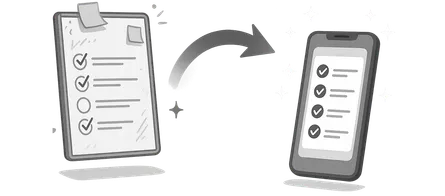
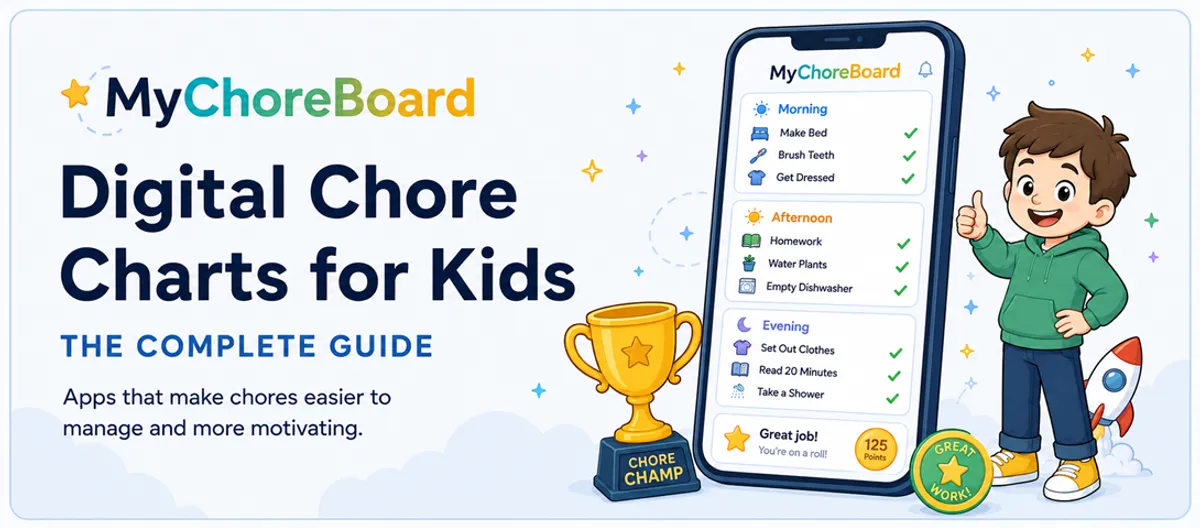
A digital chore chart takes the same idea as a paper or refrigerator chart and moves the routine onto a phone, tablet, computer, or shared household display.
A digital chore chart is not automatically better just because it is on a screen. Its advantage is that it can do two things a static chart cannot: remember the repetitive work for the parent and respond immediately when a child makes progress.
That makes digital especially useful once a family outgrows a simple checklist—or when the routine still makes sense but the old chart has stopped getting much attention.
What is a digital chore chart?
A digital chore chart is an app or web-based system where parents create responsibilities and kids see the tasks assigned to them. Depending on the product, it may also track points, rewards, schedules, and completion history.
A good digital chart should reduce parent maintenance rather than turn the family routine into a complicated project-management system.
Ways to use a digital chore chart
On a parent’s phone
Parents can create and adjust chores from a device they already carry. This is convenient for setup but not always the best child-facing solution if kids do not have easy access to the phone.
On a child’s phone or tablet
A child can use a dedicated view to see their own tasks. This works well for older kids or a child who already uses a tablet as part of the daily routine.
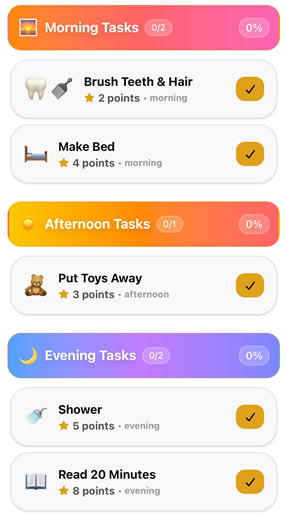
Instead of seeing the parent setup tools, kids get a simpler chore-focused screen organized around the parts of their day.
In a browser or PWA
A web-based chore chart works on computers and many tablets without requiring every family member to use the same type of device.
On a shared tablet or wall display
This is the closest digital equivalent to a refrigerator chore chart. A tablet in the kitchen, mudroom, or family room stays visible and gives kids one predictable place to check.
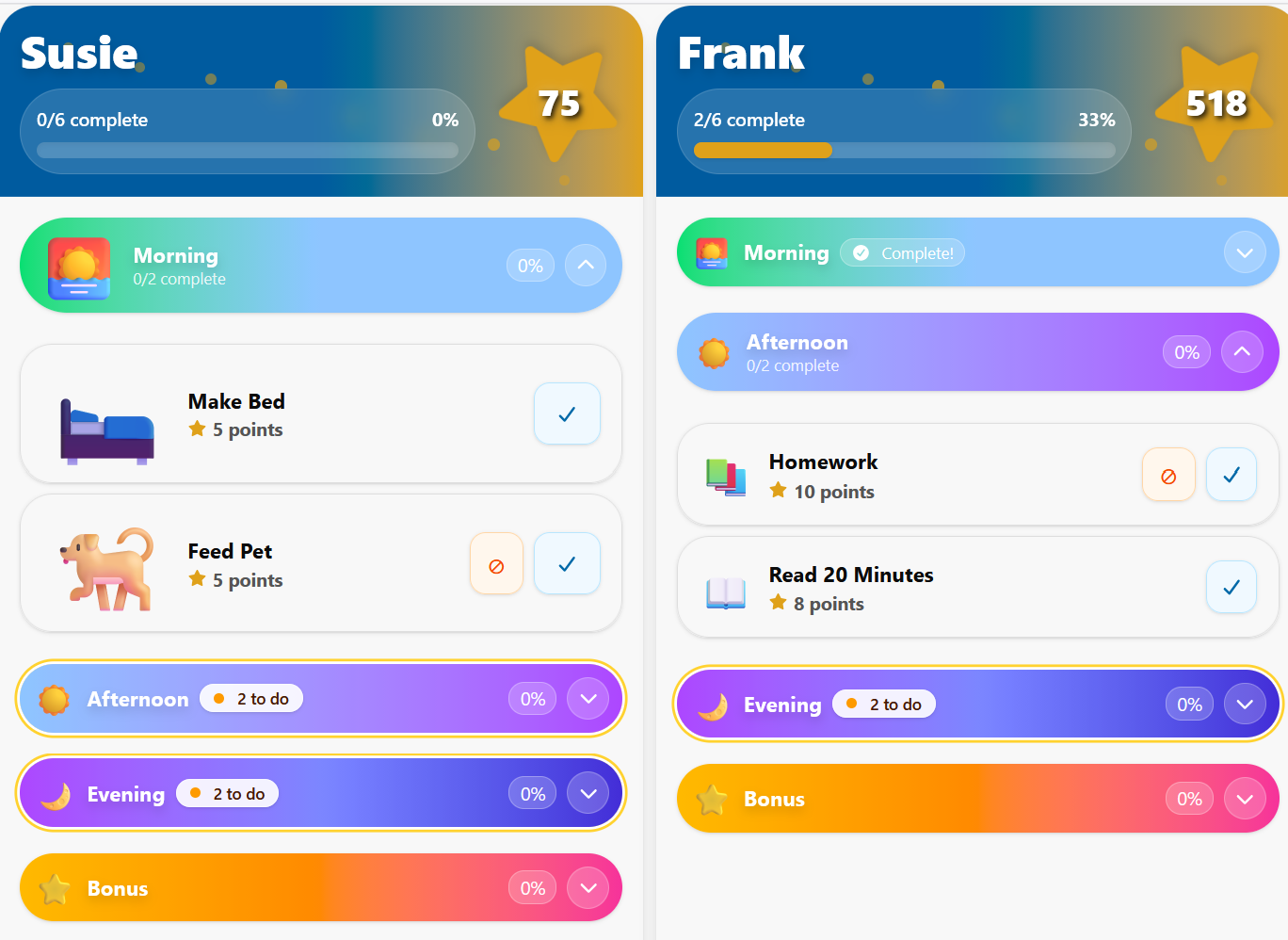
MyChoreBoard’s WallBoard Mode is designed for this shared-display approach. Each child keeps their own chores and points while the shared screen gives the family one central place to see the day.
Digital versus printable and physical chore charts
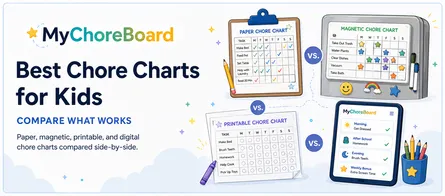
| Question | Printable / physical | Digital |
|---|---|---|
| Can the child touch/move pieces? | Excellent | Limited to taps |
| Does it work without a device? | Yes | No |
| Does someone rewrite recurring chores? | Usually | Usually not after setup |
| Can each child have a separate list? | Yes, with space/setup | Yes |
| Are points/reward balances automatic? | No | Yes |
| Is it easy to change a schedule? | Depends on format | Yes |
| Can it become a central family display? | Yes | Yes, with a shared tablet |
If your paper chart is working, you do not need to digitize it just because an app exists. Switch when the manual upkeep is becoming the problem.
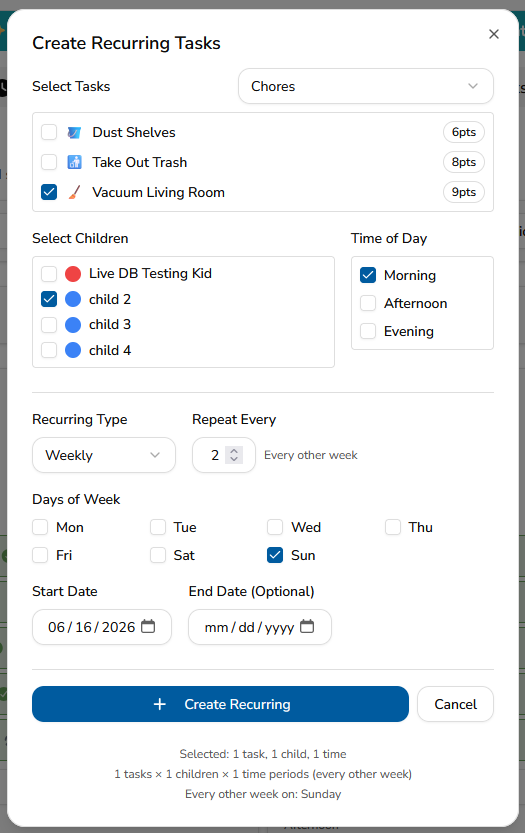
Recurring chores and changing schedules
This is one of the biggest advantages of digital.
Some chores happen every day. Others happen every Monday and Thursday. Some happen every other week or on a custom schedule. A paper chart can represent all of that, but the parent has to keep writing and resetting it.
MyChoreBoard supports recurring chore scheduling so the routine can be created once and repeated. For more complex schedules, see
Multiple children without one giant chart
A physical family chart can get crowded quickly. Digital lets each child have their own assignments and point balance while parents manage the family from one place.
That matters because fairness does not mean every child should have the same chores.
A younger child may have short routine tasks. An older child may have fewer but larger responsibilities. Digital makes those differences easier to manage without squeezing every assignment into one refrigerator grid.
Kid-friendly visual access
The child side needs to be simpler than the parent side.
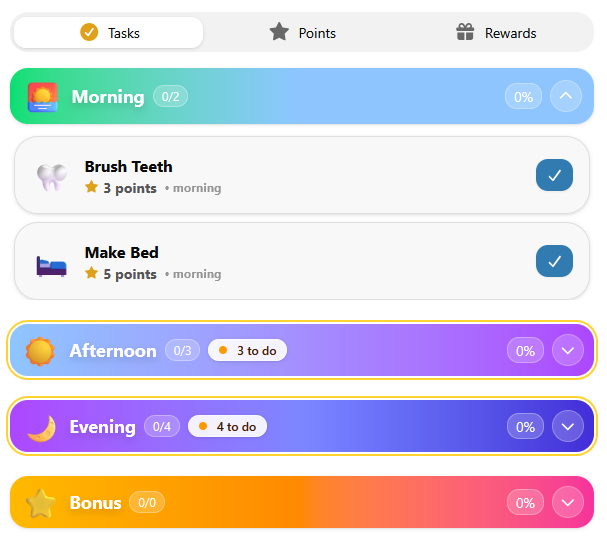
MyChoreBoard includes a child-facing interface with clear task cards and large controls. Big Icons Mode can make icons and touch targets easier for younger kids and non-readers.
Some children also get overwhelmed by seeing a whole day at once. Focus Mode reduces clutter and helps keep attention on the current part of the routine.
With Focus Mode, the current part of the day can stay prominent while other sections remain collapsed. That makes the digital chart feel less like one long list and more like a step-by-step routine.
Why digital chore charts can be more engaging for kids
The digital advantage is not only less work for the parent. For some children, a good digital chore chart is simply more engaging to use.
A paper chart mostly waits for the child to interact with it. A digital system can react to progress. When a child completes a chore in MyChoreBoard, the interface changes immediately instead of leaving the same static list on the wall.
That creates a simple feedback loop:
See the task → complete it → get immediate feedback → see progress → work toward something that matters.
Depending on how your family uses MyChoreBoard, that experience can include:
- A clear visual change when a chore is completed
- Points updating as work is finished
- Rewards with pictures and point costs the child can see
- Optional Bonus Tasks when a child wants another way to earn
- Large icons and a child-focused interface instead of parent-management screens
- Fun completion feedback, including animations and an optional end-of-day celebration
Those details do not replace encouragement from a parent, and they will not motivate every child more than stickers or magnets. But for kids who respond well to interactive feedback, digital can make checking the chore chart itself feel more rewarding.
A good digital chore chart does not just track progress. It reacts to progress.
Points and rewards without manual math
Paper points work until someone forgets to total them.
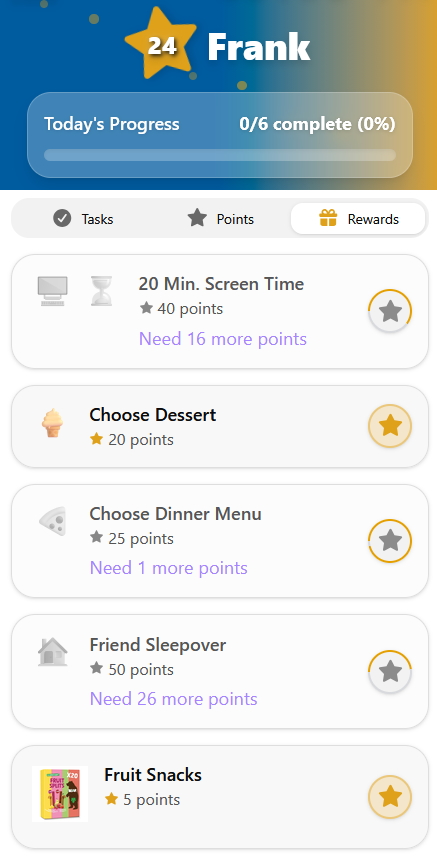
A digital system can add points when chores are completed and keep the child’s balance available for rewards. Parents can create custom rewards that fit the child rather than relying on a fixed store.
MyChoreBoard can also attach a picture to a reward, which is helpful for younger kids and visual learners. Read how reward images work.
Parents can save a product link with a reward for their own reference as well. The shopping link stays on the parent side. See adding product links to rewards.
Bonus Tasks and shared chores
Not every helpful job belongs on the required daily list.
MyChoreBoard has Bonus Tasks for optional earning opportunities. That lets the main routine stay focused while still giving kids ways to do extra work.
Bonus Tasks can also use more flexible availability rules, so an optional chore can be available once per day, multiple times per day, after a set number of days, or only after a parent resets it.
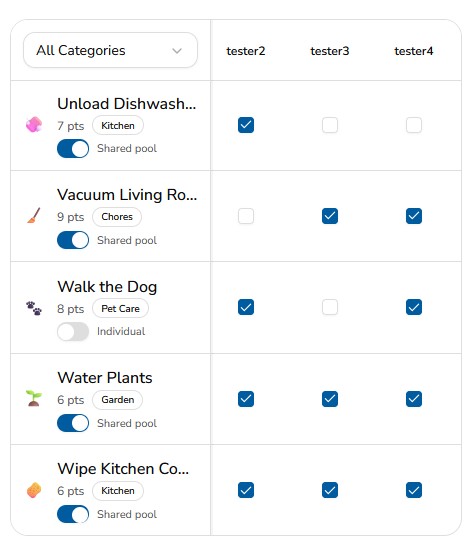
For chores that more than one child can claim, Shared Task Pool makes the task available until one child completes it.
Those are difficult behaviors to reproduce cleanly on a static paper chart without a lot of manual management.
Parent controls and device settings
The parent side is where chores, rewards, assignments, and family setup are managed.
MyChoreBoard also supports device-specific modes so the same family account can be used differently around the house. A parent-owned device can open to the parent area. A kid device can open to a child view. A shared tablet can use WallBoard Mode.
For current settings, see MyChoreBoard Settings. This article focuses only on features already available in the current release.
A shared tablet can replace a dedicated wall calendar
Some families buy expensive all-in-one wall calendar hardware because they want one central place for the household.
If the main problem is chores and rewards, an existing iPad, Android tablet, Amazon Fire tablet, or low-cost tablet can be a much simpler solution.
WallBoard Mode shows multiple children side by side so a shared screen can function as a dedicated chore board. Parents can still use their own phones or browsers for setup.
This is especially useful if you already have a tablet that is no longer being used for much else.
When a chore chart stops working, ask who stopped using it
A physical or printable chore chart can work beautifully for months and then start getting ignored. That does not necessarily mean the chores are wrong or that the original system failed. Sometimes the format has simply become part of the background.
It helps to ask who has stopped using the system:
- If the parent stopped maintaining it, recurring schedules, automatic point tracking, and easier edits can remove the repetitive setup work.
- If the child stopped checking it, a more interactive format may help refresh the experience through immediate feedback, visible reward progress, optional earning opportunities, and completion celebrations.
That does not mean digital novelty lasts forever either. Rewards still need to matter, routines still need to be realistic, and kids still need encouragement. The advantage is that you can often keep the routine and refresh the experience instead of inventing a completely new chore system.
How to set up MyChoreBoard as a digital chore chart
Step 1: Create the family account
Start from the Get Started page and choose the web app, Apple App Store, Google Play, or Amazon Appstore for Fire tablets.
Step 2: Add each child
Give each child their own profile so responsibilities, points, and rewards stay organized.
Step 3: Create a small chore library
Start with a few tasks the kids already understand. You can add more later. Keeping reusable chores in the Task Library makes it easier to assign them again without recreating the same task every time.
Step 4: Assign chores and schedules
Choose who gets each task and when it should appear. Use recurring schedules for responsibilities that repeat.
Step 5: Add rewards if you want them
Create privileges, experiences, items, or other rewards the child actually cares about. Decide which chores earn points and which are simply expected responsibilities.
Step 6: Choose the best device setup
A child can use their own device, siblings can share a device, or you can dedicate a tablet to WallBoard Mode.
Step 7: Review the routine after the first week
Remove clutter. Adjust unrealistic point values. Add Bonus Tasks only after the core routine is working.
Web, iPhone/iPad, Android, or Amazon Fire?
MyChoreBoard is available on the web, iPhone, iPad, Android, and Amazon Fire tablets. Use the same family account whichever version works best for each device.
Web app
Use the Web App
Fastest way to start
Works on phones, tablets, and computers. No app store required.
- Great for getting a family set up right away.
- Use the same account across devices.
iPhone & iPad
Download on the App Store
Best for iPhone and iPad
Install the native iOS version from Apple’s App Store.
- Best choice for Apple mobile devices.
- Use the same account across devices.
Android
Get it on Google Play
Best for Android phones and tablets
Install the Android version from Google Play.
- Best choice for Android mobile devices.
- Use the same account across devices.
Amazon Fire
Get it on the Amazon Appstore
Best for Amazon Fire tablets
Install MyChoreBoard directly from the Amazon Appstore on your Fire tablet.
- Best choice for Amazon Fire tablets.
- Use the same account across devices.
For the app-specific overview, read Chore App for Kids: Build Chores, Rewards, and Routines That Work.
When digital is not the better choice
Choose paper or a physical board if:
- Your child loves stickers, magnets, or moving cards.
- You want a completely device-free routine.
- The chore list is simple and rarely changes.
- You prefer seeing the entire system on one wall.
- You do not need automatic points or recurring schedules.
The goal is not to use more technology. It is to make the routine easier to maintain.
Frequently asked questions
The best digital chore chart is the one your family can maintain and your kids will actually check. Look for simple child views, flexible scheduling, multiple-child support, rewards if you use them, and a shared-display option if visibility matters in your home.
Yes. A tablet can be used as a dedicated child device or shared family display. MyChoreBoard’s WallBoard Mode is designed to show multiple children on one shared screen.
No. Kids still need teaching, encouragement, and follow-through. A digital chart provides a consistent place to check expectations so the parent does not have to be the only source of information.
Yes. MyChoreBoard supports multiple child profiles, and WallBoard Mode can display several children on a shared tablet while each child keeps their own chores and points.
Start by refreshing the system you already have: simplify the list, move the chart, update rewards, or let the child help change how progress is marked. If the routine still makes sense but the format has become invisible, digital can be a useful next step because it adds immediate feedback, changing points and rewards, optional Bonus Tasks, and completion celebrations without requiring you to reinvent the underlying responsibilities.

Ready to try MyChoreBoard with your kids?
Install on any phone, tablet or computer. Free with no sign-in hoops.