New Feature: Add Amazon Links to Specific Rewards
- Jacob Volk
- Product Updates
- 08 Jun, 2026
Rewards work best when kids know exactly what they are working toward.
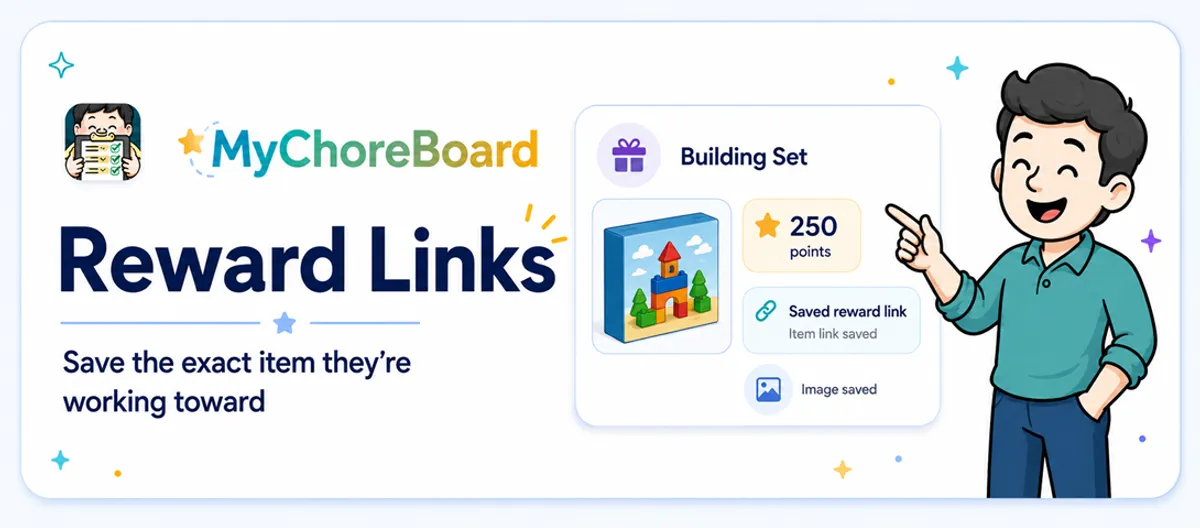
MyChoreBoard now lets parents add an Amazon link to a specific reward, making it easier to connect points with a real item, experience, or goal.
This is a simple parent-friendly improvement: when you create or edit a reward, you can save the product link right with that reward.
Why reward links are helpful
Parents often create rewards around specific items:
- A LEGO set
- A book series
- Art supplies
- A sports item
- Headphones
- A backpack charm
- A game accessory
- A gift card
Without a saved link, the reward can become vague over time. A child may remember the item one way, a parent may remember another, and the exact product can get lost.
Adding the link keeps the reward connected to the actual goal.
How this helps kids stay motivated
A reward called “new toy” is not very concrete.
A reward connected to the exact item feels more real.
When kids can see and understand what they are saving for, they are more likely to connect daily chores with progress. That is especially true when reward links are paired with reward images.
Read more: Make Rewards Feel Real: Add Photos to MyChoreBoard Rewards.
Parent control stays at the center
Adding a reward link does not mean a child is purchasing anything through MyChoreBoard.
The link is there to help parents save and revisit the item connected to the reward. Parents still decide what rewards are available, how many points they cost, and when a redeemed reward is fulfilled.
Think of it as a shortcut attached to the reward, not an automatic checkout button.
Good rewards to link
Reward links are especially useful when the reward is specific.
| Reward type | Why a link helps |
|---|---|
| LEGO set | Saves the exact kit |
| Book | Keeps the correct title or series handy |
| Art kit | Avoids searching again later |
| Headphones | Saves the model your child wants |
| Sports gear | Keeps size, style, or product details nearby |
| Gift card | Makes fulfillment easier |
You can still create rewards without links. Links are optional.
Works with allowance-style rewards too
Some families use MyChoreBoard for points, rewards, and allowance-style tracking.
Reward links can support that transition. Younger kids may want visual rewards. Older kids may want to save toward specific items. A saved link helps connect their effort to a concrete goal without requiring parents to remember every detail.
Tips for using reward links
A few ideas:
- Let your child help choose the reward.
- Use a realistic point value so the goal feels achievable.
- Add a reward image when possible.
- Remove old rewards that are no longer relevant.
- Keep a mix of item-based rewards and non-toy rewards.
Rewards do not always have to be purchases. Extra screen time, choosing dinner, a park trip, or one-on-one time can be just as motivating for many kids.
A small feature that makes rewards easier to manage
Reward links make MyChoreBoard more practical for parents and more motivating for kids.
When a child says, “I’m saving for that one,” the reward can now keep the link right where it belongs.
Frequently asked questions
Yes. Parents can add an Amazon link to a specific reward so the item is easy to find later.
No. A reward link is a saved shortcut for the parent. Parents still control reward creation, redemption, and fulfillment.
No. Reward links are optional. You can still create simple rewards without any link attached.
Yes. Reward links pair well with reward images because kids can see the item and parents can keep the product link saved.
Ready to try MyChoreBoard with your kids?
Install on any phone, tablet or computer. Free with no sign-in hoops.