MyChoreBoard’s Biggest Update Yet: Bonus Tasks, Focus Mode, Smarter Scheduling, and More
- Jacob Volk
- Product Updates , MyChoreBoard Guides
- 08 Jun, 2026
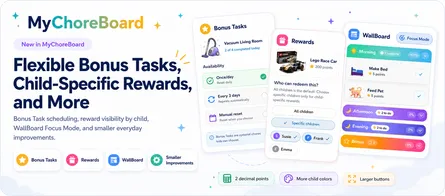
MyChoreBoard is now live in the app stores, and this is our biggest feature release since launch.
After a few smaller updates, this release brings together several improvements that make MyChoreBoard more flexible for parents and easier for kids to follow. The theme is simple: real family routines are not always daily, identical, or perfectly predictable. Kids also do better when the next step is clear.
So this update focuses on three things:
- More flexible chore setup for parents
- A calmer, more focused child interface
- Better ways to motivate kids with rewards and optional tasks
If you already use MyChoreBoard, these updates are available now.
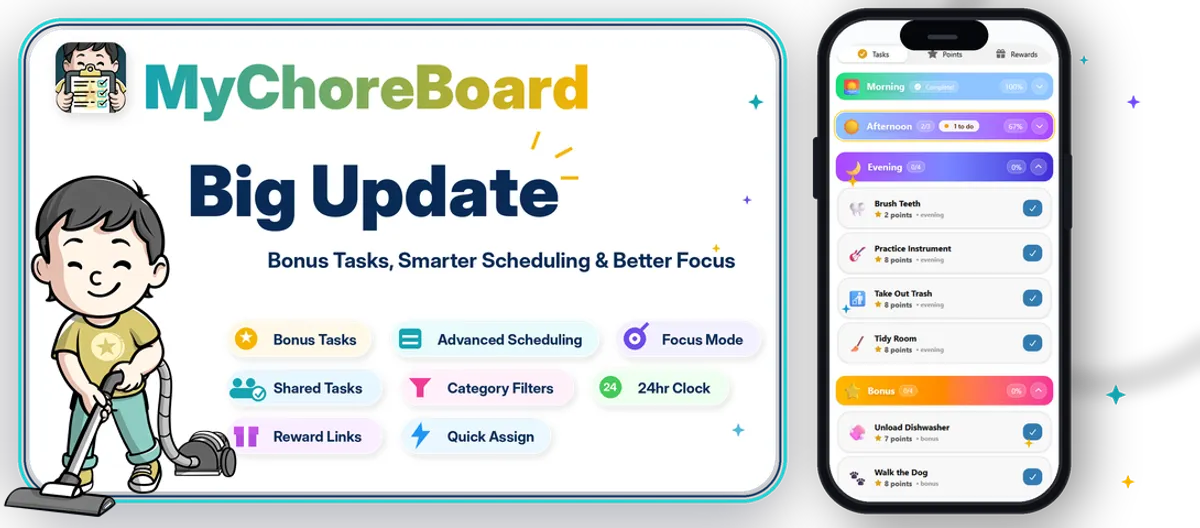
What’s new in this release
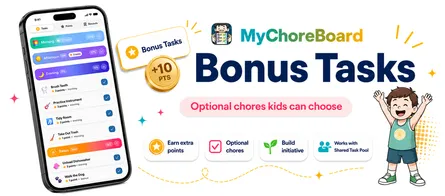
Bonus Tasks
Optional chores kids can choose
Give kids extra ways to earn points without mixing optional chores into the required daily routine.
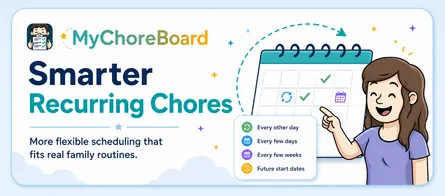
Advanced Scheduling
More realistic recurring chores
Schedule tasks every other day, every few weeks, or on a pattern that better matches real life.
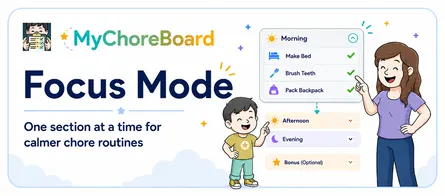
Focus Mode
One section at a time
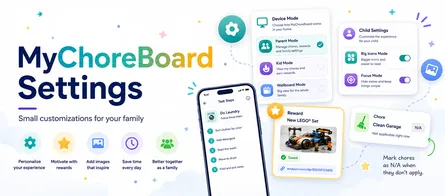
The child view can keep kids focused by expanding one time of day at a time and moving forward as tasks are completed.
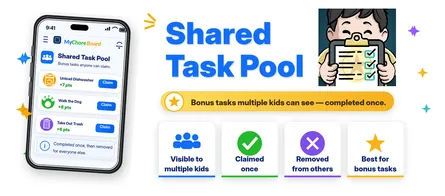
Shared Task Pool
One task, multiple kids, one claim
Make a bonus task available to more than one child, then remove it from the others once one child claims or completes it.
Parent Setup
Faster assigning and filtering
Filter tasks by category and use the improved Quick Assign flow with a child selector.
Reward Links
Connect rewards to real items
Attach a product link to a specific reward so parents can easily find the item a child is working toward.
Bonus Tasks give kids more ways to earn
Some chores are required. Others are opportunities.
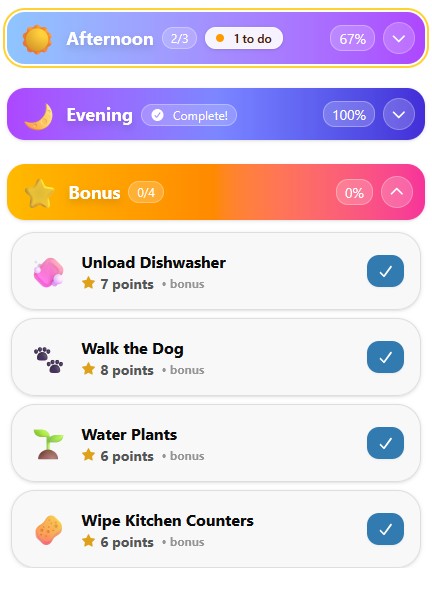
With Bonus Tasks, parents can create optional chores that kids can choose when they want to earn extra points. This is useful for jobs like unloading the dishwasher, walking the dog, taking out trash, tidying an extra space, or helping with something that is not part of the normal daily routine.
Bonus Tasks are designed to motivate without making the main chore list feel overwhelming. Kids can focus on their required Morning, Afternoon, and Evening routines first, then look at Bonus Tasks when they want to earn more.
Read more: How Bonus Tasks work in MyChoreBoard.
Advanced scheduling for real family routines
Not every chore happens every day.
This release adds more flexible scheduling options so recurring tasks can better match real life. Parents can create patterns like every other day, every few weeks, or more advanced recurring schedules that do not fit a simple daily or weekly setup.
This is especially helpful for chores like changing sheets, watering plants, cleaning bathrooms, taking out certain bins, or rotating jobs between kids.
Read more: Smarter recurring chore scheduling for families.
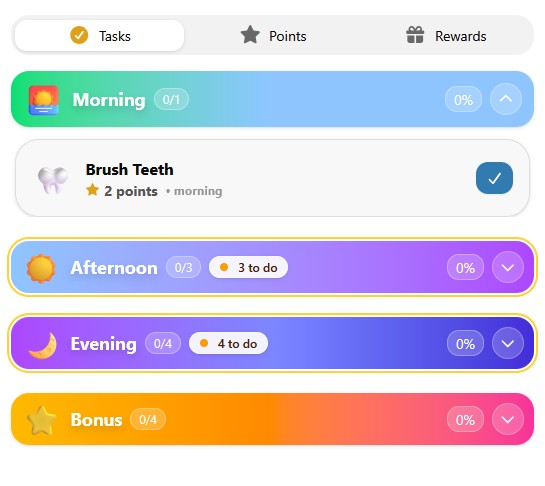
A calmer child interface with Focus Mode improvements
The child interface now does more to reduce visual clutter.
When a time-of-day section is complete, it can collapse out of the way. In Focus Mode, MyChoreBoard only expands one time of day at a time. Once that section is finished, it collapses and the next section opens.
That means kids are not staring at the entire day at once. They can focus on what is next.
This is especially helpful for younger kids, early readers, and kids who do better with visual routines and fewer competing choices.
Read more: Using Focus Mode to help kids complete chores one step at a time.
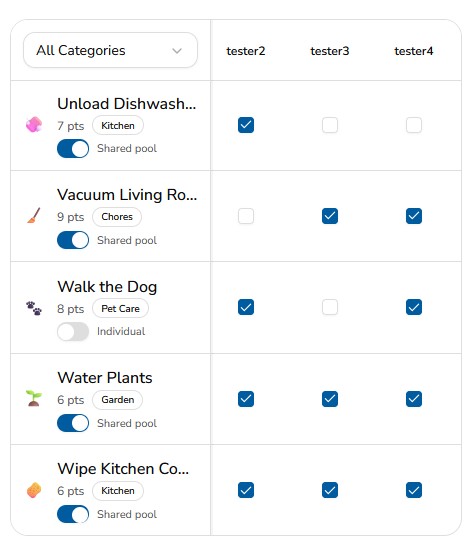
Shared Task Pool for “whoever gets to it first” chores
Some jobs do not need to be assigned to one specific child.
With Shared Task Pool, a task can be available to multiple kids, but once one child claims or completes it, it is removed from the others. This works well for bonus opportunities where the first child to take action earns the points.
Examples include:
- Unload the dishwasher
- Walk the dog
- Take out the trash
- Wipe the table
- Pick up the living room
Read more: What is a Shared Task Pool?.
Parent setup is faster now too
This release also includes several small improvements that make setup and daily management easier for parents:
- Task category filters help parents find the right tasks faster.
- Quick Assign now includes a child selector, so assigning tasks is more direct.
- 24-hour clock support gives families another display option.
These are not flashy features, but they make MyChoreBoard easier to use day after day.
Read more: New parent setup improvements: category filters and Quick Assign updates.
Reward links make goals easier to remember
Parents can now attach a link to a specific reward. If a child is saving points for a particular item, such as a LEGO set, book, art kit, or headphones, the reward can include the link so it is easy to find later.
This pairs especially well with reward images because kids can see what they are working toward while parents have the practical link saved in the reward itself.
Read more: Add Amazon links to specific rewards.
Built from real family feedback
This update came from the same place MyChoreBoard started: real routines, real kids, and real parent feedback.
Families needed more flexibility than a basic chore chart. Kids needed a clearer interface that did not overwhelm them. Parents needed faster setup tools and better reward motivation.
That is what this release is about.
Frequently asked questions
If you use the web version, refresh or reopen MyChoreBoard. If you use the iOS or Android app, install the latest version from the app store when it is available for your device.
No. Bonus Tasks are designed as optional opportunities. They are separate from the main Morning, Afternoon, and Evening routine.
Focus Mode helps kids concentrate on one time-of-day section at a time. When that section is finished, it can collapse and move the child to the next section.
Yes. Shared Task Pool lets a bonus task appear for multiple kids. Once one child claims or completes it, the task is no longer available to the others.
Yes. Parents can add a link to a reward, making it easier to save the product or idea a child is working toward.

Ready to try MyChoreBoard with your kids?
Install on any phone, tablet or computer. Free with no sign-in hoops.