Loading index…
New in MyChoreBoard: Flexible Bonus Tasks, Child-Specific Rewards, and More

New in MyChoreBoard: Flexible Bonus Tasks, Child-Specific Rewards, and More

Every family uses chores and rewards a little differently.

Some children are motivated by different rewards. Some optional jobs need to be available more than once a day, while others should only return once a week. Families using a shared household display may also want the simpler, one-section-at-a-time experience of Focus Mode.

The next MyChoreBoard release adds more flexibility in each of these areas, along with several smaller improvements that make the app easier to use.

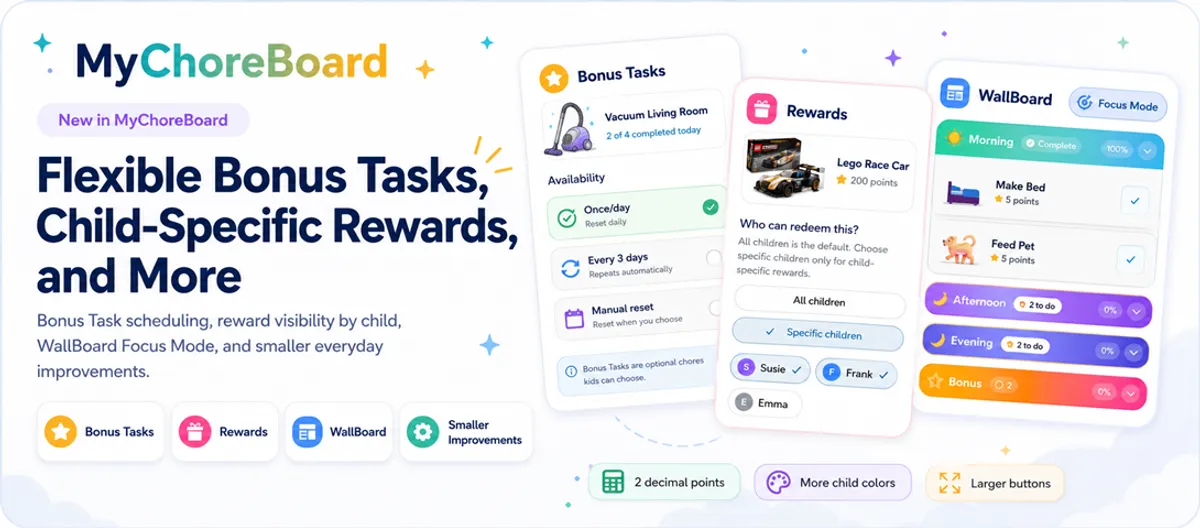
The biggest changes in this release are more flexible Bonus Tasks, child-specific rewards, and Focus Mode support in WallBoard Mode.


What is new in this release


Bonus Tasks in the MyChoreBoard child interface

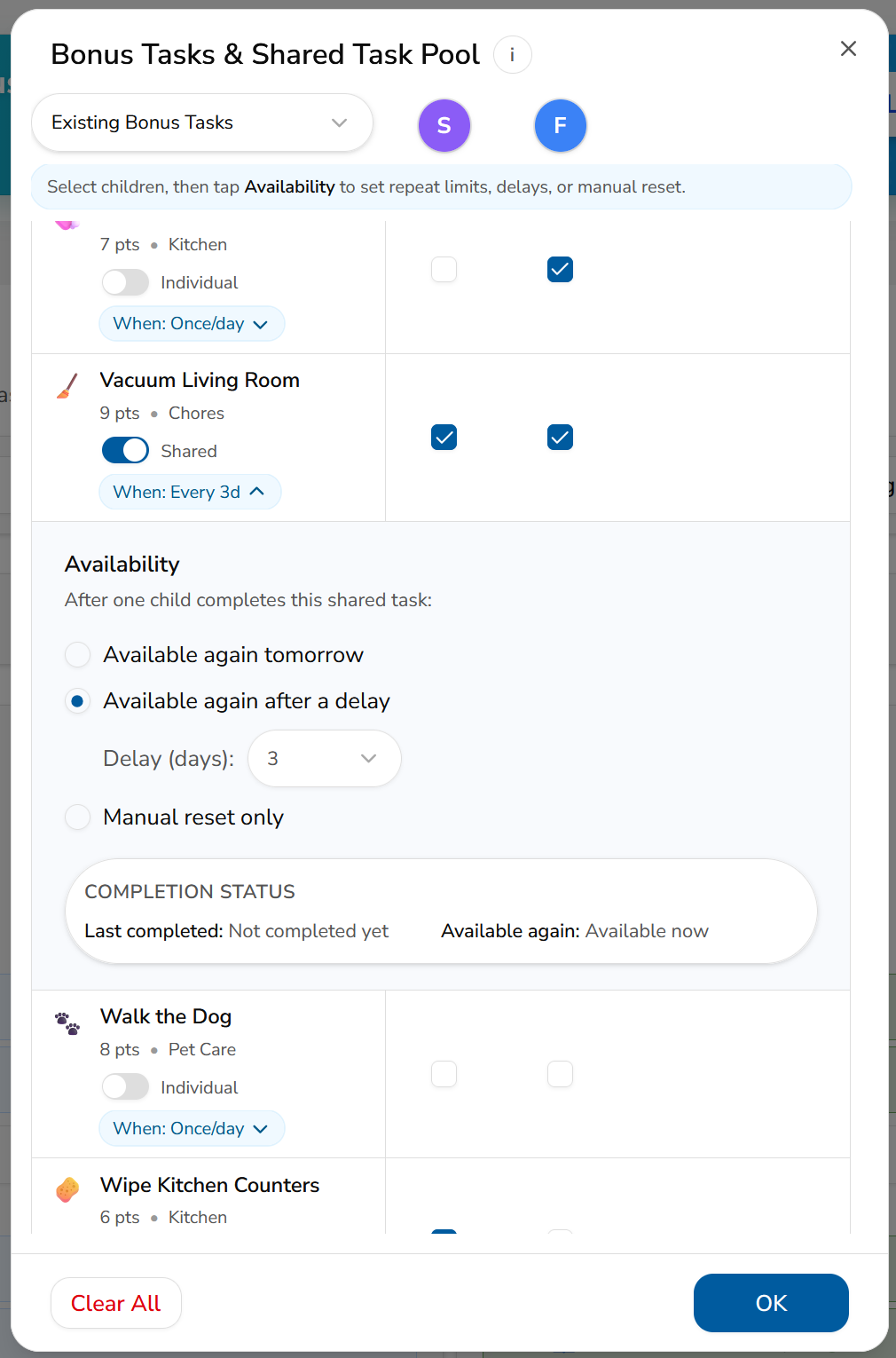
Bonus Tasks can follow a more realistic schedule

Bonus Tasks give kids optional ways to earn extra points without adding every possible household job to the required daily routine.

Until now, a Bonus Task generally became available again each day. This release gives parents more control over how often an optional task can be completed.

A parent can choose when a Bonus Task should become available again:

  • Once per day for a simple daily opportunity
  • Multiple times per day with a selected daily completion limit for an Individual Bonus Task
  • After a set number of days for occasional or larger jobs
  • Only after a parent resets it for opportunities that should not return automatically

That means families can use Bonus Tasks for very different kinds of opportunities.

A child might earn points for reading up to three extra sessions in one day, helping with several loads of laundry, or completing another repeatable job. A larger task—such as cleaning the car, organizing a closet, or helping in the yard—might return only after several days. A special project can stay unavailable until a parent decides to offer it again.

Children can see their progress toward a daily limit, such as 2 of 4 completed today, so they know how many opportunities remain.

Parents can also reset a task early when real life does not follow the original plan. For a task set to Manual reset only, that parent reset is what makes the task available again.

For jobs that should be available to multiple children but completed by only one of them, Bonus Tasks still work with the Shared Task Pool. Once one child completes a shared opportunity, it becomes unavailable to the others according to the task’s availability setting.

Read the updated guide: How Bonus Tasks work in MyChoreBoard.
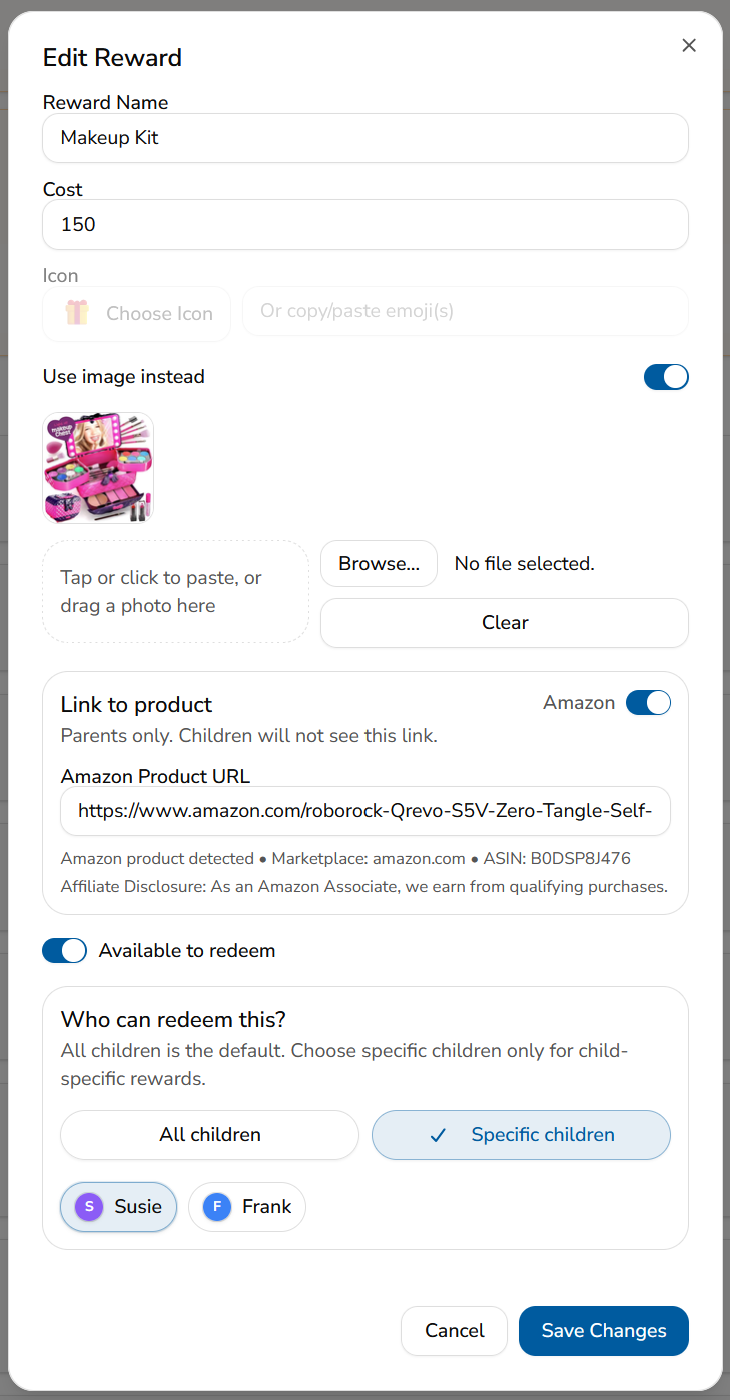

Reward Dialog in the MyChoreBoard child interface showing child selection

Create rewards for specific children

Rewards no longer need to appear for every child in the family.

When creating or editing a reward, parents can choose whether it should be available to:

  • Every child
  • One specific child
  • A selected group of children

This is helpful when children have different ages, interests, privileges, or goals.

An older child may be saving toward a larger purchase or a later bedtime, while a younger child may be motivated by choosing dessert, picking the next family movie, or earning a small toy. Each child sees only the rewards available to them, keeping the reward screen more relevant and easier to understand.

Child-specific rewards also work with existing reward tools. Parents can still add a photo to make a reward more visual or save a link to the exact item a child is working toward.

For more ideas on building a system that stays motivating, see How Positive Reinforcement Builds Motivation and Responsibility in Kids.
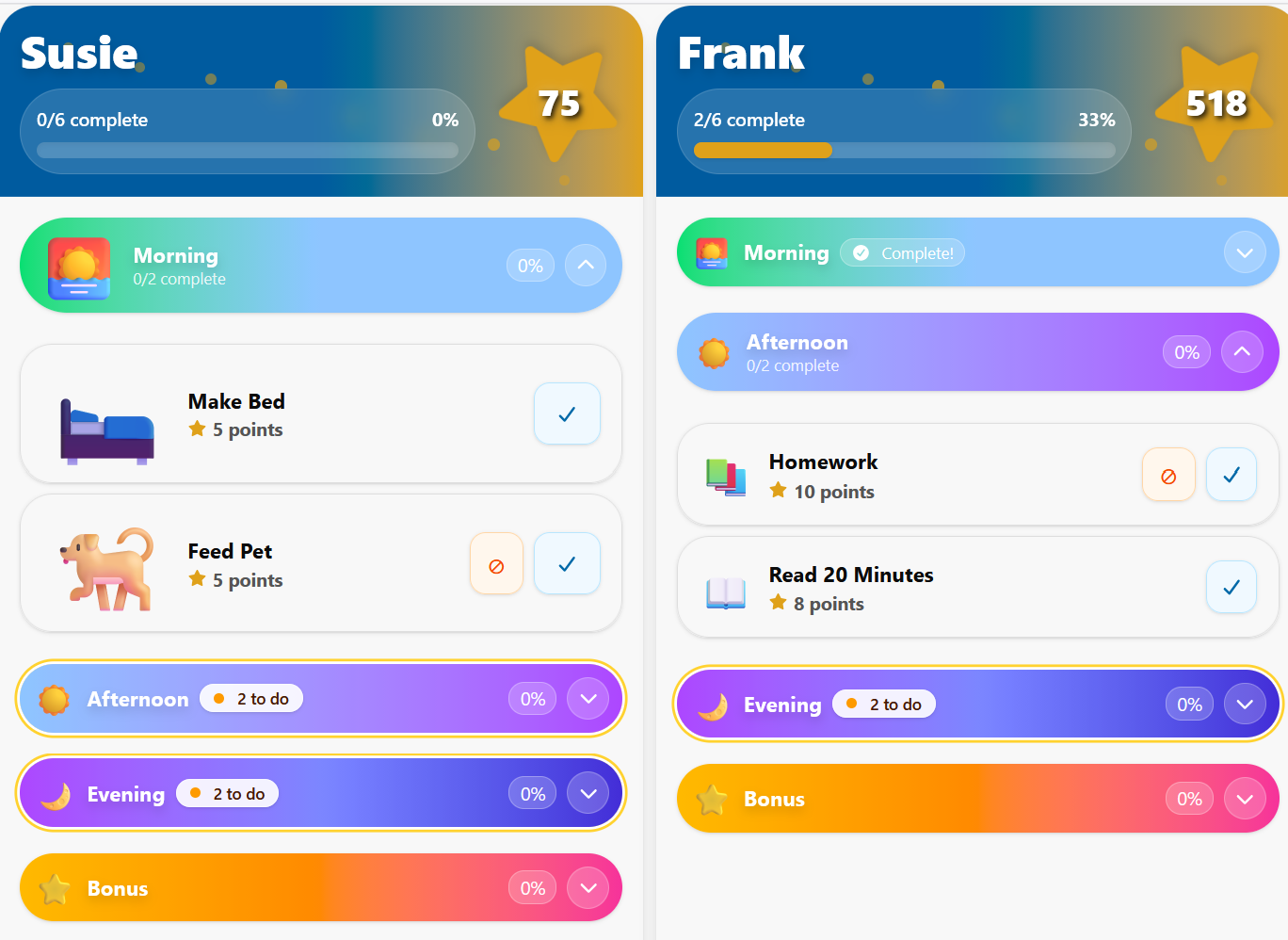

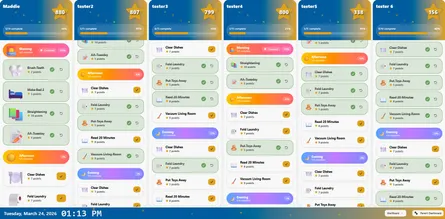
WallBoard view in the MyChoreBoard child interface showing focus mode

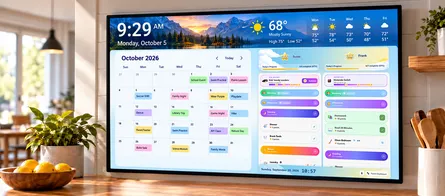
Focus Mode now works in WallBoard Mode

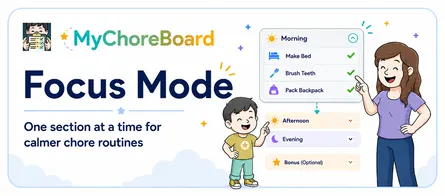
Focus Mode helps reduce visual clutter by keeping attention on one part of the day at a time.

Instead of showing every Morning, Afternoon, and Evening task expanded at once, MyChoreBoard can open the current section, collapse completed sections, and move forward as the child finishes each part of the routine.

This release brings that same experience to WallBoard Mode.

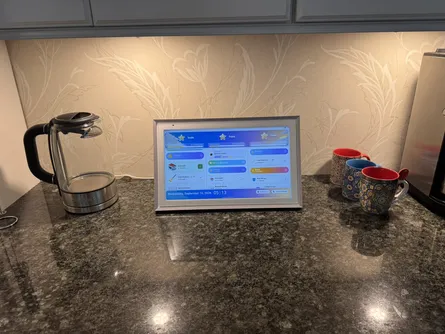
Families using a shared tablet or household display can now combine WallBoard’s side-by-side family view with a simpler routine for each child. This can be especially helpful when children feel overwhelmed by long lists or do better when the next step is clearly separated from everything that comes later.

Focus Mode remains a per-child setting, so one child can use the more focused layout while another continues seeing the full day.
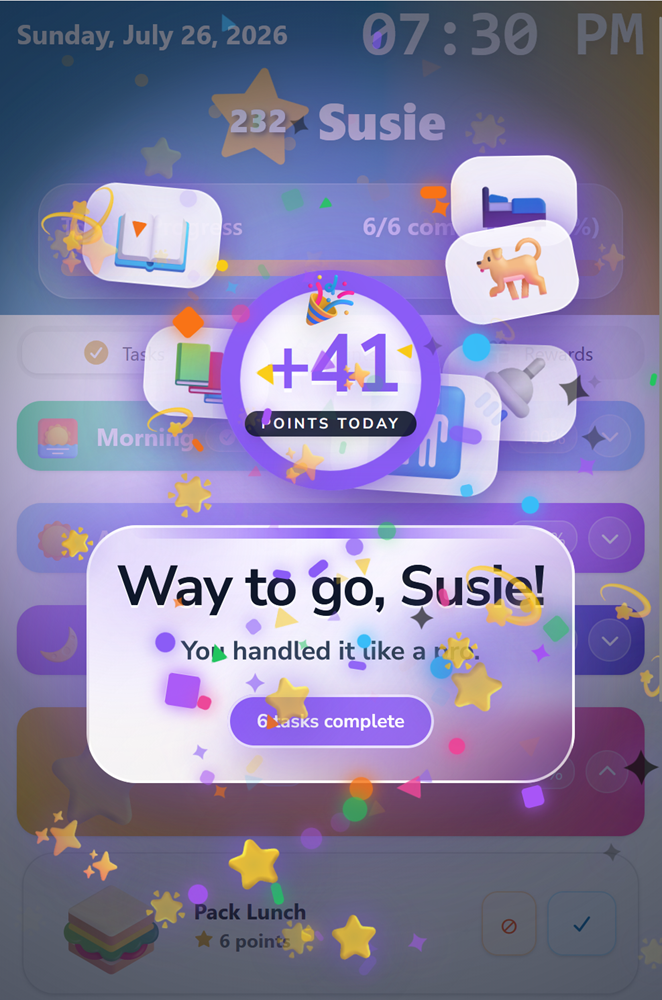

MyChoreBoard screenshot showing the animation after a child has completed all of their chores for the day

Smaller improvements kids and parents will notice

This release also includes several refinements throughout the app:

  • Clearer Parent Dashboard announcements can now rotate through multiple messages, including reminders to verify a parent email address and notices about meaningful new features. Each announcement has a clearer title, icon, and action without filling the dashboard with competing banners.
  • Points with up to two decimal places are now supported for task values, reward costs, and manual point adjustments. Families can continue using whole numbers or choose values such as 0.50, 1.25, or 2.75 points. The same precision is available when parents manually add or subtract points.
  • More child profile colors make it easier to distinguish children in assignments, rewards, point adjustments, and activity history.
  • Larger task completion buttons are easier for kids to press without making each task card taller.
  • An optional enhanced end-of-day celebration adds a larger, more playful animation when a child completes the final task of the day. The standard celebration remains the default because the enhanced version may not play smoothly on older or lower-powered devices. Parents can preview both styles and enable the enhanced celebration under Parent Interface → Settings → Device Settings.
  • Faster reward completion animations improve the experience on older and lower-powered devices.
  • Additional performance and quality-of-life improvements make common actions feel smoother and more consistent.

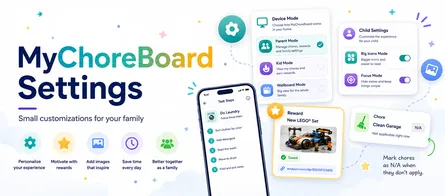
Families can find the celebration style, Focus Mode, device behavior, clock format, task-description controls, and other useful options in the MyChoreBoard settings guide.


More flexibility without more setup

These additions create new choices without requiring families to rebuild their current system.

Existing rewards can remain available to everyone. Bonus Tasks can continue returning once per day. Points can remain whole numbers. WallBoard can still show the full routine.

The new options are there when a family needs them.

Our goal is to make MyChoreBoard flexible enough to support different children, routines, and motivations while keeping the everyday experience simple.


Frequently asked questions

Yes. An Individual Bonus Task can be set to allow multiple completions per day, with a daily limit chosen by the parent.

Yes. Parents can choose a multi-day availability period for occasional jobs, so the task returns after the selected number of days.

Yes. A reward can be available to every child, one child, or a selected group of children.

Yes. WallBoard Mode can now use Focus Mode behavior so each child can concentrate on the current time-of-day section.

Yes. Task values, reward costs, and manual point adjustments can use up to two decimal places. Whole-number points still work exactly as before.

No. Existing settings continue to work. The new availability, reward, Focus Mode, and decimal options are available when your family needs them.

cta-image

Ready to try MyChoreBoard with your kids?

Install on any phone, tablet or computer. Free with no sign-in hoops.
Get Started Now
Available on Web iPhone & iPad Android

Related Posts

New Feature: Add Amazon Links to Specific Rewards

New Feature: Add Amazon Links to Specific Rewards

Rewards work best when kids know exactly what they are working toward. MyChoreBoard now lets parents add an Amazon link to a specific reward, making it easier to connect point

read more
Smarter Recurring Chore Scheduling

Smarter Recurring Chore Scheduling

Family routines are rarely as simple as “every day” or “every Monday.” Some chores happen every other day. Some happen every few weeks. Some only matter during certain seasons. So

read more
Rewards That Motivate Kids (5–8): Small Wins Build Responsibility

Rewards That Motivate Kids (5–8): Small Wins Build Responsibility

If the toddler years were “Right Now, Please,” ages 5–8 are “Watch This!” Kids in this stage love to show what they can do, which makes it the perfect time to build **daily

read more
Age-Appropriate Rewards for Toddlers: Simple, Immediate & Fun

Age-Appropriate Rewards for Toddlers: Simple, Immediate & Fun

If your toddler could write their autobiography, Chapter One would be called “Right Now, Please.” At ages 2–4, kids live in the present tense, which is exactly why **simple, im

read more
Motivating Tweens: Build Independence Without Power Struggles

Motivating Tweens: Build Independence Without Power Struggles

If ages 5–8 were “Watch this!”, the tween years (9–12) are “Let me choose.” Tweens crave a voice in how things happen, which is perfect, because voice and choice are

read more
Back-to-School Reset: Start a Digital Chore Chart

Back-to-School Reset: Start a Digital Chore Chart

Back to school changes nearly every part of a family’s day. Wake-up times move earlier. Backpacks, lunches, homework, practices, and school devices all need a place in the rou

read more
How Bonus Tasks Work in MyChoreBoard

How Bonus Tasks Work in MyChoreBoard

Required chores are important, but optional chores can be powerful too. That is why MyChoreBoard includes Bonus Tasks — a separate area for extra chores kids can complete when

read more
Back-to-School Reward Ideas for Kids

Back-to-School Reward Ideas for Kids

A new school year is a good time to refresh more than backpacks and routines. It is also a natural time to update the rewards your children can work toward. Rewards that felt exci

read more
Motivating Teens: Shift to Trust, Goals, & Real-World Wins

Motivating Teens: Shift to Trust, Goals, & Real-World Wins

Teens don’t want stickers. They want respect, freedom, and the aux cord.The good news? Those are exactly the kinds of rewards that help build real-world responsibility w

read more
Chore App for Kids: Build Chores, Rewards, and Routines That Work

Chore App for Kids: Build Chores, Rewards, and Routines That Work

A good chore app for kids should do more than track who took out the trash. The real goal is bigger than that. Parents want kids to build responsibility, follow routines, hel

read more
Clothing Rewards: Extras Become Powerful Motivation

Clothing Rewards: Extras Become Powerful Motivation

**Clothing might not be the first thing parents think of when they hear “rewards,” but for many kids, non-essential clothing can be one of the most motivating options available—esp

read more
Family Rollout Plan: Getting Kids Onboard with a Chore App

Family Rollout Plan: Getting Kids Onboard with a Chore App

Getting your kids excited about a new chore app isn’t just about tech — it’s about psychology. Families succeed when they roll it out with clear expectations, fun rewards, and a sh

read more
Focus Mode: Help Kids Complete Chores One Step at a Time

Focus Mode: Help Kids Complete Chores One Step at a Time

Some kids do great with a full list. Other kids see a full list and freeze. Focus Mode is built for the second group. With the latest MyChoreBoard update, Focus Mode helps kids m

read more
MyChoreBoard Is Now Available in the App Stores

MyChoreBoard Is Now Available in the App Stores

Installing MyChoreBoard just got easier. MyChoreBoard is now available in the app stores, giving families a more familiar way to install the free chore and rewards app on phon

read more
MyChoreBoard’s Biggest Update Yet: Bonus Tasks, Focus Mode, Smarter Scheduling, and More

MyChoreBoard’s Biggest Update Yet: Bonus Tasks, Focus Mode, Smarter Scheduling, and More

MyChoreBoard is now live in the app stores, and this is our biggest feature release since launch. After a few smaller updates, this release brings together several improvement

read more
New Feature: WallBoard Mode

New Feature: WallBoard Mode

Sometimes it helps for the whole family to see everything at once. Instead of switching between child views, WallBoard Mode gives you a shared display that shows each child’s chore

read more
New Feature: Invite Another Parent or Guardian

New Feature: Invite Another Parent or Guardian

Managing a household does not always fall on just one adult. Sometimes chores, rewards, routines, and responsibilities need to be managed by a co-parent, grandparent, guardian, or

read more
New Feature: Manually Add & Subtract Points

New Feature: Manually Add & Subtract Points

Not every important parenting moment shows up as a scheduled chore. Sometimes a child helps a sibling, puts in extra effort on homework, or handles a tough situation really well. O

read more
What’s New in MyChoreBoard: Progress Charts, Big Icons & a Smoother Experience

What’s New in MyChoreBoard: Progress Charts, Big Icons & a Smoother Experience

We’ve been busy behind the scenes making MyChoreBoard even more helpful for families.This update adds two major new features — and a few invisible improvements — that make t

read more
Make Rewards Feel Real: Add Photos to MyChoreBoard Rewards

Make Rewards Feel Real: Add Photos to MyChoreBoard Rewards

Kids stay motivated longer when they can see the reward they’re earning.That’s why we’re excited to introduce one of our most requested features:Add Images to Rewards

read more
MyChoreBoard Settings: Small Customizations for Your Family

MyChoreBoard Settings: Small Customizations for Your Family

Most families start with the basics. Add your kids. Create a few chores. Set up some rewards. Let everyone start checking things off. That is usually enough to get started, but M

read more
Non-Toy Rewards Kids Actually Want

Non-Toy Rewards Kids Actually Want

**Looking for effective rewards that don’t add more toys to your house? This guide explains how non-toy rewards motivate kids, support routines, and work naturally inside a points-

read more
How to Save MyChoreBoard to Your Home Screen and Use It Like an App

How to Save MyChoreBoard to Your Home Screen and Use It Like an App

A lot of parents hear the phrase Progressive Web App and assume it is something technical or developer-y. It is not. In real life, it simply means you can save MyChoreBoard t

read more
Reward Systems That Motivate ADHD Kids (Without Bribes or Battles)

Reward Systems That Motivate ADHD Kids (Without Bribes or Battles)

Why ADHD Motivation Works Differently Parents often say, “My child can focus — just not on chores.”That’s not inconsistency; it’s neuroscience. ADHD isn’t a lack of willpo

read more
What Is a Shared Task Pool?

What Is a Shared Task Pool?

Some chores belong to one child. Others are more like open opportunities. That is where Shared Task Pool comes in. Shared Task Pool is part of Bonus Tasks in MyChoreBoard

read more
How to Switch from a Whiteboard to a Free Chore App (In One Weekend)

How to Switch from a Whiteboard to a Free Chore App (In One Weekend)

If your whiteboard chore chart is covered in half-erased checkmarks and good intentions, you’re not alone. Most families outgrow paper systems once routines start to slip or multip

read more
Using Sweet Treats as Rewards

Using Sweet Treats as Rewards

Sweet treats are one of the most reliably motivating rewards for kids. They are also one of the most debated. Parents often ask:Am I creating a bad habit? Will this backf

read more
More Enhancements: Category Filters, Quick Assign & 24-Hour Clock

More Enhancements: Category Filters, Quick Assign & 24-Hour Clock

The big features get the attention, but small setup improvements often make the biggest difference day to day. This MyChoreBoard update includes several parent-facing improvements

read more
How Positive Reinforcement Builds Motivation & Responsibility in Kids

How Positive Reinforcement Builds Motivation & Responsibility in Kids

Parents don’t need more nagging power. They need a motivation system that kids actually respond to. That’s what positive reinforcement delivers: clear expectations, inst

read more
2026's Resolution: Achieving a Calmer & More Organized Home

2026's Resolution: Achieving a Calmer & More Organized Home

The New Year has a way of making everything feel possible. We imagine calmer mornings, cleaner counters, fewer reminders, and a home that just runs better. January brings that qui

read more
How Chore Apps Can Help ADHD Kids Build Routines & Confidence

How Chore Apps Can Help ADHD Kids Build Routines & Confidence

When ADHD Turns Routine Into a Daily Battle Parenting a child with ADHD can feel like running a marathon that resets every morning. You start hopeful, but by lunchtime the chec

read more
Chore Apps vs Allowance Apps: What’s the Difference?

Chore Apps vs Allowance Apps: What’s the Difference?

Most parents start looking for a “chore app” when they want to stop micromanaging daily routines and build consistency at home. Other parents start with “allowance apps” when they

read more