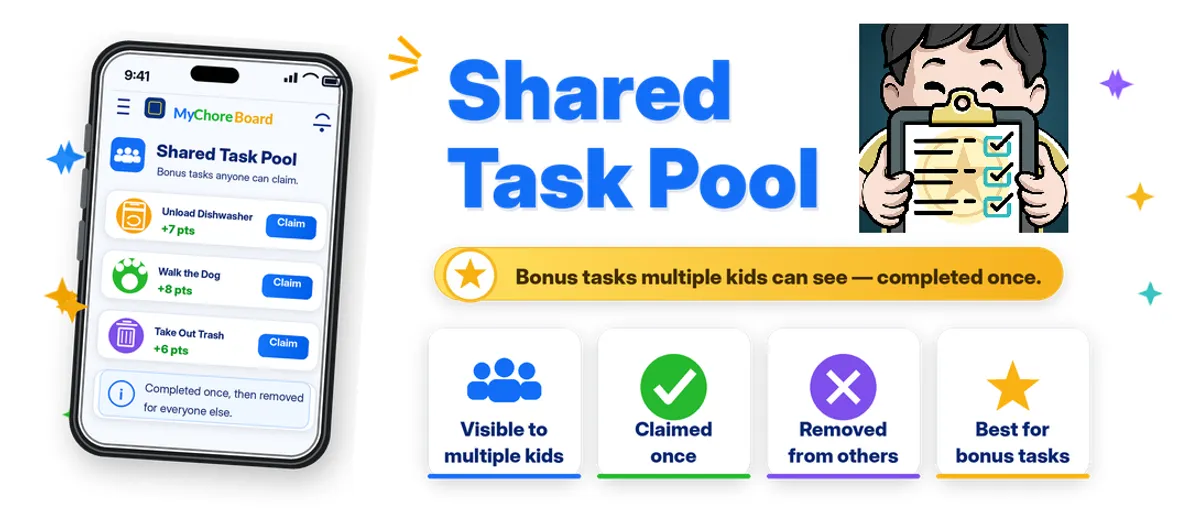
What Is a Shared Task Pool?
- Jacob Volk
- MyChoreBoard Guides
- 08 Jun, 2026
Some chores belong to one child. Others are more like open opportunities.
That is where Shared Task Pool comes in.
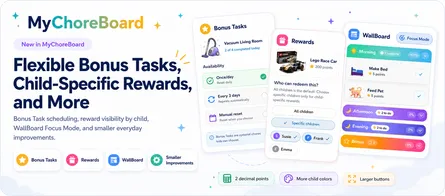
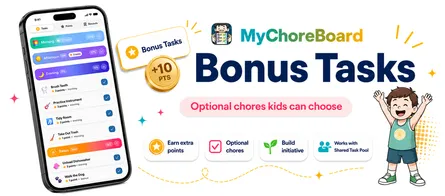
Shared Task Pool is part of Bonus Tasks in MyChoreBoard. It lets a bonus task be available to more than one child. When one child claims or completes it, the task is no longer available to the others.
It is a simple way to handle “whoever gets to it first” chores without assigning the same job separately to every child.
How Shared Task Pool works
Imagine you create a bonus task called Unload Dishwasher.
Instead of assigning it to only one child, you can make it available to multiple kids through the Shared Task Pool. Each child can see the opportunity, but the task only needs to be done once.
Once one child claims or completes it, MyChoreBoard removes it from the other children’s lists.
That keeps the system fair and prevents duplicate credit for a chore that only needed to happen one time.
Why this is useful
Families often have tasks that do not need to belong to one specific child every time.
Examples include:
- Unload the dishwasher
- Walk the dog
- Take out trash
- Wipe the table
- Pick up the living room
- Bring in packages
- Help carry groceries
- Refill pet water
These are great opportunities for initiative. The first child who takes action can earn the points.
Shared does not mean “do it together”
The word “shared” can sometimes sound like kids are supposed to work on the task together.
In this case, Shared Task Pool means the opportunity is shared, not necessarily the work.
A shared bonus task is available to multiple kids, but one child can claim or complete it.
That makes it different from a group chore where everyone participates.
How it helps parents
Without a shared pool, parents often have to choose between two imperfect options.
They can assign the task to one child and hope that feels fair, or they can assign it to multiple kids and risk duplicate completions.
Shared Task Pool gives parents a cleaner option.
The task can be visible to multiple kids, but completion only happens once.
How it helps kids
For kids, Shared Task Pool makes extra earning opportunities more visible.
They do not have to wait for a parent to assign something manually. They can open MyChoreBoard, see what is available, and take initiative.
That can be motivating for kids who are saving for a reward and want extra ways to earn points.
It also helps kids understand that some chores are open opportunities. If they want the points, they can choose to step in and help.
When to use Shared Task Pool
Shared Task Pool is helpful for bonus tasks that:
- Only need to be done once
- Are safe for more than one child to complete
- Do not require a specific child
- Make sense as optional point-earning opportunities
- Could fairly go to whichever child chooses to do it first
Avoid using Shared Task Pool for tasks that:
- Must be done by one specific child
- Need to be tracked separately for each child
- Are part of a required daily routine
- Could create arguments if one child always gets there first
A few well-chosen shared bonus tasks can make the system feel exciting without making it chaotic.
How to set it up
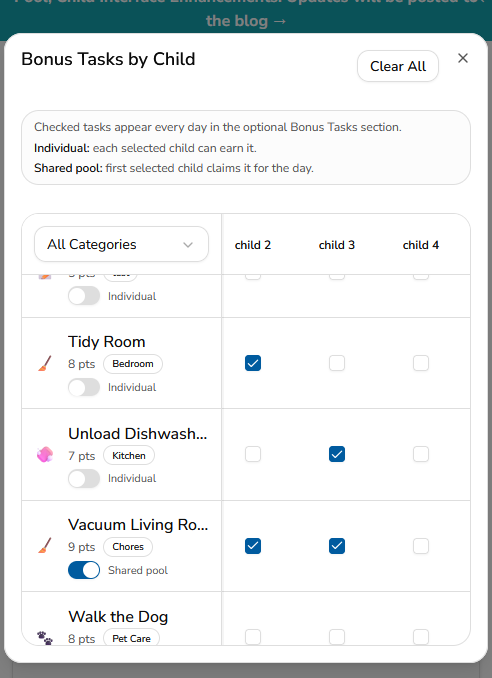
Shared Task Pool is managed from the Bonus Tasks & Shared Task Pool tool in Task Assignments.
Because Shared Task Pool is part of Bonus Tasks, the full setup instructions are covered in the Bonus Tasks guide.
Read the full walkthrough here: How Bonus Tasks work in MyChoreBoard.
Frequently asked questions
Shared Task Pool is part of Bonus Tasks in MyChoreBoard. It lets a bonus task be available to multiple kids. Once one child claims or completes it, the task is removed from the others.
No. Shared Task Pool is integrated with Bonus Tasks. When creating a bonus task, parents can decide whether it should be individual or shared.
No. A shared task means the opportunity is available to multiple kids. It does not necessarily mean the kids complete the chore together.
Shared tasks work well for optional jobs that only need to be done once, like unloading the dishwasher, walking the dog, bringing in packages, or taking out trash.
Usually no. Required daily chores are often better assigned to a specific child so expectations stay clear. Shared Task Pool is designed for optional Bonus Tasks.
Shared Task Pool is set up through Bonus Tasks. For the full step-by-step walkthrough, read the Bonus Tasks guide.

Ready to try MyChoreBoard with your kids?
Install on any phone, tablet or computer. Free with no sign-in hoops.