Back-to-School Reset: Start a Digital Chore Chart
- Jacob Volk
- Chores & Routines
- 28 Jul, 2026
Back to school changes nearly every part of a family’s day.
Wake-up times move earlier. Backpacks, lunches, homework, practices, and school devices all need a place in the routine. Bedtime matters again. Even children who handled summer responsibilities well may need help adjusting to a more structured day.
That is exactly why the weeks before school are one of the best times to start a digital chore chart.
You are not forcing a new system into a routine that already feels settled. The routine is changing anyway. A clear chore and responsibility system gives children a simple way to understand what happens in the morning, what needs attention after school, and what should be ready before bedtime.
A back-to-school reset is not about making kids busier. It is about making daily expectations easier to see, remember, and complete without constant reminders.
Why back to school is the right time to get organized
There are only a few points during the year when the entire family already expects schedules to change. The beginning of a school year is one of them.
Children are learning new classroom routines, adjusting to new teachers, and getting used to new departure and arrival times. Parents are rebuilding lunch, transportation, homework, activity, and bedtime habits at the same time.
Adding a clear home routine during this transition can feel more natural than trying to introduce one in the middle of a busy semester.
A back-to-school chore chart can help families:
- Make morning expectations visible before everyone is rushed
- Create a predictable place for backpacks, shoes, lunchboxes, and school papers
- Separate homework and school preparation from household chores
- Help kids become more independent with age-appropriate responsibilities
- Reduce the number of instructions parents repeat every day
- Keep different routines organized for multiple children
The goal is not perfection on the first day. The goal is to give everyone a shared plan before the busiest part of the year begins.
Start before the first day of school
The hardest time to introduce a brand-new routine is during the first rushed morning of school.
Instead, set up the routine several days before classes begin. Let children see the chart, practice checking tasks, and learn where school items belong while the schedule is still flexible.
Start with the tasks that prevent the most stress. You can always add more later.
For many families, that means beginning with:
- Getting dressed
- Brushing teeth
- Packing the backpack
- Putting the lunchbox or water bottle in the right place
- Completing homework or reading
- Preparing clothes and school items for the next day
A child who can reliably complete six important steps is making more progress than a child staring at a chart with twenty unfinished items.
Build routines around the natural parts of the day
One long list can be overwhelming, especially when some tasks do not matter until hours later.
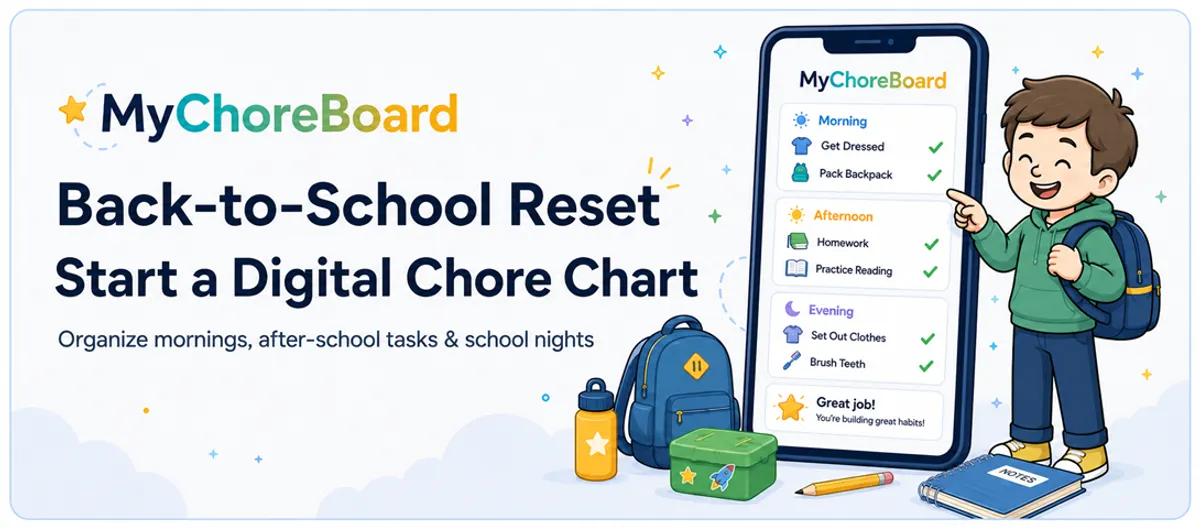
A better approach is to divide school-day responsibilities into Morning, Afternoon, and Evening routines. This makes the next step clearer and keeps children from feeling responsible for the entire day at once.
Morning routine ideas
The morning list should focus on getting ready and leaving the house with everything the child needs.
Depending on age, it might include:
- Get dressed
- Make the bed
- Brush teeth
- Eat breakfast
- Put dishes in the sink or dishwasher
- Fill a water bottle
- Put lunch in the backpack
- Check for homework, folders, or library books
- Put on shoes and a jacket
- Be ready at the door
Younger children may need only four or five of these tasks. Older elementary children and tweens can usually handle a more detailed checklist.
After-school routine ideas
After school is often where backpacks, papers, food containers, and unfinished responsibilities begin to pile up.
A short transition routine can keep that clutter from spreading through the house:
- Put shoes and backpack in their assigned places
- Empty the lunchbox
- Put school papers in a parent folder or tray
- Plug in the school device
- Have a snack
- Complete homework or reading
- Prepare equipment for practice
- Finish one age-appropriate household chore
The purpose of this section is not to schedule every minute after school. It is to create a dependable transition from school back into home life.
Evening routine ideas
A calmer morning often begins the night before.
An evening routine might include:
- Pack the backpack
- Choose clothes for tomorrow
- Put homework in the correct folder
- Prepare lunch or snacks with a parent
- Charge the school device
- Shower or bathe
- Brush teeth
- Tidy the bedroom floor
- Begin reading or quiet time
- Get into bed at the agreed time
These tasks help children participate in tomorrow’s preparation instead of leaving every detail for a parent to remember.
Keep responsibilities age appropriate
Children between ages 5 and 12 can take on meaningful responsibility, but the same chart will not work for every child.
A five-year-old may need simple visual tasks such as getting dressed, brushing teeth, putting a lunchbox by the door, and placing dirty clothes in a hamper.
A twelve-year-old may be ready to manage homework, pack sports equipment, prepare part of a lunch, load the dishwasher, and check tomorrow’s schedule with less supervision.
The task should be clear enough that the child understands what “done” means.
For more ideas by age, see:
- Age-appropriate chores for elementary kids
- Age-appropriate chores for tweens
- The complete age-appropriate chores guide
Why a digital chore chart works especially well during the school year
A printable chore chart can work well for a simple routine that rarely changes. School schedules usually do change.
There may be homework on weekdays, sports on Tuesdays and Thursdays, library books due on Wednesday, and a completely different routine during weekends or school breaks.
A digital chore chart makes those changes easier to manage.
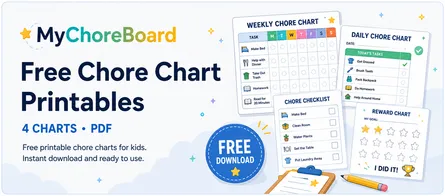
For a year-round comparison of printable, physical, and digital formats, see our complete chore-chart guide for kids.
With MyChoreBoard, parents can:
- Schedule tasks for specific days of the week
- Give each child a different routine
- Separate Morning, Afternoon, Evening, and Bonus Tasks
- Add descriptions or steps to tasks that need more explanation
- Make changes without printing a new chart
- Track points and completed tasks automatically
- Let children see their responsibilities on a phone, tablet, or shared family display
- Keep the same account synced across Apple, Android, Amazon Fire, and web devices
For a deeper comparison, read Printable vs. Digital Chore Charts: Which Works Better?.
Start your family’s back-to-school reset
MyChoreBoard is a free chore and rewards app built to make responsibilities clear, progress visible, and daily routines easier for children to manage.
You can begin in the web app or download it from the Apple App Store, Google Play, or the Amazon Appstore on Fire tablets. The same family account stays synced across devices.
Web app
Start in Your Browser
Fastest way to begin
Create your family’s free digital chore chart from a phone, tablet, or computer.
- No app store required.
- Use the same account across devices.
iPhone & iPad
Download on the App Store
Best for Apple devices
Install MyChoreBoard on an iPhone, iPad, or shared family Apple device.
- Easy native app installation.
- Your family setup stays synced.
Android
Get It on Google Play
Best for Android devices
Install MyChoreBoard on an Android phone, tablet, or shared family display.
- Easy native app installation.
- Your family setup stays synced.
Amazon Fire
Get It on the Amazon Appstore
Best for Amazon Fire tablets
Install MyChoreBoard directly from the Amazon Appstore on your Fire tablet.
- Easy native app installation.
- Your family setup stays synced.
Make the routine easier to follow with MyChoreBoard
A school routine works best when children can quickly understand what matters now.
MyChoreBoard includes several tools designed for that exact problem.
Schedule tasks only when they are needed
Weekday tasks do not have to appear on Saturday. Practice-day responsibilities do not have to clutter every afternoon. More advanced recurring chores can follow patterns that match your family’s real schedule.
Learn more about advanced recurring chore scheduling.
Show one part of the day at a time
Some children are comfortable seeing a full list. Others see a long list and shut down before they begin.
Focus Mode can reduce clutter by centering the child interface on the current time-of-day section and moving completed sections out of the way.
Keep routines visible on a shared tablet
A chore chart is more useful when children remember to look at it.
With WallBoard Mode, a family tablet can display multiple children’s chores and progress in one shared view. A kitchen counter, entryway, or family command center can become the place everyone checks before school and after arriving home.
Add instructions when a task needs more detail
“Pack backpack” may mean different things on different days. A task description can remind a child to include a homework folder, library book, water bottle, or sports clothes without requiring a parent to repeat the list.
A simple back-to-school setup you can finish today
You do not need to build the perfect system before using it.
Start with this basic setup:
- Add each child. Give every child their own task list and color.
- Create a Morning routine. Add only the steps needed to leave the house ready.
- Create an Afternoon routine. Include backpack, lunchbox, homework, and one household responsibility.
- Create an Evening routine. Focus on preparing for tomorrow and winding down.
- Choose a few rewards. Let each child help select something meaningful to work toward.
- Place MyChoreBoard where children will see it. Use their device or a shared tablet.
- Practice for several days. Adjust tasks that are confusing, unnecessary, or too difficult.
That is enough to begin. Once the core routine feels natural, you can add occasional chores, Bonus Tasks, different schedules, and larger goals.
Do not turn the school routine into one enormous checklist
It is tempting to add every possible responsibility while you are feeling organized.
A large list may look thorough to an adult, but it can feel impossible to a child. The chart should reduce mental load, not create more of it.
A few guidelines help:
- Start with the tasks that solve real daily problems
- Use specific wording such as “Put lunchbox by the sink” instead of “Clean up”
- Avoid adding steps the child cannot complete independently
- Keep ordinary routines separate from optional Bonus Tasks
- Remove tasks that no longer need reminders
- Adjust the system as school activities and homework demands change
The best routine is not the longest one. It is the one your family can repeat.
Add fresh motivation for the new school year
A new routine is easier to introduce when children have something meaningful to work toward.
Rewards do not need to be large or expensive. They can include privileges, experiences, small treats, creative supplies, school upgrades, or a larger item a child saves for over time.
We created a separate guide with ideas families can add directly to their reward pool:
Explore Back-to-School Reward Ideas for Kids →
For the larger strategy behind points, choice, and motivation, read Using Rewards to Motivate Kids.
Frequently Asked Questions
Start several days before the first day of school when possible. This gives children time to practice the routine, learn where school items belong, and adjust tasks before mornings become rushed.
Focus on tasks that help the day run smoothly. Common examples include getting dressed, brushing teeth, packing a backpack, emptying a lunchbox, completing homework, charging a school device, and preparing clothes for the next day.
A printable chart can work for a simple routine, but a digital chart is easier to update when school schedules, activities, and responsibilities change. It can also give different children separate routines and track progress automatically.
Begin with a small set of important tasks the child can understand and complete. Younger children may start with four or five steps, while older elementary children and tweens may be ready for a more detailed routine.
Not necessarily. Families can use points for responsibilities they are actively teaching, difficult routines, or optional Bonus Tasks. Basic expectations can remain on the chart for clarity even when they earn few or no points.
Yes. MyChoreBoard is free for families and is available as a web app, an iPhone and iPad app, an Android app, and an Amazon Fire app. The same family account can stay synced across devices.

Ready to try MyChoreBoard with your kids?
Install on any phone, tablet or computer. Free with no sign-in hoops.