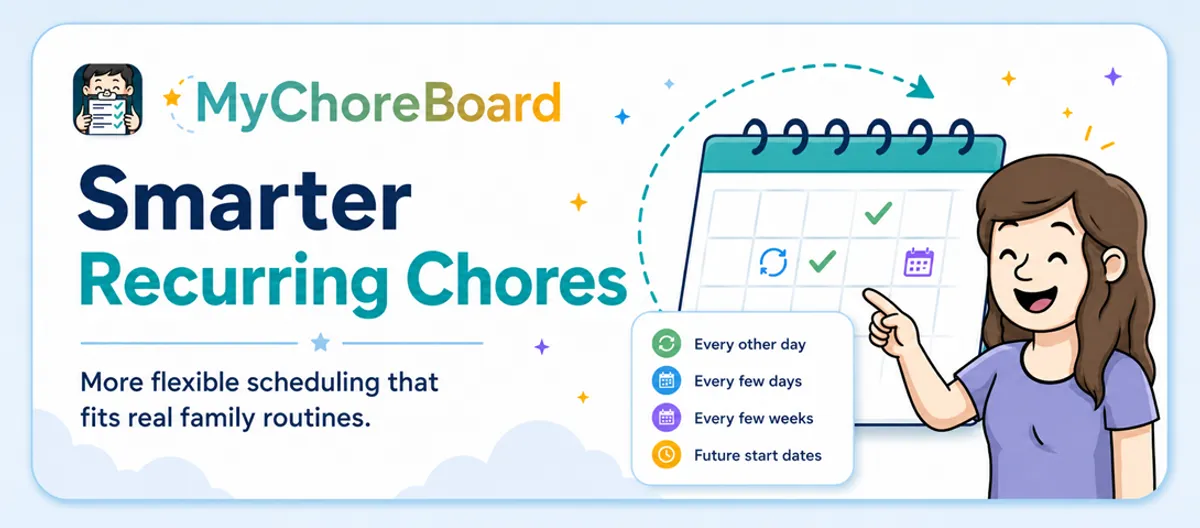
Smarter Recurring Chore Scheduling
- Jacob Volk
- MyChoreBoard Guides
- 08 Jun, 2026
Family routines are rarely as simple as “every day” or “every Monday.”
Some chores happen every other day. Some happen every few weeks. Some only matter during certain seasons. Some need to pause for a while and restart later.
That is why MyChoreBoard now supports advanced recurring chore scheduling.
This update gives parents more control over recurring chores, so the chore list can better match how families actually live.
What changed?
Parents now have more flexible scheduling options when creating recurring tasks.
Instead of only setting a chore to repeat every day or every week, you can now create routines that repeat in more specific ways, such as:
- Every other day
- Every few days
- Every week on selected days
- Every few weeks
- Every month on selected dates
- Future start dates for chores that should begin later
- Optional end dates for seasonal or temporary routines
That means MyChoreBoard can handle more real-life routines without parents needing to manually assign the same chores over and over.
Why advanced scheduling matters
A chore app should make family routines easier, not create extra cleanup work.
When scheduling is too basic, parents end up making workarounds. They may assign the same chore manually over and over, create duplicate tasks, delete and recreate seasonal routines, or leave chores visible even when they do not apply.
Advanced scheduling helps reduce those workarounds.
The chore appears when it should appear, stays out of the way when it should not, and helps kids trust that the list in front of them is the list that matters today.
How to create a recurring chore schedule
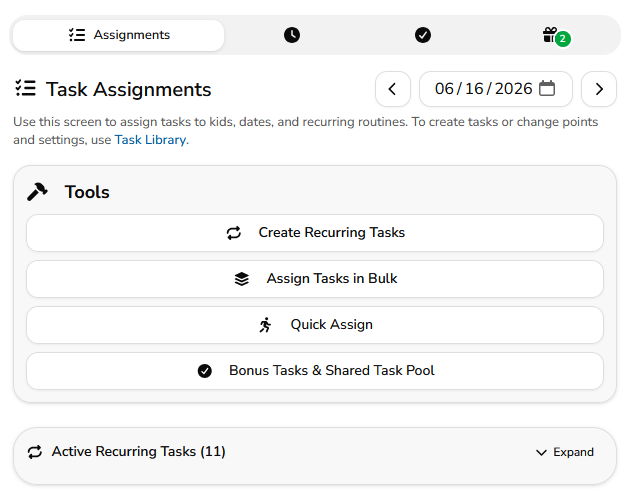
To create a recurring chore schedule, open the Parent Dashboard and go to Task Assignments.
From there, tap Create Recurring Tasks.
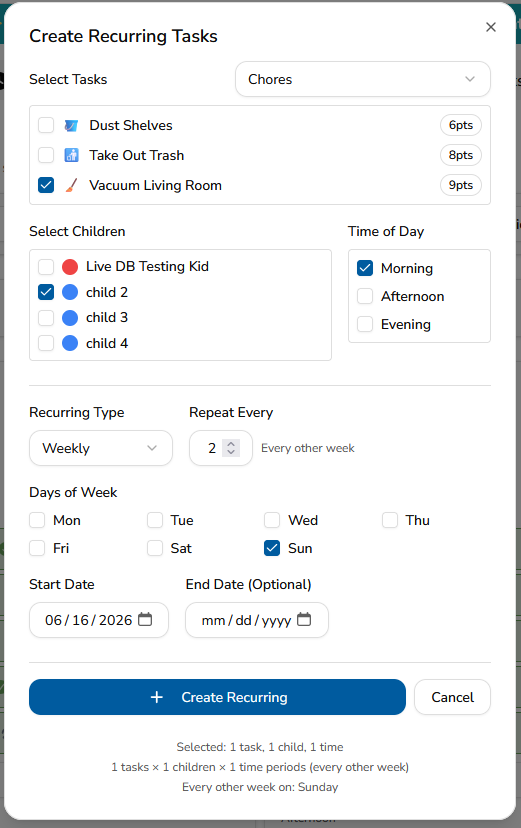
Inside the Create Recurring Tasks window, you will choose:
-
Tasks
Select one or more tasks from your Task Library. -
Children
Choose which child or children should receive the recurring chore. -
Time of Day
Select whether the task should appear in Morning, Afternoon, Evening, or more than one section. -
Recurring Type
Choose whether the schedule repeats Daily, Weekly, or Monthly. -
Repeat Every
Decide how often the pattern repeats. For example, every 1 day, every 2 days, every 1 week, every 3 weeks, or every 1 month. -
Start Date
Pick when the recurring schedule should begin. -
End Date
Add an optional end date if the chore should stop after a certain point.
At the bottom of the window, MyChoreBoard shows a quick summary of what will be created. This helps parents confirm how many recurring task assignments they are about to add before saving.
Daily recurring chores
Daily schedules are useful for chores that repeat every day or every few days.
For example, you might use a daily recurring schedule for:
- Make bed
- Brush teeth
- Feed the dog
- Water plants every 2 days
- Practice reading every day
- Take vitamins every morning
To create this type of routine, choose Daily as the recurring type. Then use Repeat Every to decide how often the task should repeat.
For a chore that happens every day, set Repeat Every to 1.
For a chore that happens every other day, set Repeat Every to 2.
Weekly recurring chores
Weekly schedules are helpful when chores should happen on specific days of the week.
For example, you might use a weekly recurring schedule for:
- Take out trash every Monday
- Bring library books every Friday
- Practice instrument on Monday, Wednesday, and Sunday
- Clean bathroom every Saturday
- Pack sports gear on practice days
To create this type of routine, choose Weekly as the recurring type. Then choose the days of the week when the chore should appear.
You can also use Repeat Every for schedules that happen every few weeks. For example, a chore that happens every other week can be set to repeat every 2 weeks.
Monthly recurring chores
Monthly schedules are useful for chores that happen on certain dates each month.
For example, you might use a monthly recurring schedule for:
- Change sheets on the 1st and 15th
- Clean backpack once a month
- Organize drawers monthly
- Check school supplies monthly
- Help with a monthly household reset
To create this type of routine, choose Monthly as the recurring type. Then select the days of the month when the chore should appear.
Using future start dates
Advanced scheduling also helps with chores that should start later.
For example, if school is out for summer, you may not want homework-related chores showing every day. You also may not want to delete the routine completely.
Instead, you can create the recurring schedule now and choose a future start date.
That lets parents prepare for school routines, sports seasons, custody schedule changes, or temporary household needs without cluttering today’s chore list.
Using optional end dates
Some chores are only needed for a certain period of time.
An optional end date is helpful for:
- School-year routines
- Summer routines
- Sports seasons
- Temporary responsibilities
- Practice schedules
- Short-term family goals
If a chore should continue indefinitely, you can leave the end date blank.
If the chore should stop after a certain day, add an end date and MyChoreBoard will keep the recurring schedule limited to that date range.
Examples of chores that benefit from advanced scheduling
Some tasks make more sense on a flexible recurring pattern.
| Chore | Possible schedule |
|---|---|
| Take out recycling | Every other week |
| Change sheets | Twice a month |
| Water plants | Every few days |
| Clean bathroom counter | Weekly or every other week |
| Practice instrument | Specific days of the week |
| Bring sports gear | Practice days only |
| Homework routine | Starts again when school returns |
| Vacuum bedroom | Every few weeks |
| Pack school bag | Weekday mornings during the school year |
| Clean backpack | Monthly |
The point is flexibility. Parents can set the pattern once and let MyChoreBoard handle the repetition.
Tips for setting up recurring chores
Start with the routines you repeat most often. You do not need to schedule every possible household task on day one.
A good setup might include a few daily tasks, a few weekly tasks, and a few seasonal or school-year routines.
Then adjust once you see how your kids respond.
For chores that are optional or extra, consider using Bonus Tasks instead of adding them to the required recurring routine.
The goal is not to make the longest chore list possible. The goal is to make the right chores show up at the right time.
Frequently asked questions
Yes. Choose Daily as the recurring type, then set Repeat Every to 2. This creates an every-other-day schedule.
Yes. Choose Weekly as the recurring type, then use Repeat Every to choose how many weeks should pass before the schedule repeats.
Yes. Weekly recurring schedules let parents select the exact days of the week when a chore should appear.
Yes. Monthly recurring schedules let parents choose specific days of the month for chores that happen monthly.
Yes. Future start dates are useful for school-year routines, seasonal tasks, sports schedules, or chores you want to prepare now but show later.
Yes. Use the optional end date if the recurring chore should stop after a certain date.
No. Kids should only see chores that apply to the selected day, helping keep the child interface cleaner and easier to follow.

Ready to try MyChoreBoard with your kids?
Install on any phone, tablet or computer. Free with no sign-in hoops.