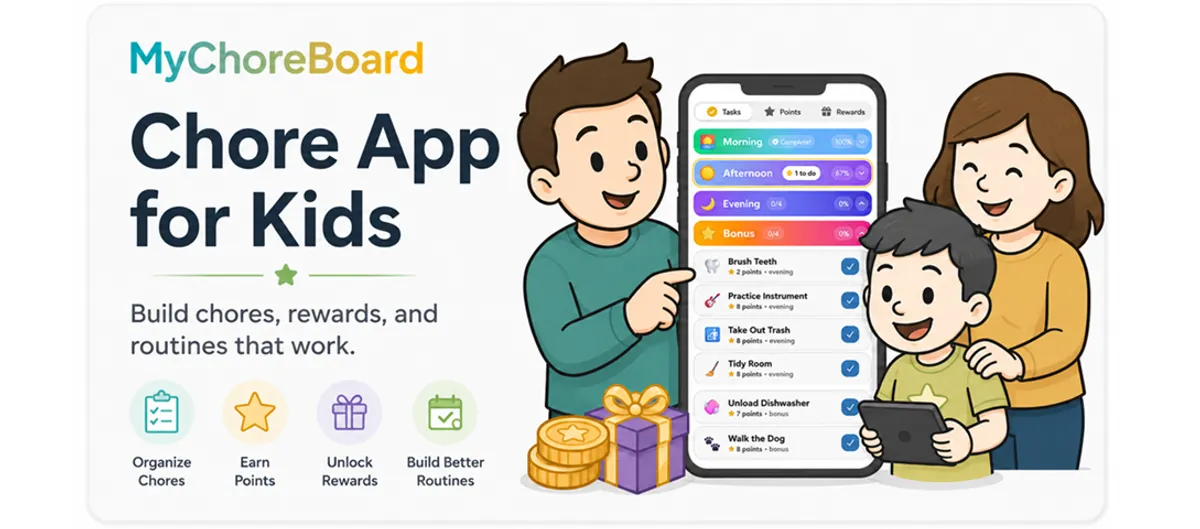
Chore App for Kids: Build Chores, Rewards, and Routines That Work
- Jacob Volk
- Chore Apps
- 29 Jun, 2026
A good chore app for kids should do more than track who took out the trash.
The real goal is bigger than that.
Parents want kids to build responsibility, follow routines, help around the house, and learn that their contributions matter. Kids need chores to feel clear, fair, and achievable. And families need a system that does not rely on one parent remembering, reminding, repeating, and eventually getting frustrated.
That is where a digital chore app can help.
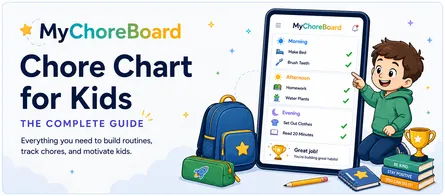
A chore app for kids gives children a clear place to see what needs to be done, mark progress, earn points, and work toward rewards. For parents, it creates structure without turning every chore into a daily negotiation.
MyChoreBoard was built around that idea: simple routines, clear expectations, positive reinforcement, and kid-friendly progress that families can actually stick with.
What is a chore app for kids?
A chore app for kids is a digital system that helps families assign chores, track progress, and reward completed responsibilities.
Instead of using a paper chart, whiteboard, sticky note, or verbal reminder, parents can create a list of tasks inside an app. Kids can open their own view, see what is assigned to them, complete chores, and track the points or rewards they are working toward.
A good kids chore app can help with:
- Daily routines
- Recurring chores
- Age-appropriate responsibilities
- Points and rewards
- Progress tracking
- Multiple children
- Parent controls
- Kid-friendly views
- Motivation without constant nagging
The best system is not the one with the most complicated features. It is the one your family can keep using after the first week.
Why families move beyond paper chore charts
Paper chore charts can work for a while.
They are visible. They are simple. They are easy to understand.
But many families eventually run into the same problems:
- The chart gets forgotten.
- Tasks change from day to day.
- Kids stop looking at it.
- Parents forget to update it.
- Rewards become hard to track.
- Multiple kids make the chart messy.
- Chores that repeat on different schedules become confusing.
A digital chore chart solves some of those problems by making the routine easier to repeat. Once tasks are created, parents do not have to rewrite the same list every morning. Kids can check their own responsibilities, and progress is saved automatically.
That matters because consistency is what turns chores into habits.
If you are deciding between formats, start with the complete chore-chart guide, then compare printable and digital chore charts.
What to look for in a chore app for kids
Not every chore app is built the same way.
Some apps are really allowance apps. Some are adult task managers with kid profiles added on. Some focus heavily on payments, debit cards, or financial literacy. Those can be useful for some families, especially with older kids, but they are not always the best fit for younger children who mostly need visual structure, simple routines, and positive feedback.
When choosing a chore app for kids, look for these features.
Age-Appropriate Chores
Tasks that match each child
Choose chores that fit your child’s age, ability, and daily routine.
Positive Reinforcement
Rewards that build motivation
Use points and rewards to encourage effort without turning every chore into a battle.
Visual Routines
Support for ADHD kids
Make chores more visible, predictable, and easier to complete one step at a time.
Bonus Tasks
Optional ways to earn more
Give kids extra opportunities without cluttering the required daily routine.
A kid-friendly interface
Kids should be able to open the app and understand what to do without reading a long explanation.
That means chores should be easy to see, grouped clearly, and simple to complete. Younger kids may need big buttons, icons, colors, and visual progress. Older kids may care more about independence and earning bigger rewards.
The child interface matters because the goal is not just to track chores.
The goal is to help kids take ownership.
When kids can see what needs to be done, they do not have to wait for a parent to repeat the same reminder. The routine becomes more visible, and the next step becomes easier to start.
MyChoreBoard’s child interface can also keep one chosen Savings Goal near the top of the Tasks screen, so the reward stays connected to the chores that help earn it. Families can optionally use a Time-of-Day Sky Theme and keep the child header and footer visible while the chore list scrolls.
See the latest child-interface update: Savings Goals, the Time-of-Day Sky Theme, and more.
Simple parent controls
Parents need control over chores, schedules, rewards, and points.
But setup should not feel like building a spreadsheet.
A good chore app for kids should make it easy to:
- Add children
- Create tasks
- Assign chores
- Set point values
- Choose when chores repeat
- Create rewards
- Review completed work
- Adjust the system over time
The parent side should be powerful enough for real family life, but not so complicated that parents quit during setup.
MyChoreBoard is designed to give parents flexibility while keeping the day-to-day experience simple for kids.
Recurring schedules for real family routines
Family chores do not all happen on the same schedule.
Some chores happen every day. Some happen every weekend. Some happen every other day. Some only happen during certain seasons, school breaks, or sports schedules.
A useful chore app should support recurring assignments so parents do not have to recreate the same tasks over and over.
MyChoreBoard supports flexible chore scheduling so families can build routines that match real life.
Read more: Smarter recurring chore scheduling for families.
Rewards that motivate without turning everything into a bribe
Rewards can be powerful when they are used the right way.
A reward system should help kids connect effort with progress. It should not make every tiny responsibility feel like a transaction.
The best approach is usually a mix:
- Some chores are basic family responsibilities.
- Some chores earn points.
- Some rewards are small and easy to reach.
- Some rewards are bigger goals that require patience.
- Praise and recognition still matter.
MyChoreBoard lets parents create custom rewards so kids can work toward things that actually matter to them: screen time, a special snack, staying up later, choosing dinner, a small toy, a family activity, or something completely unique to your household.
For a larger reward, parents can enable Savings Goals and let the child choose one existing reward to highlight. Its progress then stays visible from the Tasks screen instead of requiring the child to remember to check the Rewards tab.
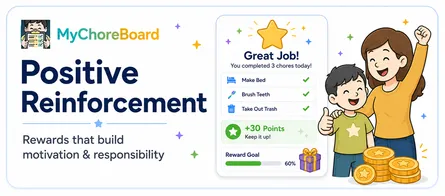
For a deeper look at motivation, read How Positive Reinforcement Builds Motivation & Responsibility in Kids.
Age-appropriate chores
A chore app for kids works best when the tasks match the child.
A toddler should not have the same chore list as a teenager. A five-year-old might need simple, visual tasks like putting pajamas in the hamper or feeding a pet with help. A tween might be ready to unload the dishwasher, pack a sports bag, clean a bathroom counter, or help with younger siblings.
The app can organize the system, but parents still need to choose chores that are realistic.
Start with chores your child can complete successfully. Then build from there.
For ideas by age, start with our complete guide to age-appropriate chores for kids.
Support for different kids in the same family
Some kids love a full list.
Other kids freeze when they see too many tasks at once.
Some kids are motivated by points. Some need pictures. Some need smaller steps. Some need repetition. Some need a calm visual routine more than a big reward.
A chore app for kids should give parents enough flexibility to support different children in the same household.
For kids who feel overwhelmed, MyChoreBoard includes Focus Mode, which helps children move through chores one section at a time instead of seeing everything at once.
Read more: Using Focus Mode to help kids complete chores one step at a time.
How MyChoreBoard helps kids build responsibility
MyChoreBoard is designed to help families create simple chore routines that kids can actually follow.
Parents set up the system. Kids use their own child-friendly interface. Completed tasks earn points. Points can be redeemed for rewards. Over time, kids begin to see chores less as random commands and more as part of their daily rhythm.
Here is how the pieces work together.
Step 1: Add each child
Start by creating a profile for each child.
This keeps chores, points, rewards, and progress organized by child. Each kid can have their own responsibilities based on age, ability, schedule, and personality.
For families with multiple kids, this is especially helpful because fairness does not always mean every child has the exact same chores. A teenager may have fewer tasks but more responsibility. A younger child may have more visual, simple chores with smaller point values.
The goal is to make the system feel fair, not identical.
Step 2: Create your chore list
Start small. It is tempting to add every possible task on day one, but that can overwhelm kids and parents.
Choose a few chores your child can complete successfully, then add more once the routine feels familiar.
You can always expand the chore board later with weekly tasks, Bonus Tasks, Shared Task Pool chores, and bigger rewards.
Good starter chores
If you are just getting started, choose a small mix of personal routines, room-reset tasks, and simple ways to help around the house.
Starter chore ideas
Pick a few that feel easy enough for your child to complete successfully.
Morning routine
Quick wins to start the day
Room reset
Keep personal spaces manageable
Family help
Simple ways to contribute
Bigger starters
Good for older kids
The first version of your chore system should feel easy enough to win.
Step 3: Assign chores by time of day
Kids do better when expectations are grouped clearly.
Instead of one long list, it helps to organize chores by when they happen:
- Morning
- Afternoon
- Evening
- Bonus
A morning routine might include making the bed, brushing teeth, getting dressed, and packing a backpack. An evening routine might include clearing dishes, putting laundry away, feeding the dog, and getting ready for bed.
This makes the day feel more manageable.
It also helps kids understand that chores are not random interruptions. They are part of the rhythm of the day.
Step 4: Add points and rewards
Points give kids a way to see progress.
Rewards give that progress meaning.
You do not need a complicated reward store to get started. A few simple rewards are enough. The best reward systems usually include a mix of quick wins, choice-based rewards, family experiences, and bigger goals kids can work toward over time.
Simple reward ideas
Start with rewards your kids already care about, then adjust as you learn what keeps them motivated.
Quick wins
Easy rewards for early momentum
Choice rewards
Let kids feel some control
Connection rewards
Rewards that do not need to be things
Bigger goals
Give kids something to save for
Rewards work best when they feel achievable. If every reward takes weeks to earn, younger kids may lose interest. If every reward is instant, older kids may not learn patience.
A good reward system has a mix of quick wins and bigger goals.
For more ideas, see How Positive Reinforcement Builds Motivation & Responsibility in Kids.
Step 5: Use Bonus Tasks for extra responsibility
Not every chore needs to be required every day.
That is where Bonus Tasks can help.
Bonus Tasks are optional chores kids can choose when they want to earn extra points. They work well because most families have extra jobs that need to be done, but parents do not necessarily want to load all of them into the required daily routine.
Bonus Task ideas
Optional chores give kids extra ways to help and extra ways to earn.
Outdoor help
Great for weekends or extra energy
Quick indoor resets
Small jobs that help the house feel cleaner
Organizing jobs
Helpful tasks that do not need to happen every day
Helpful extras
Good opportunities to show initiative
This gives kids a way to take initiative.
Instead of parents constantly asking for extra help, kids can choose from a list of available opportunities.
Learn how to set this up in How Bonus Tasks Work in MyChoreBoard.
Step 6: Use a Shared Task Pool for sibling jobs
Some chores do not belong to one specific child.
Maybe the dishwasher needs to be unloaded, but it does not matter who does it. Maybe the recycling needs to go out, but the first kid who notices can claim it. Maybe there are extra weekend jobs that any child can complete for points.
That is where a Shared Task Pool can help.
A shared chore is available to more than one child, but once one child completes it, it is no longer available to the others.
Shared Task Pool ideas
These chores work well when any child can claim them, but only one child gets the points.
Kitchen jobs
Shared chores that come up often
Outdoor & household
Good for quick help around the house
Pet & plant care
Great when more than one child can help
Shared spaces
Useful for keeping common areas under control
A Shared Task Pool can encourage initiative without creating duplicate work.
Read more: What Is a Shared Task Pool?.
Step 7: Keep the routine visible
A chore app for kids works best when kids can actually see it.
That might mean using it on:
- A parent phone
- A child tablet
- A shared family tablet
- A kitchen device
- A wall-mounted display
- An iPad, Android tablet, or Amazon Fire tablet in a common area
MyChoreBoard can be used from the web, the Apple App Store, Google Play, or the Amazon Appstore on Fire tablets, so families can choose the setup that works best for their home.
Some families like each child using their own device. Others prefer a shared tablet in the kitchen or family room. The best setup is the one your kids will actually check.
If you want the broader format comparison rather than an app-specific guide, read Digital Chore Charts for Kids.
Read more about installation options in MyChoreBoard Is Now Available in the App Stores. Fire tablet users can also read MyChoreBoard Is Now Available on Amazon Fire Tablets.
How to introduce a chore app without a fight
The rollout matters.
If kids hear, “We got an app so you have to do more chores,” they may resist immediately.
A better message is:
“We are going to try a new system so everyone knows what they are responsible for, you can earn points, and I do not have to keep reminding everyone all day.”
Then start with a small routine.
Do not launch with 25 chores per child. Do not make the first week feel like a punishment. Do not use the app only when something goes wrong.
Start with a few easy wins:
- One morning chore
- One evening chore
- One weekly chore
- One reward they are excited about
Let kids help choose some rewards. Let them pick icons or images when possible. Let them experience success before you add more responsibility.
For a full rollout plan, read Getting Kids Onboard with a Chore App.
Chore app ideas by age
A chore app for kids works best when the expectations match the child.
Younger kids usually need simple, visual tasks with lots of encouragement. Older kids can handle more independence, bigger responsibilities, and rewards that take longer to earn. The goal is not to give every child the same chore list. The goal is to give each child responsibilities they can realistically complete and grow into.
Toddlers & Preschoolers
Keep it simple and visual
At this age, chores are mostly about participation. Kids can put toys in a basket, place clothes in the hamper, put books on a shelf, help feed a pet, or wipe small spills with help.
Praise matters more than points here. Keep rewards quick, positive, and easy to understand.
Elementary Kids
Build daily routines
Elementary-age kids can usually handle repeated responsibilities like making the bed, brushing teeth, clearing dishes, packing a backpack, putting laundry away, feeding pets, or helping set the table.
This is a great stage to introduce points and rewards because kids can begin connecting effort with progress.
Tweens
Add ownership and choice
Tweens are often ready for chores like unloading the dishwasher, vacuuming, folding laundry, taking out trash, cleaning a bathroom counter, preparing simple food, or managing sports gear.
Bonus Tasks work especially well at this age because kids can choose extra ways to earn points.
Teens
Prepare for real life
Teens can take on larger responsibilities like laundry, meal prep, cleaning bathrooms, yard work, helping with younger siblings, managing schedules, and taking responsibility for shared spaces.
Rewards may shift toward privileges, independence, spending money, or bigger goals that require patience.
The easiest way to start is to choose a few chores your child can complete successfully, then add more responsibility over time. A younger child might need a short visual routine with immediate encouragement. A tween or teen might do better with fewer reminders, more choice, and a bigger reward they are working toward.
For more specific ideas, use these age-based guides:
- Age-Appropriate Chores for Toddlers
- Age-Appropriate Chores for Elementary Kids
- Age-Appropriate Chores for Tweens
- Age-Appropriate Chores for Teens
Using a chore app for ADHD kids
A chore app can be especially helpful for kids who struggle with working memory, transitions, or multi-step routines.
For many ADHD kids, the issue is not laziness. It is that verbal instructions disappear quickly, long lists feel overwhelming, and unclear expectations create friction.
A visual chore app can help by making routines:
- Visible
- Predictable
- Broken into smaller steps
- Easier to repeat
- Less dependent on parent reminders
- More rewarding in the moment
Focus Mode can also help by reducing the amount of information shown at once.
For more guidance, read How Chore Apps Can Help ADHD Kids Build Routines & Confidence.
Chore app vs allowance app
Some families want a chore app. Some want an allowance app. Some want both.
The difference matters.
A chore app is usually focused on routines, responsibilities, habits, and household contribution. An allowance app is usually focused on money, payments, savings, spending, and financial literacy.
Both can be useful, but younger kids often need the chore routine first.
Before kids can manage money well, they need to understand expectations, consistency, effort, and follow-through. That is why MyChoreBoard focuses on chores, points, rewards, and responsibility instead of making every task feel like a paid job.
For a deeper comparison, read Chore App vs Allowance App: Which Is Right for Your Family?.
Common mistakes to avoid
A chore app for kids works best when the system stays simple, positive, and easy to repeat.
Here are a few things that can make a new chore routine harder than it needs to be.
Adding too many chores at once
It is tempting to add every possible responsibility on day one. But if kids open the app and see a huge list, they may feel overwhelmed before they even start. Begin with a few clear chores, build confidence, and add more once the routine feels familiar.
Making rewards too hard to reach
If every reward takes weeks to earn, younger kids may lose interest. A good reward system usually includes a mix of quick wins, medium goals, and bigger rewards that take more patience.
Turning every chore into a paid job
Points and rewards can motivate kids, but they should support responsibility, not replace it. Some chores can earn points, while others can simply be part of contributing to the family.
Forgetting to adjust the system
Family routines change. School schedules, sports, weekends, holidays, and summer break can all affect what makes sense. A quick check-in every week or two can keep the chore board realistic.
Using the app only when something goes wrong
A chore app should not feel like a punishment tool. Use it to celebrate progress, recognize effort, and make expectations clear. Kids are more likely to buy in when the system helps them succeed instead of only showing up when they forgot something.
A simple way to get started
You do not need to build the perfect chore system on day one.
In fact, MyChoreBoard works best when families start small and adjust as they go. The goal is to create a routine your kids can understand quickly, not to assign every possible responsibility at once.
A simple starting point is:
- Add each child
- Create a few rewards they actually care about
- Choose two or three daily chores per child
- Add one or two weekly responsibilities
- Try the child interface together
- Adjust point values after a few days
- Add Bonus Tasks once the basic routine feels comfortable
This gives kids a chance to experience success before the system gets bigger.
For example, a younger child might start with making the bed, putting clothes in the hamper, and clearing dishes after dinner. An older child might start with unloading the dishwasher, taking out trash, and keeping their room picked up.
Once those chores become familiar, you can add more structure: recurring schedules, Bonus Tasks, Shared Task Pool chores, or bigger rewards.
The first version of your chore board does not need to be perfect.
It just needs to be simple enough for your family to use tomorrow.
Why MyChoreBoard works for real families
MyChoreBoard was built for families who need more than a simple checklist.
Real families have multiple kids, different ages, changing schedules, school routines, summer routines, sports, homework, pets, shared spaces, and chores that do not happen the same way every day.
MyChoreBoard helps by bringing those pieces into one system:
- Parents can set up chores and rewards.
- Kids can see what they need to do.
- Points help progress feel visible.
- Rewards help motivation stay positive.
- Savings Goals keep a chosen reward visible while kids complete chores.
- Bonus Tasks create optional earning opportunities.
- Shared Task Pool helps with sibling jobs.
- Focus Mode keeps the child interface calmer.
- Advanced scheduling supports real routines.
The goal is not to make chores perfect.
The goal is to make responsibility easier to practice every day.
Frequently asked questions about chore apps for kids
The best chore app for kids is the one your family will actually use consistently. Look for a system that is simple for parents to manage, easy for kids to understand, and flexible enough to handle chores, rewards, recurring routines, and multiple children. MyChoreBoard is built for families that want a kid-friendly chore and reward system without making setup complicated.
Look for a chore app with a simple child interface, parent controls, recurring schedules, age-appropriate task options, rewards, visible goal progress, and flexibility for multiple children. The app should make chores clearer and easier to repeat, not harder to manage.
Rewards can be helpful when they reinforce effort, consistency, and responsibility. Many families use a mix of expected responsibilities and point-based chores. This helps kids understand that they contribute to the household while still giving them motivation and a sense of progress.
A printable chore chart can be a good starting point, especially for very young kids. A chore app is often easier for families who need recurring schedules, multiple children, reward tracking, and flexibility across devices. A digital chore app also helps when routines change, because parents can update tasks without rewriting the whole chart.
Many families can start with simple visual chores around preschool age, especially if a parent helps. Elementary-age kids often do well with daily routines, points, and rewards. Tweens and teens can use a chore app for more independent responsibility. The system should match the child’s age and ability.
Yes, when it is used consistently. A chore app gives kids a clear place to check what needs to be done. That shifts some of the reminding away from the parent and into the routine. Parents may still need to guide and encourage, but the app creates a shared reference point.
Yes. Some chores are best assigned to one child, but others work well as shared opportunities. With MyChoreBoard’s Shared Task Pool, a chore can be available to more than one child. Once one child completes it, the task is removed from the others.
A chore app can help ADHD kids by making routines more visible, predictable, and easier to follow. Visual task lists, smaller steps, rewards, and Focus Mode can all help reduce overwhelm and support follow-through.
Final thought: the goal is responsibility, not perfection
A chore app for kids is not magic.
It will not make every child excited to clean a bathroom. It will not make family life perfectly organized overnight.
But it can make chores clearer. It can reduce the number of reminders. It can help kids see progress. It can give parents a calmer way to teach responsibility.
That is the real win.
When kids know what is expected, see their progress, and feel proud of contributing, chores become less about nagging and more about growing up.
MyChoreBoard helps families turn everyday chores into simple routines, positive reinforcement, and real responsibility.

Ready to try MyChoreBoard with your kids?
Install on any phone, tablet or computer. Free with no sign-in hoops.