New Feature: Manually Add & Subtract Points
- Jacob Volk
- Product Updates , MyChoreBoard Guides
- 02 Mar, 2026
Not every important parenting moment shows up as a scheduled chore. Sometimes a child helps a sibling, puts in extra effort on homework, or handles a tough situation really well. Other times you may need to apply a fair consequence. To make your points system more flexible, we’ve added a new feature to MyChoreBoard:
Manually Add or Subtract Points: Parents can now adjust points in real time whenever something happens outside the normal task list.
Why we built this
Chore systems work best when they reflect real life. With manual point adjustments, parents can:
- Reward kindness or extra effort
- Celebrate responsibility
- Give bonus points for great attitude
- Apply consistent consequences when needed
This can be especially helpful for families using flexible reward systems and immediate reinforcement. If that’s part of your approach, you may also like our guide to using positive reinforcement to build motivation and responsibility.
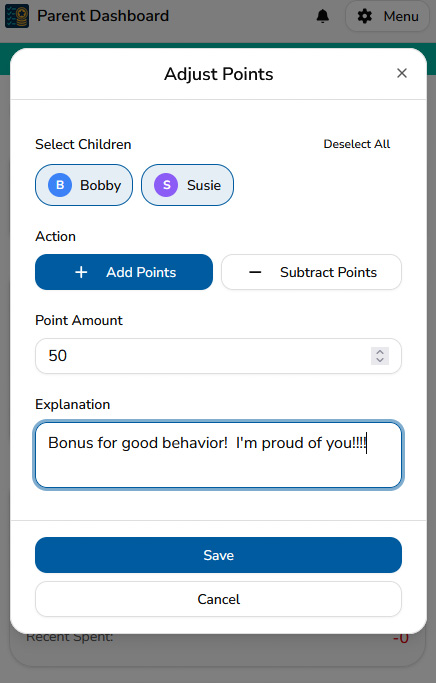
How it works
Using the new feature is simple:
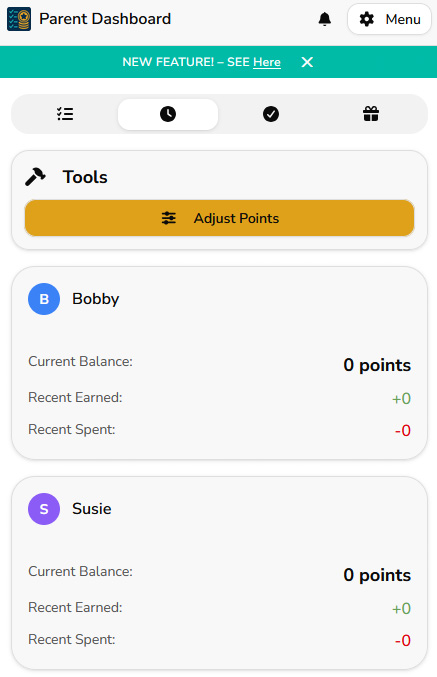
- Go to the Parent Dashboard
- Open the Activity tab
- Tap Adjust Points in the Tools section
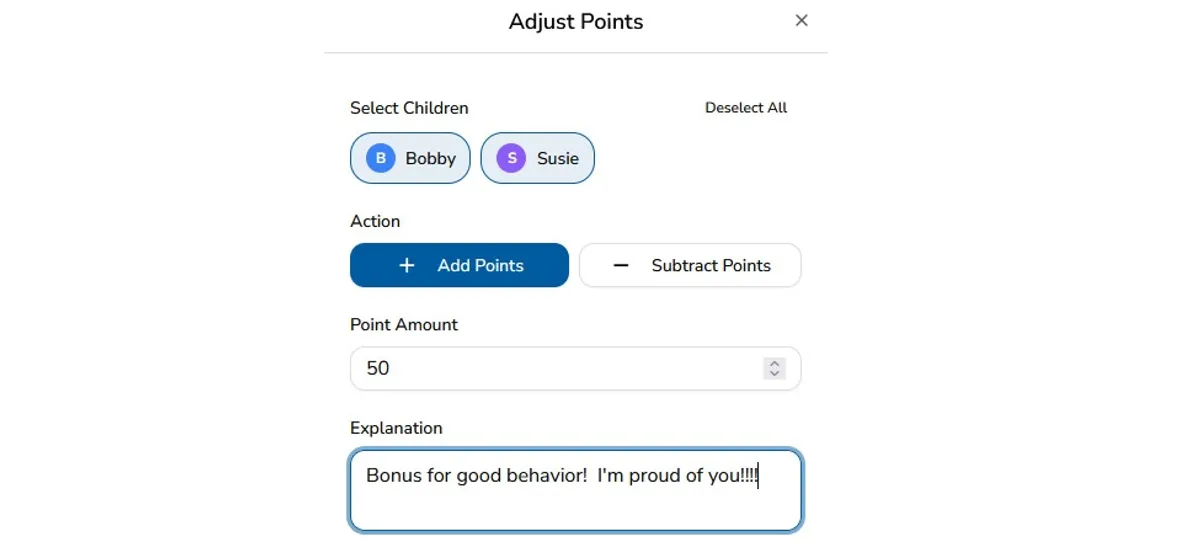
- Select one or multiple children
- Choose Add Points or Subtract Points
- Enter the point amount
- Add an explanation
- Tap Save
That’s it.
Try the new manual points feature → Open MyChoreBoard
When you might use this feature
Parents commonly use manual adjustments when:
- A child helps someone without being asked
- They go above and beyond on a responsibility
- You want to reward a great report from school
- You want to reinforce a positive attitude
- A fair point deduction is needed for behavior
This helps your reward system stay flexible while still remaining structured.
We’re continuing to build MyChoreBoard around one goal: helping parents create clear routines and consistent expectations while keeping kids motivated.
If you’re already using MyChoreBoard, thank you. Your feedback continues to shape every update.

Ready to try MyChoreBoard with your kids?
Install on any phone, tablet or computer. Free with no sign-in hoops.