New Feature: WallBoard Mode
- Jacob Volk
- Product Updates , Setup Guide
- 24 Mar, 2026
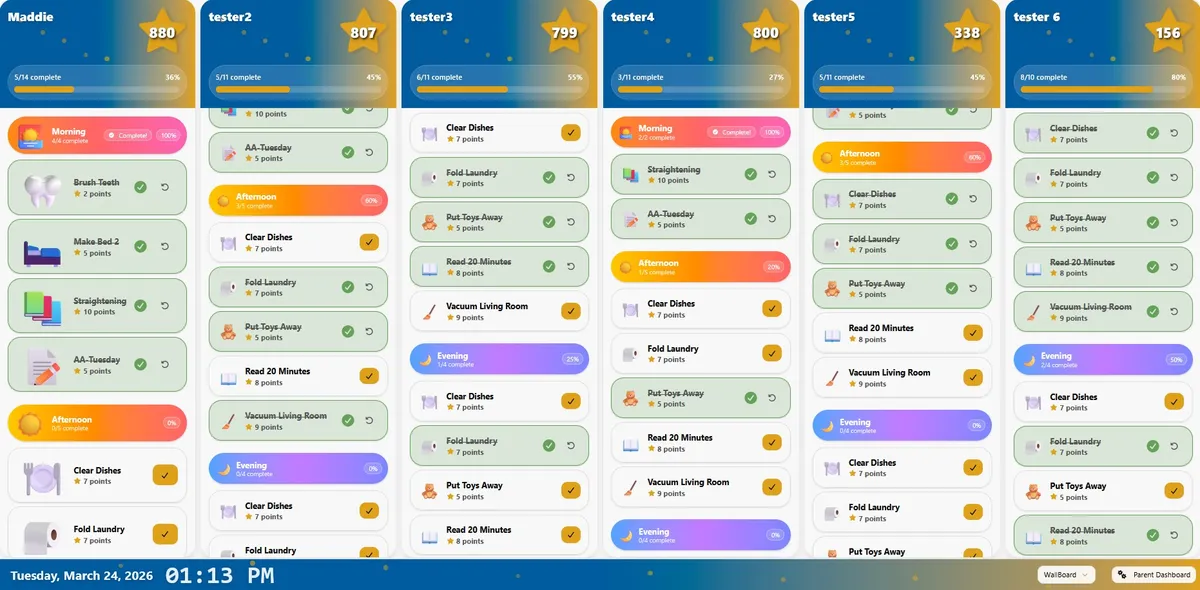
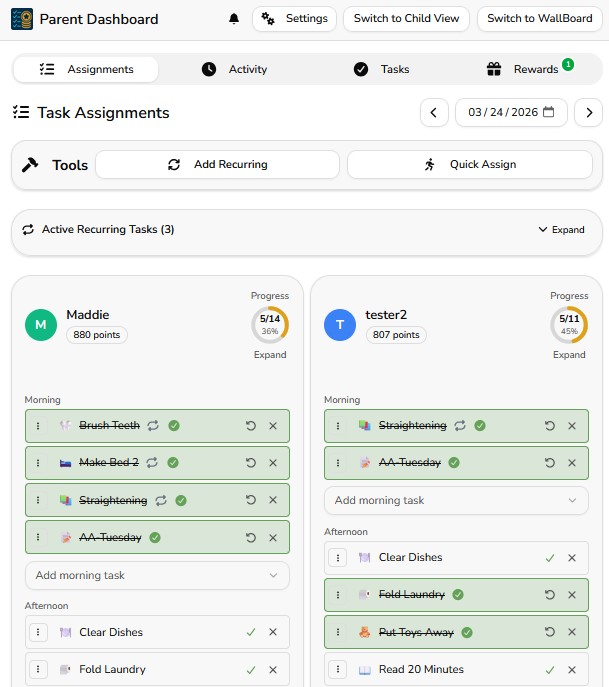
Sometimes it helps for the whole family to see everything at once. Instead of switching between child views, WallBoard Mode gives you a shared display that shows each child’s chores, progress, and points side by side on one screen. To make MyChoreBoard even more useful as a dedicated household device, we’ve added a new feature:
WallBoard Mode: A full-screen shared view designed for tablets and family command center setups.
Why we built this
Chore systems work best when expectations are visible. With WallBoard Mode, families can:
- See multiple children at the same time
- Check daily progress at a glance
- Use a tablet as a shared household chore screen
- Make routines feel more visible, clear, and consistent
This can be especially helpful for families who want a central screen in the kitchen, living room, or another shared space. If you’re building a more visible routine system at home, WallBoard Mode makes MyChoreBoard work even better as a dedicated family device.
How it works
Using the new feature is simple:
- Open MyChoreBoard on your tablet or shared device
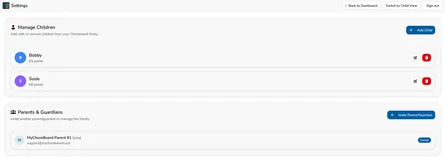
- Go to the Parent Dashboard and Click on Switch to WallBoard or
- From the “Child Interface” Click on WallBoard in the child drop down menu
- Place the device where the family can easily see it
- Let kids check their own column throughout the day
That’s it.
Try the new WallBoard Mode feature → Open MyChoreBoard
When you might use this feature
Parents may especially like WallBoard Mode when:
- They have more than one child using MyChoreBoard
- They want a shared screen in a central part of the house
- Kids respond better when chores stay visible
- They want a tablet to function like a dedicated family chore board
- They want to reduce reminders by letting the screen do more of the work
This helps keep routines more obvious and accessible without adding more clutter or confusion.
We’re continuing to build MyChoreBoard around one goal: helping parents create clear routines and consistent expectations while keeping kids motivated.
If you’re already using MyChoreBoard, thank you. Your feedback continues to shape every update.

Ready to try MyChoreBoard with your kids?
Install on any phone, tablet or computer. Free with no sign-in hoops.
Get Started Now