New Feature: Invite Another Parent or Guardian
- Jacob Volk
- Product Updates
- 12 Mar, 2026
Managing a household does not always fall on just one adult. Sometimes chores, rewards, routines, and responsibilities need to be managed by a co-parent, grandparent, guardian, or caregiver too. That is why we added a new feature to MyChoreBoard:
Invite Another Parent or Guardian: The parent who created the account can now invite other trusted adults to help manage the family’s chores and rewards.
Why we built this
Many families have more than one adult helping keep things running. With this new feature, you can now give access to other trusted caregivers so everyone stays on the same page.
This can be especially helpful for families who:
- Co-parent across two households
- Have grandparents helping with routines
- Rely on caregivers or guardians for support
- Want more than one adult to manage chores and rewards
Instead of one person carrying all of the setup and supervision, MyChoreBoard can now work as a shared family system.
How it works
Using the new feature is simple:
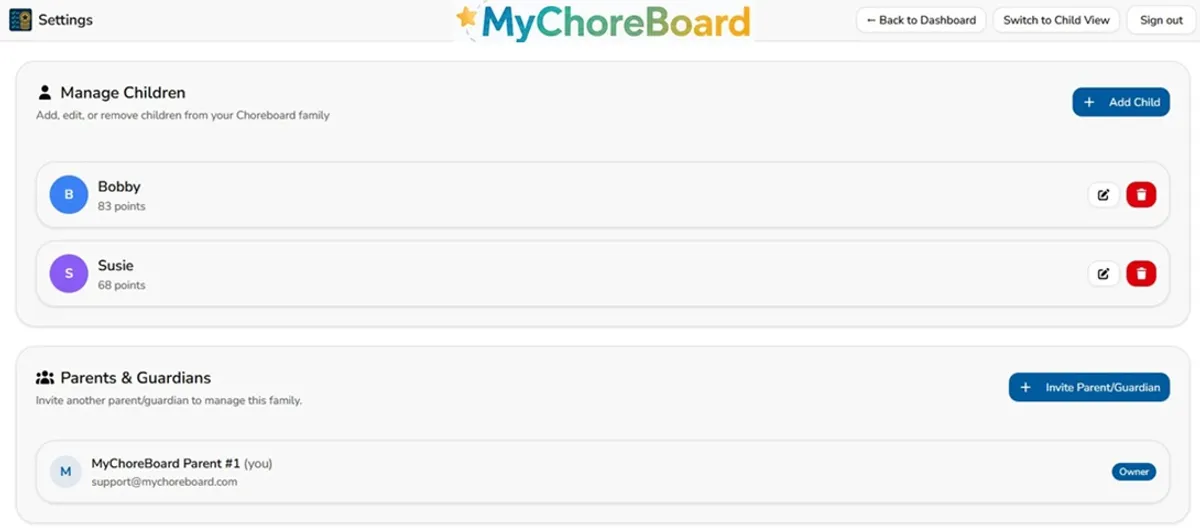
- Go to the Parent Dashboard
- Open Settings
- Find the Parents & Guardians section
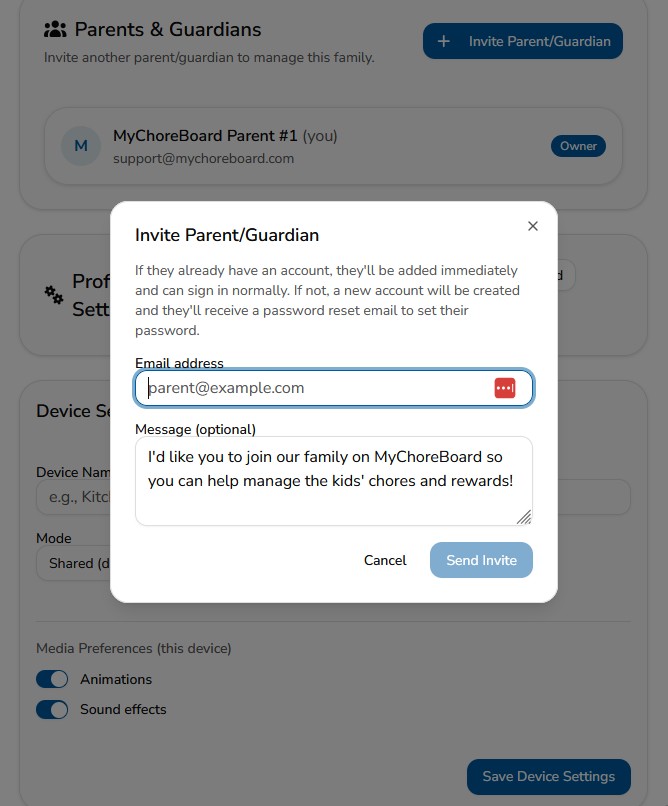
- Tap Invite Parent/Guardian
- Enter their email address
- Add an optional message
- Tap Send Invite
A new account will be created and they will receive a password reset email to set their password.
That’s it.
Try the new parent invite feature → Open MyChoreBoard
When you might use this feature
Families may use this feature when:
- A co-parent also needs to assign or review chores
- A grandparent helps with after-school routines
- A caregiver needs visibility into expectations
- More than one adult wants to manage rewards and progress
This makes it easier to keep routines consistent, expectations clear, and everyone working from the same system.
We’re continuing to build MyChoreBoard around one goal: helping families create clear routines and consistent expectations while making everyday life easier to manage.
If you’re already using MyChoreBoard, thank you. Your feedback continues to shape every update.
Ready to try MyChoreBoard with your kids?
Install on any phone, tablet or computer. Free with no sign-in hoops.